

Sign in to Hivenet
Access your files and manage your storage account.
Store
Access your files and manage your storage account.
Compute
Launch instances and manage your compute resources.
Store and Compute still use separate accounts today. We’re working on a unified sign-in.
Just need to send a file?
Use Send directlyNew to Hivenet? Get Started
Get started with Hivenet
Choose what you want to use first.
Store
Back up photos and files across your devices.
Compute
Launch self-serve GPU compute for demanding work.
Store and Compute still use separate accounts today. We’re working on a unified account experience.
Need Hivenet for business?
Talk to salesNeed to send a file?
Open SendAlready have an account? Sign in
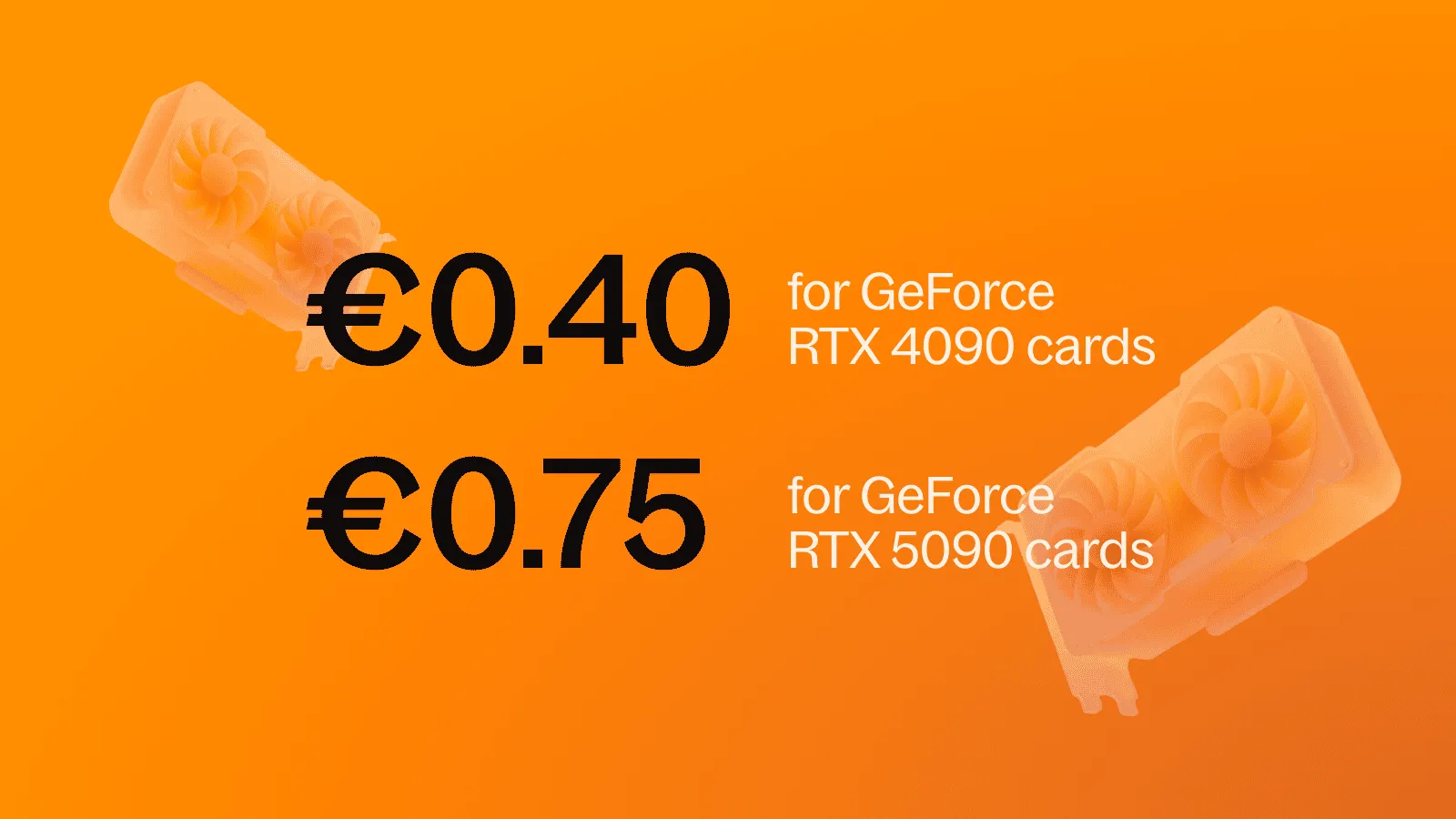
RTX 4090 vs RTX 5090 cloud pricing after the 4090 retirement
Direct answer: Hivenet’s RTX 4090 fleet has been retired and is no longer available for new Compute workloads. The current GPU family is the RTX 5090, with 32 GB of GDDR7 VRAM per GPU. Hivenet’s public pricing page lists RTX 5090 rental from €0.75 per hour, while the Compute console shows the presets, regions, availability, attached resources, and active price that can be launched at that moment.
This article originally compared the cheapest RTX 4090 and RTX 5090 cloud options. It now preserves that comparison context while separating historical RTX 4090 information from current availability.
What changed
The RTX 4090 is no longer part of Hivenet’s launchable Compute fleet. Older Hivenet pages and third-party search results may still contain a 4090 reference price, but that does not mean a new 4090 instance can be created.
Hivenet Docs list the RTX 5090 as the current GPU family and direct users to the Compute console for the live preset details. Availability and the exact CPU, RAM, disk, bandwidth, location, and price can vary by capacity.
Current RTX 5090 pricing on Hivenet
As checked on 24 August 2026, Hivenet’s public pricing page lists GPU rental for AI workloads at:
- RTX 5090: from €0.75 per hour
The displayed rate is a starting point, not a promise that every location and GPU count is available. Before planning a job, check the Compute console for the exact preset and active price.
Standard instance pricing includes the disk and network volume shown for the selected preset. Optional or persistent resources can have separate charges, and storage may continue to incur cost after compute is stopped. Terminating an instance removes it and ends future instance charges.
RTX 4090 pricing is now historical
The RTX 4090 remains useful in historical benchmarks and cost comparisons, but it should not be presented as a current Hivenet rental option. If you find an old 4090 price in an article or search result, check the publication date and the current fleet reference before using it in a budget.
For a new Hivenet workload, compare the available RTX 5090 preset with other currently launchable provider options. Do not substitute a historical 4090 rate for a live quote.
For hardware context behind older comparisons, see the RTX 4090 CUDA-cores guide.
When the RTX 5090 is a good fit
One RTX 5090 provides 32 GB of VRAM. It can be a practical starting point for inference, image generation, development, rendering, and workloads that fit within that memory. Multi-GPU configurations can support tensor parallelism, distributed training, multi-GPU rendering, or several jobs in parallel when the software is designed for them.
Multiple GPUs do not automatically combine into one shared VRAM pool. A four-GPU instance provides four separate GPUs with 32 GB each. The model or framework must distribute the workload across them.
How to compare the real cost
- Confirm that the preset is currently available in the required region.
- Record the GPU count, VRAM per GPU, vCPU, RAM, disk, and bandwidth.
- Check the billing increment and the lifecycle of optional or persistent resources.
- Estimate active compute time, storage, data movement, and recovery time.
- Run a short representative benchmark before committing a long job.
The broader GPU cloud pricing chart guide explains how to normalize these fields across providers.
For an inference product, the startup GPU cloud selection guide connects hardware cost with latency, billing, and operating responsibilities.
For frequent short requests, the short-inference GPU cloud guide covers cold starts, idle capacity, and billing.
Frequently asked questions
Can I still launch an RTX 4090 on Hivenet?
No. Hivenet Docs state that the RTX 4090 fleet has been retired and is no longer available for new Compute workloads.
What GPU does Hivenet currently offer?
The current fleet reference lists NVIDIA RTX 5090 instances with 32 GB of GDDR7 VRAM per GPU. Live GPU counts, regions, capacity, attached resources, and prices appear in the Compute console.
How much does an RTX 5090 instance cost?
Hivenet’s public pricing page lists RTX 5090 rental from €0.75 per hour as of 24 August 2026. Check the console for the active price of the exact preset you can launch.
Are storage and network resources included?
The public pricing page says the standard instance price includes the disk and network volume listed for the preset. Optional or persistent resources may have separate charges.
Where should I verify current availability?
Use the Hivenet GPU types reference for the current fleet and the Compute console for launchable presets and active prices.
Next step
For an overview of instance options and setup paths, see Compute with Hivenet.
Check the current Hivenet pricing page, then confirm the region, capacity, attached resources, and active price in the Compute console before launching a workload.
Your next workload belongs on Hivenet.
Pick one AI, compute, or storage workload and see the difference for yourself. Spin it up in minutes, or let our team map your fastest path to production.

