

Sign in to Hivenet
Access your files and manage your storage account.
Store
Access your files and manage your storage account.
Compute
Launch instances and manage your compute resources.
Store and Compute still use separate accounts today. We’re working on a unified sign-in.
Just need to send a file?
Use Send directlyNew to Hivenet? Get Started
Get started with Hivenet
Choose what you want to use first.
Store
Back up photos and files across your devices.
Compute
Launch self-serve GPU compute for demanding work.
Store and Compute still use separate accounts today. We’re working on a unified account experience.
Need Hivenet for business?
Talk to salesNeed to send a file?
Open SendAlready have an account? Sign in
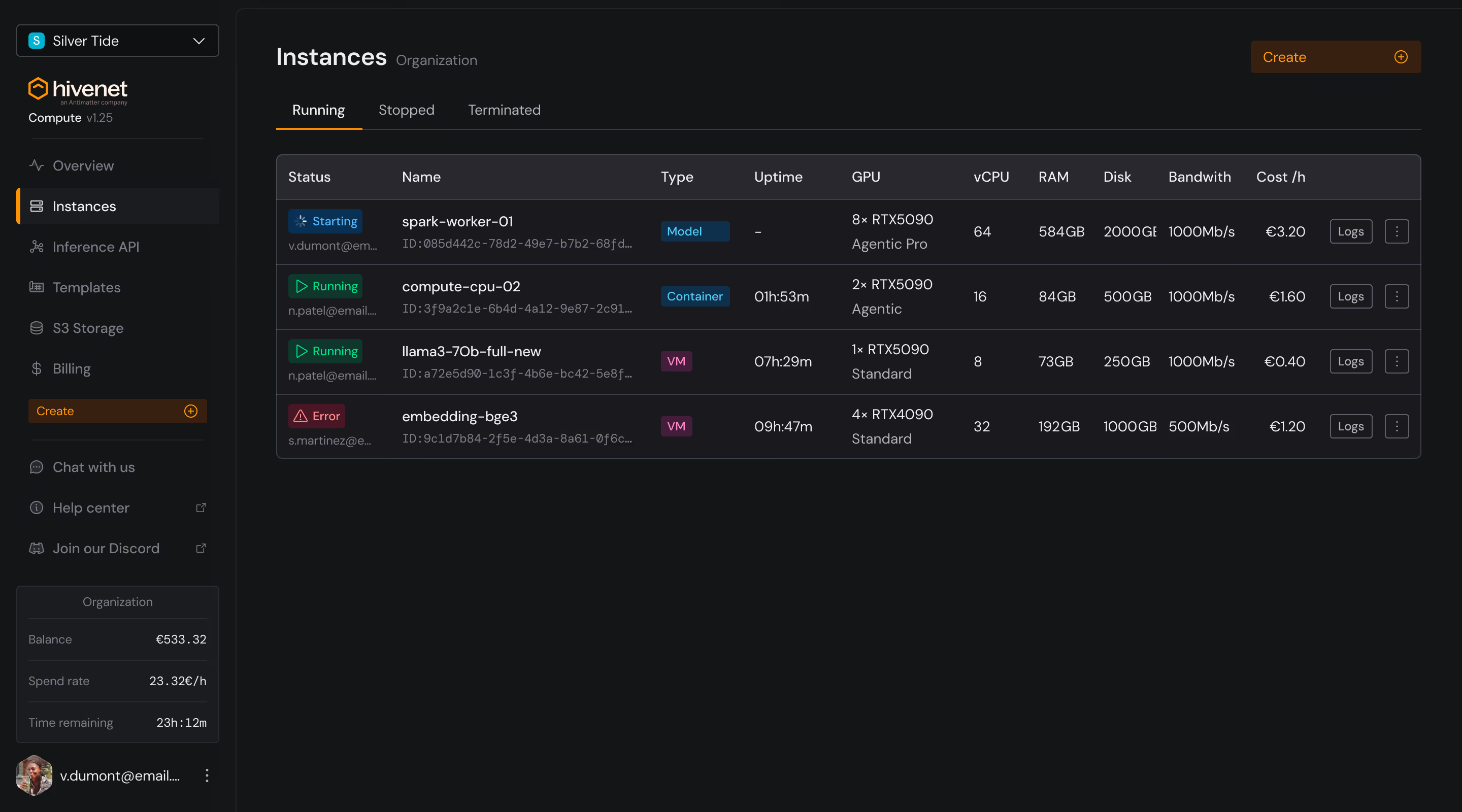
Compute
The full-stack compute platform that fits your workload and your budget.
Run GPU and CPU workloads on enterprise-grade infrastructure, operated by Hivenet end-to-end, with pricing you can plan around, per-second billing, team access, and API-ready workflows. Start with a complete platform that fits the workload, not a machine you have to assemble.


RTX 5090
RTX 6000 series
vCPU instances
Per-second billing
Templates and OS images
Team organizations
Public Compute API
France, UAE, and US deployment paths

Trusted for performance-sensitive workloads and proven.
Compute with Hivenet is chosen by research teams, AI builders, and businesses that need performance they can budget around, backed by published benchmarks and research.
Benchmark proof
VM matched bare metal
On a single-host 8× RTX 5090 setup, Compute with Hivenet matched bare-metal NCCL AllReduce bandwidth within run-to-run variance.
Research depth

partnership
Hivenet's distributed cloud work is developed in a long-running research partnership with INRIA.
Customer evidence
Research, AI, and industry teams
Teams at organizations such as Proteineer, the University of Arizona, and mytutor.io run GPU compute and AI workloads on Hivenet.
White papers
Read our methodology
Benchmark methodology, the distributed-architecture paper, and the sustainability white paper are published with their assumptions and limits.
Pick the path that fits the workload and the budget.
GPU/CPU rental
Rent the exact instance your workload needs.
Launch RTX 5090, RTX 6000-series, or vCPU instances for inference, model experiments, fine-tuning, rendering, notebooks, APIs, batch jobs, and development environments.
General compute
Run everyday cloud workloads, no GPU premium.
Use vCPU instances for APIs, dev environments, preprocessing, CI/CD, test databases, background jobs, and lightweight services.
AI compute
Run your own AI stack, your way.
Use Compute when your team wants control over vLLM, TGI, SGLang, llama.cpp, PyTorch, Jupyter, ComfyUI, Docker, or custom serving layers for open-source models.
Programmable compute
Automate infrastructure from your own tools.
Use the Public Compute API to manage instance lifecycle, SSH keys, billing, organization workflows, and quota requests programmatically.
Team compute
Give your whole team shared access and billing.
Create organizations, invite members, assign roles, and run workloads from a shared credit pool without sharing logins.
Enterprise compute · RTX 6000 series
Enterprise-grade GPUs for production-scale workloads.
Step up to RTX 6000-series capacity for larger production deployments, demanding model serving, and enterprise workloads that need more headroom, with the same predictable pricing and control.
Need a managed endpoint instead of an instance?
Compute gives you GPU or CPU infrastructure and full control over the stack. If you want an OpenAI-compatible endpoint without operating the serving layer yourself, use the Hivenet Inference API.
Need
Best path
Why
I want an instance I control
Compute with Hivenet
You manage the OS, framework, model server, dependencies, and workflow
I want an OpenAI-compatible endpoint
Hivenet Inference API
Hivenet operates the serving layer and endpoint
I want AI on sensitive data with help designing the path
Private AI
Hivenet helps scope model, data, infrastructure, and rollout
I need datasets or object storage for AI pipelines
S3-compatible storage
Store documents, datasets, model inputs, outputs, and pipeline artifacts
Swipe left to see more

Serious compute needs more than a low hourly number.
Good compute economics come from matching the workload to the right path. Start with the smallest option that runs the job well, measure performance, then move up when memory, throughput, latency, or operating needs justify it.

Pricing you can plan around
Fixed GPU rates and per-second billing help teams estimate spend before they run.

Right-sized instances
Choose vCPU, RTX 5090, or RTX 6000-series based on what the workload actually uses.

Team-ready workflows
Use organizations, role-based access, and shared billing when more than one person works on infrastructure.

API-ready automation
Use the Public Compute API for scripts, CI/CD, internal tooling, and repeatable workflows.

Practical control
Choose available regional deployment paths and use standard workflows such as SSH, templates, OS images, Docker, and API calls.
What teams actually run on Compute.

Open-source model serving
Run models and serving stacks when your team wants full control over the inference environment.

Notebooks and experiments
Launch GPU notebooks, PyTorch environments, and repeatable experiments without buying hardware.

Rendering and image generation
Run ComfyUI, image-generation tools, rendering jobs, and GPU-heavy creative workflows.

APIs and background jobs
Use vCPU instances for web services, automation, preprocessing, CI/CD, and lightweight production workloads.
FAQ
Common Compute questions

Start with the workload.
Pick the compute path.
Rent a GPU or CPU instance, automate Compute through the API, or talk to Hivenet about the right setup for your team.

