

Sign in to Hivenet
Access your files and manage your storage account.
Store
Access your files and manage your storage account.
Compute
Launch instances and manage your compute resources.
Store and Compute still use separate accounts today. We’re working on a unified sign-in.
Just need to send a file?
Use Send directlyNew to Hivenet? Get Started
Get started with Hivenet
Choose what you want to use first.
Store
Back up photos and files across your devices.
Compute
Launch self-serve GPU compute for demanding work.
Store and Compute still use separate accounts today. We’re working on a unified account experience.
Need Hivenet for business?
Talk to salesNeed to send a file?
Open SendAlready have an account? Sign in
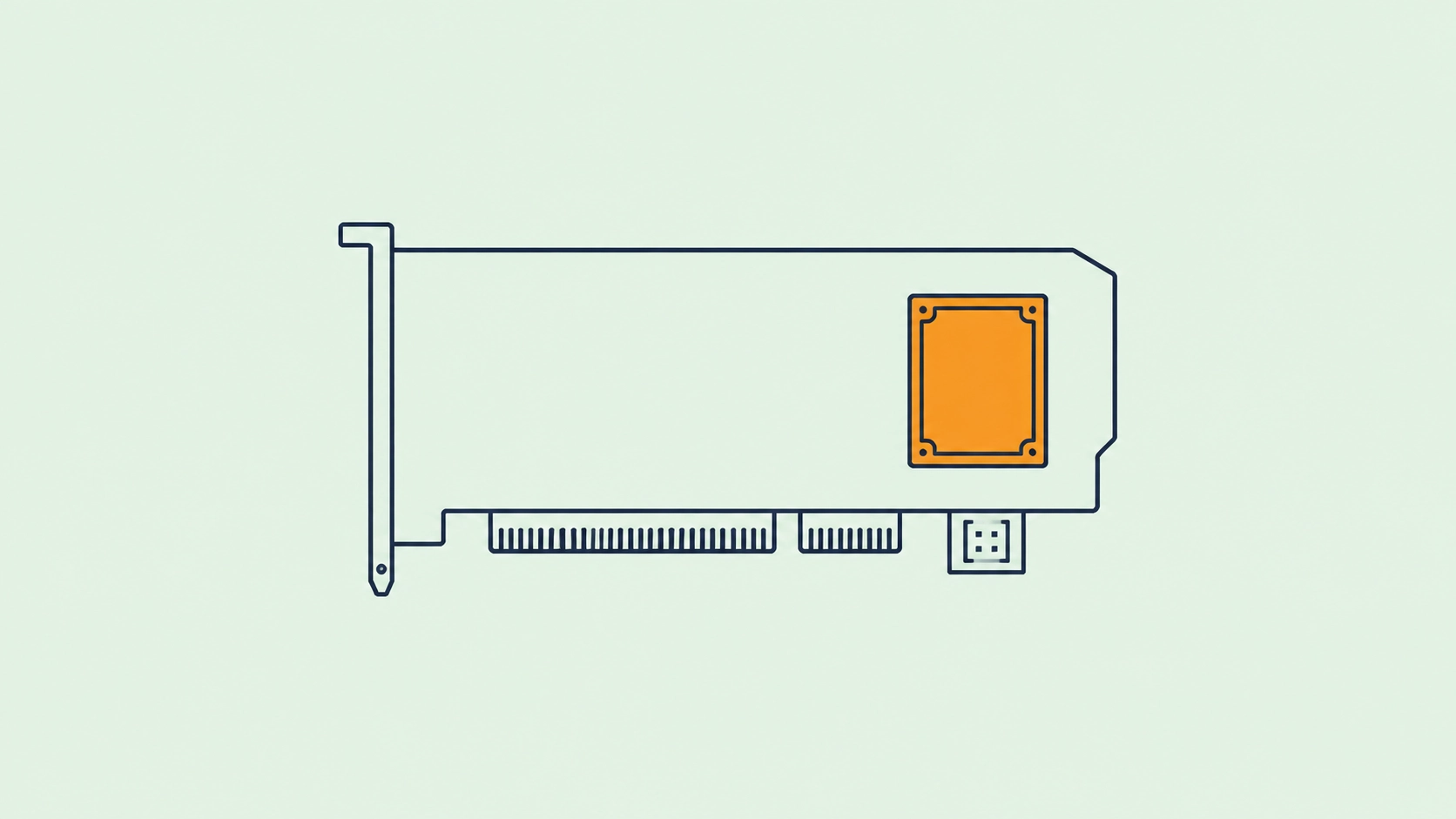
AI accelerator cards explained: PCIe, M.2, GPUs, NPUs, and when to buy one
Buying an AI accelerator card sounds simpler than buying an AI accelerator.
Put a card in a computer. Install the software. Run AI faster.
The difficult part is that AI accelerator card describes a piece of hardware, not a particular processor architecture.
A graphics card can be an AI accelerator card.
So can an FPGA card.
So can a PCIe board containing a purpose-built inference ASIC.
An M.2 module with an NPU can perform the same broad job in a device small enough to fit inside an embedded computer.
Current products illustrate how broad the category has become. Intel ships its Gaudi 3 accelerator in a standard PCIe form factor for large language models, multimodal models, training, and inference. Hailo sells compact M.2 neural accelerators for edge inference as well as multi-processor PCIe cards. Axelera AI offers M.2 and PCIe inference cards built around its Metis processor. AMD's Alveo cards use reconfigurable FPGA hardware for acceleration rather than a fixed neural processor.
Those devices may all appear when you search for an AI accelerator card.
They are not interchangeable.
The useful question is:
What workload are you trying to accelerate, and does buying dedicated hardware solve that problem better than using the CPU, GPU, or remote compute you already have?
What is an AI accelerator card?
An AI accelerator card is an add-in board or module that gives a host computer dedicated hardware for accelerating machine-learning workloads.
The host still contains a CPU and ordinary system memory. The accelerator handles computational work that suits its architecture.
That hardware might be:
- a GPU;
- an NPU;
- an inference ASIC;
- an FPGA;
- another specialized AI processor;
- several accelerator chips on one board.
This is why the broader term AI accelerator and the physical term accelerator card should not be treated as synonyms.
An AI accelerator is a type of computing hardware.
An accelerator card is one way of packaging and connecting that hardware to a system.
An accelerator card is not necessarily a GPU
This distinction causes a lot of unnecessary confusion.
A discrete GPU installed in a PCIe slot is already an accelerator card.
NVIDIA GPUs accelerate neural-network operations alongside graphics, rendering, simulation, scientific computation, and other parallel workloads.
A dedicated AI inference card usually specializes further.
Axelera's current Metis PCIe cards, for example, contain purpose-built AI Processing Units rather than general-purpose GPUs. The one-chip PCIe version is designed primarily around inference workloads and is available with dedicated memory configurations, while a four-chip version increases accelerator density on one board.
Intel's Gaudi 3 PCIe card occupies another part of the market. Intel positions it for large generative-AI workloads, including LLMs, multimodal models, RAG, training, and inference, rather than limiting the board to edge inference.
The card tells you where the hardware lives.
The processor tells you what it can do.
PCIe and M.2 are form factors, not AI architectures
This is perhaps the most useful distinction to make before shopping.
PCIe describes a high-speed interface used to connect peripherals to a computer.
A conventional accelerator board may plug into a motherboard's PCIe expansion slot.
M.2 describes a compact card and connector format.
Many M.2 devices also communicate over PCIe.
So “M.2 accelerator vs PCIe accelerator” can be misleading. An M.2 AI accelerator may itself use PCIe electrically.
For example, Hailo's Hailo-8 M.2 modules use PCIe Gen 3 interfaces and are offered in different M.2 key configurations. Axelera's Metis M.2 uses an M-key connector with a PCIe Gen 3 x4 host interface.
The more useful comparison is usually:
compact M.2 module versus conventional PCIe expansion card.
PCIe AI accelerator cards
A conventional PCIe card gives manufacturers considerably more physical room than an M.2 module.
That room can be used for:
- several accelerator chips;
- more memory;
- larger heatsinks;
- active cooling;
- additional power delivery;
- wider host interfaces;
- networking;
- larger processing pipelines.
This can make PCIe attractive for workstations, servers, industrial computers, and higher-throughput edge systems.
Axelera's current range demonstrates the scaling difference. Its single-Metis PCIe card contains one AI processor and dedicated memory, while its four-processor version increases both accelerator count and available memory. The larger card also needs an auxiliary power connector rather than relying entirely on the PCIe slot.
Hailo follows another design. Its accelerator range spans individual M.2 modules through a higher-density Century PCIe card containing multiple Hailo-8 processors.
The specific architectures differ, but the pattern is common:
a larger card gives the manufacturer more room to scale compute, memory, cooling, and power.
M.2 AI accelerator cards
M.2 accelerators solve a different physical problem.
They add AI capability where a conventional expansion card may be impractical.
That includes:
- compact PCs;
- industrial computers;
- embedded systems;
- gateways;
- single-board computers;
- edge appliances.
Hailo's Hailo-8 M.2 module, for example, packages its inference processor into several M.2 variants and supports Linux and Windows hosts as well as common model frameworks through the company's compiler and runtime.
Axelera's Metis M.2 provides another current example. Its standard version uses a PCIe Gen 3 x4 M-key connection and dedicated memory, while the newer M.2 Max increases memory capacity for more demanding edge inference workloads.
The attraction is obvious.
You can add dedicated neural-network compute without installing a full-size graphics card.
The constraints are equally important.
An empty M.2 slot does not guarantee compatibility
This is one of the easiest mistakes to make when buying an M.2 AI accelerator.
M.2 slots can differ in:
- keying;
- physical length;
- electrical interface;
- PCIe lane count;
- PCIe generation;
- available power.
A physically similar slot may be wired for SATA rather than PCIe.
Axelera's current integration documentation makes this explicit. Its Metis M.2 requires an M-key PCIe slot. A B-key, E-key, or M-key slot that only provides SATA connectivity is not compatible. The company also notes that reduced PCIe lane count can reduce performance and that the host must provide enough electrical power for the module.
Cooling has to fit as well.
The same installation guidance warns that inadequate cooling can cause instability, while active-cooled configurations need sufficient airflow.
So before buying an M.2 accelerator, checking that the screw holes line up is nowhere near enough.
M.2 keys matter
The notches in an M.2 card are not decorative.
They correspond to different connector keys.
Hailo demonstrates why product-specific checking matters. Its Hailo-8 module is available in M, B+M, and A+E-key variants, with different PCIe lane configurations depending on the version.
Axelera's Metis M.2 takes another approach and requires an M-key connector.
If you already have a target computer, identify the exact slot before choosing the accelerator.
If you are designing a product around the accelerator, start from the manufacturer's electrical and mechanical requirements rather than assuming that every M.2 implementation behaves the same way.
PCIe lane count can become part of AI performance
The accelerator still has to exchange data with the rest of the system.
That communication happens through the host interface.
A card designed around four PCIe lanes can often function with fewer lanes if the hardware and software permit it, but host-to-device bandwidth falls.
Whether that matters depends on the workload.
Axelera notes that its Metis M.2 can operate with fewer than its preferred four PCIe Gen 3 lanes, but that performance may fall in workloads requiring high transfer rates.
This is a useful reminder that accelerator performance involves more than the processor's TOPS rating.
The host has to feed it.
AI accelerator memory can be the real constraint
This becomes especially important once buyers move from computer vision toward generative AI.
A card can have ample arithmetic performance and insufficient memory.
Some edge inference processors keep memory requirements intentionally small.
Hailo-8 uses on-chip memory rather than external DRAM for its neural-network processing architecture.
Other cards provide dedicated external memory.
Axelera's standard Metis M.2 includes dedicated DRAM, while higher-capacity M.2 Max and PCIe variants provide more room for larger models and pipelines.
A GPU such as an RTX-class card follows a different model again, with substantial dedicated VRAM designed to support graphics and general-purpose compute as well as AI.
This is why AI accelerator memory should be checked before TOPS when evaluating larger models.
A 200-TOPS card cannot run a model that does not fit simply because the arithmetic units are fast.
Our guide to TOPS vs FLOPS and useful AI performance metrics explains why peak compute numbers cannot be treated as application benchmarks.
Computer vision and LLMs need different cards
A product page containing the letters “AI” does not mean the device is suitable for every AI workload.
Many compact accelerator modules were designed primarily around:
- image classification;
- object detection;
- segmentation;
- pose estimation;
- multi-camera analytics;
- other computer-vision models.
Generative AI places different pressure on memory and runtime support.
The difference is visible even inside one vendor's lineup.
Raspberry Pi's original AI HAT+ uses Hailo-8 or Hailo-8L acceleration and targets hardware-accelerated local inference, particularly vision workloads. In January 2026, Raspberry Pi introduced the AI HAT+ 2 specifically to expand into generative-AI workloads, reflecting the different memory and hardware requirements involved.
Axelera similarly distinguishes its smaller M.2 configuration from higher-memory hardware intended to support more demanding LLM and VLM workloads.
Buy the card for the model you intend to run.
Do not buy the acronym.
Model compatibility matters more than hardware compatibility
Suppose the card fits.
The motherboard detects it.
The drivers install.
You are still not finished.
The accelerator software must understand your model.
That means checking:
- framework support;
- model architecture;
- individual operators;
- supported numerical precision;
- quantization;
- dynamic shapes;
- compiler restrictions;
- preprocessing and postprocessing;
- fallback behavior.
Hailo uses its Dataflow Compiler and HailoRT software environment to prepare models for its accelerator. Its current Hailo-8 documentation lists support for common framework inputs including TensorFlow, TensorFlow Lite, ONNX, Keras, and PyTorch, but models still go through Hailo's accelerator toolchain.
Intel Gaudi uses the Gaudi software stack with integrations for frameworks such as PyTorch and DeepSpeed.
A familiar framework at the top does not make the underlying hardware interchangeable.
“Supports PyTorch” can mean several things
This deserves emphasis because it appears on many accelerator product pages.
A card may accept a model originally created in PyTorch.
That does not necessarily mean arbitrary PyTorch code executes directly on the accelerator.
Often the workflow is closer to:
PyTorch model → export/compile/convert → accelerator representation → vendor runtime
The model graph then has to fit what the compiler and hardware support.
This is completely normal for specialized accelerators.
It simply means that “PyTorch support” should be investigated at the level of the actual model you intend to deploy.
Ask for the supported model list.
Check the operator documentation.
Test your model before designing a product around the card.
Quantization support matters
Many inference accelerators achieve their strongest performance at low numerical precision.
INT8 is common in computer vision.
INT4 and related formats are increasingly relevant to generative AI.
This affects both speed and memory.
A model that runs in FP16 on a GPU may need to be quantized before it fits or performs efficiently on a smaller dedicated accelerator.
The model may also need calibration or vendor-specific quantization tools.
Our existing LLM quantization guide explains the broader trade-off between weight size, memory, hardware support, performance, and model quality.
The important rule when buying an accelerator is:
benchmark the model in the numerical format you will actually deploy.
Do not compare one card's INT8 peak against another device's FP16 performance and call it a speed comparison.
AI accelerator cards need host CPUs
Adding an accelerator does not remove the host computer.
The CPU may still handle:
- operating-system work;
- network traffic;
- application logic;
- decoding inputs;
- preprocessing;
- postprocessing;
- disk access;
- device management;
- orchestration.
Some pipelines are limited by these surrounding stages rather than the neural-network computation itself.
This is why CPU vs GPU vs NPU remains relevant even after you decide to buy an accelerator.
The card only accelerates the part of the workload that can reach it.
Host architecture matters
Edge cards are often deployed outside ordinary x86 desktop systems.
The host may use:
- Intel x86;
- AMD x86;
- Arm;
- a Raspberry Pi;
- an embedded SoC.
Compatibility has to be checked.
Hailo currently lists x86 and Arm host support for Hailo-8.
Axelera documents support for Intel Core, AMD Ryzen, and selected Arm64 hosts for Metis M.2, with operating-system requirements varying by deployment path.
This software and driver support can eliminate a candidate before accelerator performance matters.
Power requirements vary dramatically
One appeal of small inference accelerators is their ability to add useful AI compute within relatively tight power limits.
But “low power” should not be interpreted as “no power planning required.”
Axelera's current Metis M.2 integration guide, for example, specifies both average and short-duration peak power requirements for the slot. Insufficient host power can require limiting card performance.
Move to larger PCIe cards and auxiliary power can become necessary.
Axelera's four-processor PCIe card requires an 8-pin auxiliary power connector rather than operating from motherboard slot power alone.
Large GPU accelerator cards can require considerably more power again.
Before buying, check the complete system:
accelerator + CPU + memory + storage + cooling + power supply.
Cooling is a performance specification
A processor can only sustain its advertised performance if heat leaves the system quickly enough.
This becomes awkward in edge deployments because compact enclosures and quiet or fanless designs restrict airflow.
An M.2 accelerator may physically fit underneath another component and still be thermally unusable there.
A full-size PCIe card may block another slot or require stronger chassis airflow.
Axelera's integration documentation explicitly treats adequate cooling as a requirement for stable operation of its M.2 and PCIe accelerators.
So check:
- heatsink clearance;
- ambient temperature;
- airflow;
- fan requirements;
- neighboring cards;
- chassis volume;
- sustained rather than burst performance.
This matters even more for the edge AI systems that may run continuously inside constrained enclosures.
PCIe card size matters too
Desktop GPU buyers already know this problem.
A card can technically use PCIe and still not fit into the machine.
Server and industrial accelerator cards come in dimensions such as:
- full-height;
- half-height;
- full-length;
- half-length;
- single-slot;
- dual-slot.
Axelera's current single-processor Metis PCIe system, for example, uses a half-height, half-length, single-slot form factor.
Larger accelerator configurations may require different slots, auxiliary power, or airflow.
Check the chassis before the purchase order.
AI accelerator card vs GPU
For many buyers, this is the real decision.
Should you add a dedicated AI accelerator or install a GPU?
| Priority | Dedicated AI accelerator | GPU |
|---|---|---|
| Fixed supported model | Strong candidate | Strong |
| Computer vision inference | Often excellent fit | Strong |
| Small power envelope | Often strong | Depends on GPU |
| High model churn | More constrained | Strong |
| Training | Product-dependent | Strong |
| Fine-tuning | Product-dependent | Strong |
| Custom kernels | Platform-dependent | Mature options |
| Large LLM | Depends strongly on card memory | Broad range of options |
| Graphics or rendering | Usually irrelevant | Strong |
| Mixed compute workloads | Narrower | Strong |
| Software portability | Often lower | Broader on mature GPU stacks |
| Edge integration | Strong | Embedded GPUs also available |
| Maximum flexibility | Lower | Higher |
| Stable high-volume inference | Potentially excellent | Strong |
For a deeper performance and economics comparison, see AI accelerators vs GPUs for inference.
AI accelerator card vs integrated NPU
Modern CPUs increasingly include NPUs already.
That raises another sensible question:
why buy an accelerator if the machine already contains one?
Do not add hardware until you know the integrated NPU is insufficient.
A built-in NPU can be an excellent choice for:
- sustained laptop AI;
- audio processing;
- supported local models;
- video effects;
- low-power inference.
A separate card becomes interesting when you need:
- more throughput;
- additional model support;
- several concurrent streams;
- dedicated accelerator memory;
- a different software stack;
- AI capability in a host that lacks an NPU.
Our guide to what an NPU is explains what current client NPUs can and cannot reasonably replace.
FPGA accelerator cards are different again
Some accelerator cards contain FPGAs rather than fixed AI processors.
An FPGA allows hardware logic to be reconfigured after manufacturing.
That gives developers a degree of architectural control unavailable on a conventional GPU or fixed-function inference ASIC.
AMD's current Alveo accelerator family uses adaptable hardware and supports both traditional FPGA development and higher-level accelerated application workflows. AMD positions the cards for workloads requiring high parallelism, low latency, and the ability to adapt hardware behavior as algorithms change.
The trade-off is development complexity.
We will cover that separately in FPGA vs GPU for AI workloads.
When an AI accelerator card makes sense
Buying dedicated accelerator hardware becomes easier to justify when the workload has stopped moving.
Good conditions include:
- the model is known;
- the accelerator supports it;
- the workload runs frequently;
- utilization will be high;
- local processing matters;
- power or latency constraints favor specialized hardware;
- the machine will remain in service for several years;
- request volume is predictable;
- the software stack is stable;
- you control the host hardware;
- the savings repay installation and engineering costs.
A factory vision system is a good example.
Suppose eight cameras run the same object-detection models around the clock.
The models are unlikely to change dramatically.
Network dependency is undesirable.
The machine already has an available expansion slot.
Dedicated local inference hardware begins to make sense.
When buying one probably does not make sense
The weaker cases look very different.
Think twice if:
- you are still choosing the model;
- the model changes monthly;
- you want to experiment with several frameworks;
- the workload is occasional;
- hardware will spend most of its life idle;
- your next model may need much more memory;
- you need training and inference;
- the current CPU or GPU already meets the requirement;
- you do not want to manage drivers and hardware;
- you cannot predict the workload one year from now.
Specialization becomes expensive when the problem refuses to stay specialized.
The economics of buying an AI accelerator card
The price on the product page is only the beginning.
Total ownership can include:
card + host machine + memory + storage + power supply + cooling + installation + software engineering + maintenance + replacement hardware + electricity
Then divide that cost by the useful work the system performs over its lifetime.
A continuously used accelerator can amortize its purchase price well.
A card that runs for three hours every Friday may take years to repay itself.
That is why utilization matters so much.
The same logic applies to GPUs.
Buy versus rent is partly a utilization question
Suppose you need powerful AI hardware for 80 hours this year.
Buying the hardware gives you a machine that sits idle for the other 8,680 hours.
Suppose instead that the model runs 24 hours a day for five years.
The ownership calculation changes completely.
This gives us a useful starting point:
Buying tends to make more sense when
- use is continuous;
- the workload is stable;
- hardware requirements are understood;
- local execution is valuable;
- you can maintain the machine;
- the equipment will stay productive for years.
Renting tends to make more sense when
- use is temporary;
- demand changes;
- models change;
- you need hardware occasionally;
- the required accelerator class may change;
- you want to avoid capital expenditure;
- you want to stop paying when the job ends.
For a broader look at the second path, see our guide to renting GPUs.
Local accelerator card vs cloud GPU
This is a better comparison than it might first appear.
An inference ASIC and a cloud GPU solve different kinds of uncertainty.
The accelerator card says:
I know this workload well enough to own hardware for it.
The cloud GPU says:
I want access to powerful hardware without committing to it.
| Requirement | Local accelerator card | Cloud GPU |
|---|---|---|
| Offline operation | Strong | Requires network |
| Fixed workload | Strong | Also works |
| Constant high utilization | Strong buying case | Can become expensive over long periods |
| Variable workload | Hardware sits idle | Strong |
| Frequent model changes | Depends on card | Strong |
| Large model experiments | Fixed by installed hardware | Change GPU configuration |
| No local maintenance | Weak | Strong |
| Data remains entirely on site | Strong | Depends on deployment |
| Hardware experimentation | Requires purchases | Strong |
| Edge deployment | Strong | Cannot replace hard real-time local compute |
| Temporary project | Weak | Strong |
| Training plus inference | Card-dependent | GPU flexibility useful |
There is no universal cheaper option.
The workload has to be placed in the table first.
Local accelerator card vs cloud inference API
There is one more level of abstraction.
You can:
- own an accelerator;
- rent an accelerator;
- avoid managing accelerators altogether.
A managed inference API makes the processor largely someone else's problem.
That can make sense when the actual requirement is simply:
send input → receive model output.
You lose some low-level control but avoid installing drivers, maintaining servers, handling cooling, and operating the model-serving stack.
For Hivenet, that distinction is between programmable Compute infrastructure and the managed Hivenet Inference API.
The right choice depends on how far down the stack your application needs control.
Why cloud GPUs are useful before you buy specialized hardware
There is a particularly useful hybrid approach.
Prototype on flexible GPUs first.
Then specialize.
You can:
- choose the model;
- validate quality;
- measure inference;
- quantize it;
- understand memory;
- observe real traffic;
- establish latency requirements;
- determine utilization;
- then evaluate a dedicated accelerator.
This makes the accelerator purchase evidence-based.
If your model changes three times during the experiment, you have just discovered why buying specialized hardware earlier would have been premature.
Compute with Hivenet provides GPU and CPU infrastructure for this kind of model experimentation without requiring teams to buy the underlying hardware. Hivenet's current Compute offering centers on RTX 5090 GPU instances and CPU compute, while its benchmark library provides workload measurements rather than relying only on peak GPU specifications.
A 15-point AI accelerator card checklist
Before you buy anything, answer these questions.
1. What model are you running?
Name the exact architecture.
2. Is this training or inference?
Many compact accelerator cards are inference-first hardware.
3. Does the vendor support the model?
Find it in the documentation or test it.
4. Are all important operators supported?
Framework compatibility alone is not enough.
5. Which precision will you deploy?
INT8, INT4, FP16, BF16, FP8, and other formats can produce radically different results.
6. How much accelerator memory is available?
Check model weights plus runtime requirements.
7. What is the actual workload benchmark?
TOPS is not enough.
8. Which host interface does the card require?
PCIe generation, lane count, M.2 key, and electrical interface all matter.
9. Does it physically fit?
Check dimensions, slot height, length, heatsink, and neighboring hardware.
10. Can the slot provide enough power?
M.2 modules can have requirements that ordinary storage-oriented slots do not satisfy.
11. Does the power supply support the card?
Larger PCIe accelerators may need auxiliary power.
12. Is the cooling sufficient?
Plan for sustained operation.
13. Does the software run on your host OS and CPU architecture?
Check Linux, Windows, x86, Arm, drivers, containers, and SDK support.
14. How will you update the model?
A card that works today must still work after the next model release.
15. Is ownership cheaper than renting?
Calculate actual utilization before purchasing.
If several of those answers are unknown, you probably are not ready to buy the card yet.
Do not compare accelerator cards by TOPS alone
One card advertises 26 TOPS.
Another advertises 214.
Another advertises 856.
Intel Gaudi lives in a completely different performance and workload class.
The numbers are useless without context.
The devices may use:
- different precision;
- different operation counting;
- different memory;
- different target models;
- different power;
- different host interfaces;
- different software;
- different scaling assumptions.
The 26-TOPS Hailo-8 M.2 and the multi-chip Metis PCIe card are solving quite different physical and workload problems even though both can be described as AI accelerator cards.
Our TOPS vs FLOPS guide explains why the useful benchmark is the model you actually intend to run.
Benchmark the complete system
For inference, measure:
- model quality;
- latency;
- throughput;
- batch behavior;
- memory use;
- host CPU utilization;
- accelerator utilization;
- power;
- sustained thermals;
- cost.
For LLMs, also measure:
- time to first token;
- time per output token;
- tokens per second;
- context length;
- concurrency;
- KV-cache memory.
For vision:
- frames per second;
- image resolution;
- stream count;
- pre- and postprocessing;
- detection accuracy.
A benchmark that removes the rest of the system may tell you how fast the chip can execute one kernel.
It does not necessarily tell you how fast your product will work.
AI accelerator cards for edge AI
This is where dedicated cards make perhaps their most natural argument.
An existing edge computer may already have:
- CPU;
- storage;
- networking;
- sensors;
- application software.
Adding a compact neural accelerator can upgrade AI performance without replacing the whole machine.
This can be useful for:
- industrial vision;
- surveillance analytics;
- retail systems;
- robotics;
- smart infrastructure;
- local speech processing;
- embedded generative AI.
Hailo, Axelera, and Raspberry Pi all currently sell products built around this add-on model.
Our edge AI hardware guide explains when this local approach makes sense compared with sending inference elsewhere.
AI accelerator cards for LLMs
Large language models make card selection harder.
The first questions should be:
How much memory?
Which model?
Which quantization?
Which runtime?
Small local language models can fit onto increasingly compact accelerator hardware.
Larger models quickly make memory and software support decisive.
Intel's current Gaudi 3 PCIe card targets demanding generative-AI workloads rather than treating PCIe acceleration as an edge-only category.
At the smaller end, accelerator vendors are adding more memory and GenAI-oriented products precisely because traditional vision-focused edge hardware does not automatically suit language models. Axelera's M.2 Max, for example, increases dedicated memory specifically for more demanding LLM and VLM workloads.
So “AI accelerator card for LLM” is too broad a shopping category.
Start with model memory.
AI accelerator cards for training
Many compact AI cards are primarily inference devices.
Do not assume they can train a model because they can run one.
Training needs:
- backward propagation;
- gradient calculation;
- optimizer state;
- activations;
- more memory;
- often much broader numerical support.
GPUs remain a flexible training platform, while some specialized accelerator families such as Intel Gaudi support both training and inference.
Our training vs inference hardware article explains why the two stages can need very different systems.
FAQ about AI accelerator cards
What is an AI accelerator card?
An AI accelerator card is an add-on board or module containing hardware designed to accelerate machine-learning workloads. It can contain a GPU, NPU, FPGA, ASIC, or another specialized processor.
Is an AI accelerator card the same as a GPU?
No, although a GPU card is one type of accelerator card. Some AI accelerator cards use purpose-built inference processors or FPGAs instead.
What is a PCIe AI accelerator card?
It is an AI accelerator that connects to a computer through PCI Express. The accelerator may be a GPU, NPU, ASIC, FPGA, or another processor architecture.
What is an M.2 AI accelerator?
An M.2 AI accelerator is a compact accelerator module using the M.2 physical format. Many current products communicate over PCIe through the M.2 connector and target edge or embedded inference.
Can I put an AI accelerator in an M.2 SSD slot?
Sometimes, but you must verify the exact slot. M.2 slots differ in keying, interface, lane count, power delivery, and physical dimensions. Some M.2 slots are SATA-only and cannot operate a PCIe AI accelerator.
Is an M.2 AI accelerator faster than a GPU?
There is no general answer. M.2 inference accelerators are often designed for compact, power-efficient workloads, while discrete GPUs usually provide much more general compute and memory. Compare the same model and deployment requirements.
Does an AI accelerator card need a CPU?
Yes. The host CPU continues to run the operating system and application and typically coordinates work sent to the accelerator.
Does an AI accelerator card have its own memory?
Some do, while others use on-chip memory or depend on a different memory architecture. Check the specific product rather than assuming all accelerators behave like GPUs.
Can an AI accelerator card run an LLM?
Some can. Model size, accelerator memory, numerical precision, supported operators, and runtime determine which LLMs are practical.
Can an AI accelerator card train models?
Some accelerator families support training, while many compact edge cards focus mainly on inference. Verify the product and software stack before buying.
What is better, M.2 or PCIe for AI acceleration?
M.2 is useful where space and power are constrained. Conventional PCIe cards provide more room for memory, cooling, several processors, and greater power. The workload and physical system should determine the choice.
How many TOPS do I need?
There is no universal number. Model compatibility, memory, latency, precision, power, and software support matter alongside peak TOPS. Benchmark the actual workload.
Should I buy an AI accelerator card or rent a GPU?
Buy when the workload is stable, local, heavily used, and well matched to the hardware. Renting is often more practical for temporary, changing, experimental, or bursty workloads.
Is an accelerator card good for edge AI?
It can be an excellent fit. An accelerator can add local inference to an existing edge computer while leaving general application work on the CPU. Power, cooling, software compatibility, and physical integration still need to be checked.
Is an FPGA an AI accelerator card?
An FPGA card can be used as an AI accelerator when programmable logic is configured for machine-learning workloads. FPGA hardware offers more architectural reconfigurability than a fixed GPU or inference ASIC. See our FPGA vs GPU guide.
Buy the workload, not the card
The AI accelerator market makes it tempting to start with hardware.
There are compact M.2 modules.
Powerful PCIe cards.
High TOPS figures.
Dedicated AI processors.
Boards that promise to turn an ordinary machine into an AI system.
Some of them are excellent solutions.
The order of the decision still matters.
Choose the model.
Measure the workload.
Understand the memory requirement.
Decide whether the work belongs locally.
Check the software stack.
Establish latency and throughput targets.
Then determine whether the processor should be a CPU, GPU, NPU, FPGA, or specialized ASIC.
Only after that should you choose the card.
If the workload is stable enough, dedicated accelerator hardware can give a machine exactly the capability it needs without adding a large general-purpose GPU.
If the workload is still changing, fixed hardware can turn today's optimization into tomorrow's constraint.
That is when flexible rented compute has value.
Use local specialization where the problem is settled.
Keep the hardware flexible while it is not.
Continue through the cluster with NPU vs GPU for AI workloads, what an NPU is, the practical guide to AI accelerators, CPU vs GPU vs NPU, AI accelerators vs GPUs for inference, edge AI hardware, TOPS vs FLOPS, training vs inference hardware, and FPGA vs GPU for AI.
Your next workload belongs on Hivenet.
Pick one AI, compute, or storage workload and see the difference for yourself. Spin it up in minutes, or let our team map your fastest path to production.

