

Sign in to Hivenet
Access your files and manage your storage account.
Store
Access your files and manage your storage account.
Compute
Launch instances and manage your compute resources.
Store and Compute still use separate accounts today. We’re working on a unified sign-in.
Just need to send a file?
Use Send directlyNew to Hivenet? Get Started
Get started with Hivenet
Choose what you want to use first.
Store
Back up photos and files across your devices.
Compute
Launch self-serve GPU compute for demanding work.
Store and Compute still use separate accounts today. We’re working on a unified account experience.
Need Hivenet for business?
Talk to salesNeed to send a file?
Open SendAlready have an account? Sign in
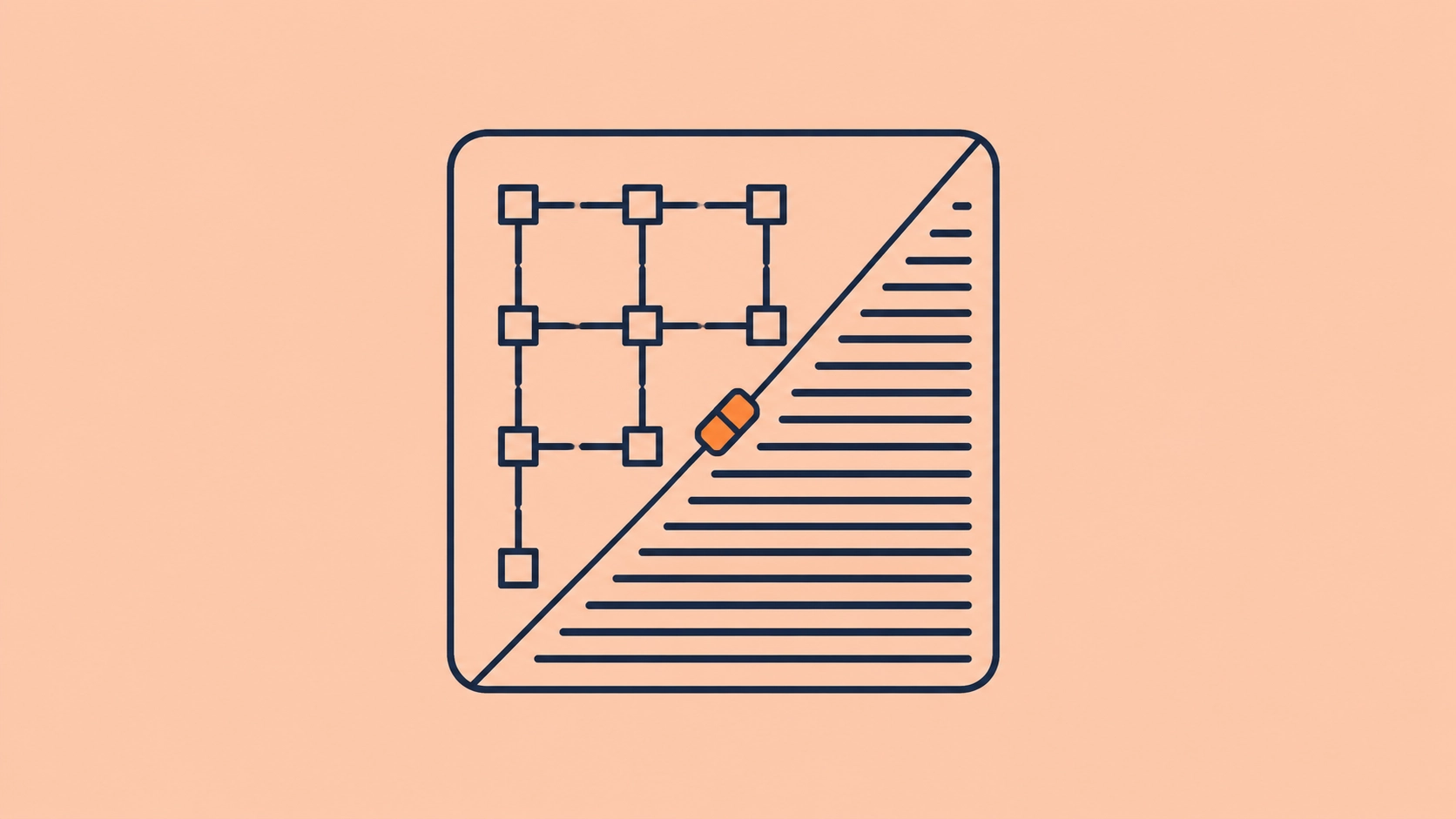
FPGA vs GPU for AI workloads
FPGA vs GPU is one of the stranger hardware comparisons in AI.
Both can accelerate neural networks.
Both can sit on PCIe cards.
Both can perform enormous amounts of parallel computation.
But they arrive at that result in fundamentally different ways.
A GPU gives you a processor architecture and lets you program what runs on it.
An FPGA gives you programmable logic and lets you configure part of the hardware architecture itself.
That difference matters more than a TOPS figure.
A GPU is usually easier to use when models change, frameworks matter, training is involved, or you need large amounts of memory and general parallel compute.
An FPGA becomes interesting when the workload is stable enough that you can turn its computation into a carefully designed hardware pipeline, especially when latency, data movement, unusual numerical precision, power, sensor integration, or deterministic behavior matter.
Neither is universally faster.
The real question is:
Does your AI workload benefit more from programmable software running on a general parallel processor, or from hardware configured around the workload itself?
FPGA vs GPU at a glance
A badly designed FPGA implementation can lose to a GPU.
A badly utilized GPU can lose to a carefully designed FPGA.
The workload and implementation decide the result.
What is a GPU?
A graphics processing unit is a highly parallel processor.
Its hardware architecture is manufactured into the chip. Developers then write software that maps computation onto that architecture.
NVIDIA's current CUDA programming model describes GPUs as processors built to execute thousands of threads in parallel, trading some single-thread performance for much greater aggregate throughput.
That architecture works well for operations that can be divided into large numbers of similar calculations.
Modern neural networks contain plenty of them.
This is why GPUs became central to:
- deep-learning training;
- LLM inference;
- image generation;
- computer vision;
- scientific computing;
- rendering;
- simulation;
- other highly parallel workloads.
The GPU's internal structure stays the same when you move from one application to another.
The software changes.
What is an FPGA?
FPGA stands for field-programmable gate array.
An FPGA contains programmable logic blocks, interconnects, memory resources, digital signal processing resources, and other components that can be configured after the chip has been manufactured.
Instead of merely telling fixed processor cores which instructions to execute, an FPGA design can create a custom hardware datapath.
AMD's current Vitis HLS documentation puts the distinction plainly: unlike a CPU executing a program, an FPGA can be configured into a custom hardware circuit that responds to its inputs as dedicated hardware would.
That hardware configuration is typically represented by a bitstream loaded onto the FPGA.
Change the bitstream and you can change what the programmable logic does.
The physical chip stays the same.
The implemented hardware design changes.
The core difference is software programmability vs hardware reconfiguration
This is the distinction worth remembering.
On a GPU, you normally ask:
How can I map this algorithm onto the processor?
On an FPGA, you can ask:
What hardware pipeline should this algorithm become?
That gives the FPGA unusual freedom.
Suppose an AI application needs to:
- receive camera data;
- convert a pixel format;
- resize the image;
- run a neural network;
- filter detections;
- encode the result;
- send it over a custom interface.
A GPU can execute much of this work.
An FPGA designer can potentially build several stages into one streaming hardware pipeline where data flows from one operation directly into the next.
No general instruction scheduler needs to coordinate every stage in the same way.
No intermediate result necessarily needs to travel through conventional memory between every operation.
That can be powerful when the workflow is known in advance.
GPUs are flexible at the software level
The GPU takes another path.
You keep the processor architecture and change the software.
A PyTorch developer can replace one model with another without designing a new circuit.
A CUDA developer can launch a different kernel.
An inference team can move from one serving engine to another.
The same hardware might run:
- a Llama model in the morning;
- image generation in the afternoon;
- a Blender render overnight;
- a simulation the next day.
That flexibility is one reason GPUs remain so useful even when a more specialized processor could beat them on one narrow operation.
We explored the same pattern in our guide to AI accelerators: specialization can improve efficiency, but flexibility becomes valuable when workloads change.
FPGAs sit between GPUs and ASICs in an important way
A useful mental model is:
GPU → FPGA → ASIC
as you move toward increasingly workload-specific hardware.
That is not a strict taxonomy, but it captures an important trade-off.
GPU
The hardware architecture is fixed.
You change the software quickly.
FPGA
The chip's programmable resources are fixed, but you can reconfigure them into different hardware designs after manufacturing.
Changing the implementation is possible, but the development process is much heavier than recompiling ordinary software.
ASIC
The hardware design is fixed when the chip is manufactured.
An ASIC can be optimized deeply around a particular workload, but changing the hardware normally means designing a new chip.
So an FPGA offers something unusual:
hardware-level specialization without committing permanently to one hardware design.
That can be valuable when the workload is stable today but might change over the product's lifetime.
Reconfigurable does not mean easy to change
This point gets lost surprisingly often.
An FPGA is more reconfigurable than an ASIC.
A GPU is usually easier to reprogram.
Changing a GPU workload may involve modifying Python or C++, recompiling a kernel, or loading another model.
Changing an FPGA design can involve:
- modifying hardware logic;
- synthesizing the design;
- placing and routing logic;
- checking timing;
- verifying interfaces;
- generating a new bitstream;
- testing the result on hardware.
Modern tools reduce the burden, but they do not erase the underlying hardware problem.
AMD's current Vitis HLS can synthesize C or C++ functions into RTL hardware, reducing the need to write every design directly in Verilog or VHDL. The generated design still becomes hardware logic that must be implemented in the FPGA fabric.
This is a much heavier development loop than changing a PyTorch model on a GPU.
Why use an FPGA for AI?
That extra work has to buy you something.
Several characteristics can justify it.
Custom data flow
You can build hardware around the exact sequence of operations the application performs.
Pipeline parallelism
Different processing stages can operate simultaneously on different pieces of data.
Predictable latency
A dedicated hardware pipeline can avoid some of the scheduling variability present in more general computing systems.
Custom numerical precision
The hardware can be designed around numerical widths appropriate to the application rather than only the formats exposed by a fixed GPU architecture.
Direct I/O integration
FPGAs can connect closely to cameras, sensors, networks, industrial buses, and other interfaces.
Reconfiguration
Unlike an ASIC, the hardware design can be updated after deployment.
Those strengths explain why FPGAs have long been used in networking, telecommunications, industrial systems, financial trading, signal processing, and other applications where data paths and latency matter.
AI can become another stage in those pipelines.
Current FPGA AI systems are increasingly heterogeneous
Modern FPGA-related AI hardware is becoming difficult to describe as “just FPGA.”
AMD's current Versal Adaptive SoCs can combine:
- programmable logic;
- processor cores;
- dedicated AI Engine arrays;
- memory and I/O;
- accelerator IP.
Vitis AI 6.2 is specifically an AI inference development platform for AMD Adaptive SoCs, with a compiler, runtime, quantization tooling, and NPU IP that can operate alongside programmable logic.
This creates an important taxonomy wrinkle.
An NPU can be implemented as part of an FPGA or adaptive-compute system.
So asking “FPGA or NPU?” does not always describe mutually exclusive hardware.
The AI accelerator categories overlap because vendors increasingly combine several approaches in one system.
FPGA vs GPU for AI inference
Inference is where FPGA AI has the strongest practical argument.
Once a model is trained, its computation becomes more predictable.
If the model remains stable, engineers can optimize the hardware pipeline around:
- known layers;
- known tensor shapes;
- selected numerical precision;
- known input streams;
- fixed latency requirements.
This is especially attractive when AI is one part of a larger real-time pipeline.
A video system might need to:
capture → decode → resize → infer → filter → transmit
continuously.
An FPGA can potentially place much of that pipeline in hardware.
A GPU can certainly accelerate the neural-network stage, and perhaps other stages too, but data may pass through a more general computing and memory system.
Which approach performs better depends entirely on the implementation.
GPU inference is easier when models keep changing
Now imagine the model changes every month.
Today it is YOLO.
Next month it is a transformer-based detector.
Then a vision-language model replaces both.
The FPGA team may need to redesign, compile, validate, and optimize its hardware implementation repeatedly.
The GPU team loads another supported model.
That is the difference between hardware adaptability and software agility.
FPGAs are adaptable.
GPUs are often more agile.
For production AI where model architectures evolve quickly, agility can be worth more than hardware-level optimization.
This is why specialized AI accelerators vs GPUs for inference becomes largely an economic question once both systems can run the model.
FPGA vs GPU for AI training
For mainstream deep-learning training, GPUs are usually the more practical choice.
Training requires:
- forward computation;
- backpropagation;
- gradients;
- optimizer updates;
- large memory capacity;
- changing computational graphs;
- framework integration;
- distributed execution;
- extensive debugging and profiling.
GPU ecosystems have been built around those requirements for years.
CUDA supports enormous thread-level parallelism, while frameworks such as PyTorch can dispatch model operations to GPU kernels without requiring developers to design hardware circuits.
FPGA training is technically possible and remains an area of research and specialist engineering.
It is much less common as a general training platform.
The current AMD Vitis AI stack itself is positioned primarily around AI inference on adaptive SoCs and FPGA-related hardware rather than as a mainstream training environment.
For most teams asking what hardware to use for model development, a GPU is the safer starting point.
Our training vs inference hardware guide explains why the two stages create such different requirements.
FPGA vs GPU for computer vision
Computer vision is one of the more natural FPGA AI use cases.
Camera data is inherently a stream.
Pixels arrive in a predictable order.
Several operations can potentially form a pipeline:
- image acquisition;
- demosaicing;
- color conversion;
- resizing;
- filtering;
- feature extraction;
- neural-network inference;
- detection filtering;
- output encoding.
An FPGA can handle some of these stages without repeatedly round-tripping intermediate data through a general-purpose processor.
That is particularly useful in embedded vision, robotics, industrial inspection, and other systems where the camera and inference hardware share one physical platform.
A GPU becomes attractive when:
- models change frequently;
- several large models run together;
- workloads need significant memory;
- other GPU computation is needed;
- development speed matters;
- the system already uses GPU-oriented frameworks.
There is no universal computer-vision winner.
FPGA vs GPU for edge AI
Edge deployment is another strong FPGA territory.
A fixed physical system may need:
- low and predictable latency;
- limited power;
- unusual sensor interfaces;
- several streaming inputs;
- years of deployment;
- offline operation.
That is exactly the environment where designing a custom pipeline can make sense.
An FPGA can sit directly between sensors and the rest of the computer, process data as it arrives, and accelerate selected operations without requiring a large general-purpose GPU.
The drawback is commitment.
Once a fleet has been designed around a particular FPGA platform and software stack, changing the AI workload can require substantial engineering.
An embedded GPU sacrifices some hardware specialization in exchange for a broader model environment.
Our edge AI hardware guide covers this trade-off from the deployment side.
FPGA vs GPU for LLM inference
This is where the GPU currently has the clearer general-purpose argument.
Large language models require:
- substantial model memory;
- high memory bandwidth;
- efficient matrix operations;
- growing KV-cache memory;
- support for rapidly changing model architectures;
- optimized attention kernels;
- quantization;
- serving software;
- batching and concurrency.
GPU software has developed rapidly around those needs.
FPGA implementations can exploit custom precision and specialized pipelines, and there is active work around transformer and LLM acceleration on reconfigurable hardware.
But a useful LLM system has to solve much more than one matrix multiplication.
The full model needs to fit or be partitioned.
Attention needs to work.
KV-cache memory needs to be managed.
New architectures need software or hardware support.
Serving needs to scale.
For most teams experimenting with LLMs, the development burden of an FPGA outweighs its potential specialization advantages.
The equation may change for a large, fixed inference workload where engineers can justify building hardware around one model family.
That is the same pattern we saw in AI accelerators vs GPUs for inference.
FPGA vs GPU memory architecture
Memory can change the result before compute performance matters.
A discrete GPU normally provides dedicated accelerator memory attached to a fixed memory hierarchy.
Modern high-end GPUs can provide substantial VRAM and high bandwidth, making them suitable for large neural networks.
FPGA boards vary much more.
A system might include:
- on-chip block RAM;
- UltraRAM or equivalent embedded memory;
- external DDR;
- HBM on selected accelerator platforms;
- host memory accessed over PCIe.
The FPGA's advantage is that the datapath can be designed around how data moves through those resources.
The constraint is capacity.
Large neural networks cannot live entirely in small on-chip memories.
The design may need to stream weights or activations from external memory, and bandwidth becomes a limiting factor just as it does on GPUs.
So the idea that “FPGAs avoid the memory bottleneck” is too broad.
They can reduce unnecessary memory movement in a well-designed pipeline.
They cannot make large amounts of model data disappear.
Data movement is where FPGAs can become interesting
A general computing system often follows a pattern like:
load → compute → write → load → compute → write
between processing stages.
A custom FPGA data path can sometimes keep data flowing directly from one operation to the next.
Imagine:
camera → filter → resize → inference → threshold → network packet
implemented as connected streaming stages.
Each stage can begin working before the previous stage has finished processing the entire frame.
That can reduce buffering and produce low, predictable pipeline latency.
This is one of the deeper reasons FPGAs remain valuable even when GPUs have vastly higher headline compute numbers.
Sometimes the optimization target is not:
perform more arithmetic
but:
move less data and avoid unnecessary scheduling.
GPUs win when arithmetic density is the main problem
Other workloads look very different.
Suppose you need to multiply enormous tensors across a large model with no unusual I/O requirements.
That workload maps naturally to GPU hardware.
The GPU has:
- large amounts of parallel compute;
- optimized matrix hardware;
- high memory bandwidth;
- mature kernel libraries;
- deep integration with AI frameworks.
Designing a custom FPGA pipeline may add enormous engineering work without solving a problem the GPU handles badly.
Architecture should follow the bottleneck.
FPGA numerical precision can be unusually flexible
One of the FPGA's most interesting technical advantages is control over data representation.
A fixed processor exposes the numerical formats its hardware designers implemented.
That may include:
- FP32;
- BF16;
- FP16;
- FP8;
- INT8;
- INT4;
- FP4;
- other vendor-specific formats.
An FPGA design can create arithmetic around custom bit widths when the application permits it.
Perhaps a particular inference pipeline works well with:
- 7-bit values;
- 5-bit values;
- unusual fixed-point representations;
- mixed widths between layers.
The hardware can potentially be designed around those exact requirements.
That can reduce resource use and data movement.
The trade-off is engineering effort.
GPU users typically choose among optimized formats already supported by the hardware and libraries.
FPGA teams may gain finer control while taking responsibility for making it work.
Quantization can favor both architectures differently
Quantization helps GPUs too.
Modern GPUs contain dedicated hardware for low-precision AI arithmetic, and optimized inference engines can exploit INT8, INT4, FP8, FP4, and other supported formats.
The difference is choice.
A GPU offers a predefined set of fast numerical paths.
An FPGA gives the designer more freedom to create one.
That means custom precision alone does not make FPGA automatically better.
If a GPU already has an optimized kernel for the format your model needs, using it may be far easier.
See our LLM quantization guide for why lower precision affects memory, bandwidth, quality, and hardware requirements together.
FPGA vs GPU latency
A common claim is:
FPGA for latency, GPU for throughput.
There is some truth in it.
It is still too simple.
FPGAs can be excellent for low-latency streaming pipelines because the processing stages can be implemented as dedicated hardware with predictable data flow.
AMD currently markets some Alveo accelerator hardware specifically around deterministic low-latency applications such as financial systems, showing that this remains a core FPGA/adaptive-compute use case.
GPUs can also achieve low latency.
The result depends on:
- workload size;
- kernel launch overhead;
- batching;
- memory movement;
- software stack;
- GPU utilization;
- scheduling;
- surrounding application.
For a large neural network, the GPU's much greater optimized compute resources may overwhelm any pipeline advantage.
For a small streaming workload with a strict microsecond-level path, the FPGA may be much more natural.
Benchmark the end-to-end application.
FPGA vs GPU throughput
GPUs often shine when enough parallel work is available to occupy their compute resources.
Batch several inputs together and the GPU can apply the same kernels across many examples.
This makes GPUs particularly effective for:
- large training batches;
- batch inference;
- large matrix operations;
- high-volume model serving.
An FPGA can also achieve high throughput by pipelining operations so that new inputs enter before previous ones have completed the whole pipeline.
The mechanisms differ.
GPU throughput often comes from massive data parallelism.
FPGA throughput can come from deep custom pipelining and parallel hardware datapaths.
The workload decides which maps better.
FPGA latency can be more predictable
Average latency and deterministic latency are different requirements.
A system may not care whether inference takes 1.0 ms or 1.2 ms.
It may care deeply if it occasionally takes 8 ms.
Hardware pipelines can provide predictable execution because the data path and schedule are largely encoded into the design.
That makes FPGAs attractive in applications where timing itself is part of correctness.
Examples include:
- industrial control;
- networking;
- telecommunications;
- financial systems;
- some robotics;
- sensor processing.
Most web AI applications do not have timing requirements this strict.
For them, GPU programmability may be worth much more.
FPGA vs GPU power efficiency
Another common claim is that FPGAs are more power-efficient than GPUs.
They can be.
Do not treat it as an architectural law.
An FPGA designed around one narrow workload can avoid hardware and memory activity unrelated to that job.
That can improve useful work per watt.
A GPU running a workload that maps extremely well onto its dedicated matrix hardware may also be highly efficient.
A poorly utilized FPGA can waste resources.
A highly utilized GPU can finish work so quickly that its total energy per task is competitive.
Measure:
joules per inference
or:
useful work per watt under the required latency
rather than comparing board power alone.
The TOPS vs FLOPS guide explains why peak compute and power specifications need a workload attached to them.
FPGA development requires a different mindset
GPU development can become surprisingly accessible.
A data scientist may write ordinary PyTorch code and let the framework dispatch tensor operations to GPU kernels.
The developer may never write CUDA directly.
FPGA development has traditionally required familiarity with hardware description languages such as:
- Verilog;
- SystemVerilog;
- VHDL.
High-level synthesis has made the environment more approachable.
AMD's current Vitis HLS can synthesize C and C++ functions into RTL, and Vitis provides higher-level development flows for FPGA and adaptive-compute acceleration.
But software developers still need to think about hardware concepts:
- pipelining;
- parallelism;
- memory interfaces;
- timing;
- resource utilization;
- clock domains;
- data widths;
- latency.
C++ is the input language.
The output is still hardware.
Compilation is not the same experience
Compiling GPU software can take seconds or minutes.
Implementing an FPGA design includes hardware synthesis and physical placement and routing.
The tools need to determine where logic goes on the chip and how signals travel between it while meeting timing constraints.
That can make iteration much slower.
This matters commercially.
Suppose a GPU implementation costs 10% more to operate.
If the FPGA version takes months longer to build and requires specialist engineers, the hardware savings need to repay that development cost.
A benchmark that compares only watts or frames per second ignores the largest line in the budget.
FPGA engineering is part of FPGA cost
This is the recurring theme of specialized hardware.
The true cost includes:
hardware + software + engineering + integration + testing + maintenance
A GPU may cost more per device and still be cheaper overall because the application reaches production sooner.
An FPGA can be substantially better economically when:
- the workload is stable;
- hardware runs for years;
- utilization is high;
- volumes are large;
- latency requirements are strict;
- custom integration is valuable.
That is why FPGAs remain successful in specialized systems rather than replacing GPUs generally.
An FPGA can reduce the number of separate chips
One of the less obvious edge advantages is integration.
Suppose a system currently needs separate hardware for:
- sensor interface;
- signal processing;
- format conversion;
- AI inference;
- custom protocol handling.
A sufficiently capable adaptive or FPGA-based system may consolidate several stages into one device.
That can reduce:
- board complexity;
- data movement;
- latency;
- component count.
This system-level benefit can be more important than whether the neural-network kernel alone beats a GPU benchmark.
This is also why evaluating FPGA AI purely through “images per second” can miss the architecture's strongest argument.
GPUs can consolidate workloads in another way
GPUs consolidate differently.
One GPU can run many kinds of software.
The same device can handle:
- several AI models;
- rendering;
- video processing;
- simulation;
- custom compute.
So the FPGA may consolidate a hardware pipeline.
The GPU may consolidate a collection of software workloads.
Which kind of consolidation matters depends on the system you are building.
FPGA vs GPU for changing workloads
This is one of the easiest decisions.
If you genuinely do not know what the hardware will run next year, choose flexibility.
A GPU allows far quicker movement among model architectures and software stacks.
An FPGA can be reconfigured, but every new hardware implementation still needs design and validation.
Rapid AI model development therefore tends to favor GPUs.
Stable embedded products can favor FPGAs.
Time horizon matters.
FPGA vs GPU for fixed workloads
Now reverse the situation.
The model:
- is validated;
- will stay deployed for five years;
- receives a known input shape;
- uses known precision;
- has strict latency requirements;
- runs continuously.
This is the environment where FPGA optimization becomes much easier to justify.
The engineering cost is paid once.
The optimized hardware executes the workload repeatedly.
Specialization gets time to repay itself.
FPGA vs GPU vs NPU
The cluster now gives us three levels of specialization to compare.
An NPU may itself be implemented within an FPGA-based or adaptive-compute platform, so these categories can overlap.
The CPU vs GPU vs NPU guide covers the three processor classes most users encounter directly.
This FPGA comparison deals with a deeper hardware-design choice.
FPGA accelerator card vs GPU card
At the server level, both can appear as PCIe cards.
AMD Alveo is one example of an FPGA/adaptive-compute accelerator-card family. AMD's current Vitis development flow supports software running on an x86 host while kernels execute on FPGA hardware attached through PCIe.
A GPU card follows the same broad host-plus-accelerator layout but exposes a fixed GPU architecture instead of programmable logic.
That means buying a PCIe accelerator card tells you almost nothing about the processor inside.
Our AI accelerator card guide covers this distinction across FPGA, GPU, NPU, and ASIC hardware.
Can you rent an FPGA in the cloud?
Yes.
Cloud FPGA access exists, just as cloud GPU access does.
AWS currently lists EC2 F2 accelerated-computing instances containing Xilinx Virtex UltraScale+ FPGAs, including configurations with one, two, or eight FPGA accelerators.
This is useful because FPGA development no longer necessarily requires buying the target card before experimentation starts.
The economic problem remains different from GPU rental.
You still need an FPGA design.
Cloud access removes hardware ownership.
It does not remove hardware engineering.
Cloud GPU access solves a different problem
Renting a GPU gives you a familiar programmable compute environment without buying the GPU.
You can install:
- PyTorch;
- CUDA libraries;
- vLLM;
- model code;
- containers;
- custom kernels.
Then change them whenever the experiment changes.
That makes cloud GPUs useful at an earlier, less settled stage of AI development.
An FPGA becomes more compelling after enough of the problem has stopped changing to justify hardware design.
When an FPGA is the stronger starting point
Consider FPGA hardware seriously when several of these conditions apply:
- latency needs to be highly predictable;
- data arrives as a continuous stream;
- the system interfaces directly with sensors or networks;
- unusual I/O protocols matter;
- preprocessing and inference belong in one pipeline;
- custom numerical precision is valuable;
- the model is stable;
- the workload will run for years;
- edge power constraints matter;
- hardware reconfiguration is more valuable than model agility;
- you have FPGA engineering expertise.
Those conditions often appear together in embedded and industrial systems.
When a GPU is the stronger starting point
Choose a GPU first when:
- the model is changing;
- training is involved;
- you are comparing model families;
- large memory is required;
- you need PyTorch or CUDA-oriented tooling;
- custom GPU kernels already exist;
- several unrelated workloads share the hardware;
- rapid development matters;
- LLM serving is the primary problem;
- workloads are temporary or bursty;
- your team does not have FPGA engineering expertise.
This describes a large share of modern AI development.
FPGA vs GPU decision matrix
Several rows deliberately contain more than one answer.
That is where benchmarking begins.
How to benchmark FPGA vs GPU properly
Do not compare vendor peak numbers.
Build the same workload.
Use the same model
Architecture should remain identical where possible.
Keep quality constant
If one implementation uses heavier quantization, verify the resulting model still meets the same accuracy target.
Include preprocessing
An FPGA's advantage may lie partly outside the neural network.
Removing those stages from the benchmark can hide the reason you considered it in the first place.
Include host transfers
Measure the cost of moving data between CPU, accelerator, and memory.
Measure end-to-end latency
Do not report kernel latency alone if the application cares about complete response time.
Measure throughput
Use realistic streams, batches, or request rates.
Measure tail latency
Deterministic applications care about worst-case behavior, not only averages.
Measure power
Use energy per completed workload where possible.
Include development cost
Estimate the engineering required to build and maintain both implementations.
Test the next model too
If the product roadmap already includes another architecture, discover the migration problem before committing to the hardware.
Benchmark AI systems rather than arithmetic units
MLPerf's current inference benchmark suite measures complete hardware-and-software systems running defined models under specified scenarios, which is a healthier approach than comparing theoretical chip throughput alone.
The same principle should guide FPGA comparisons.
An FPGA can look extraordinary on a custom kernel benchmark.
A GPU can look extraordinary on a large matrix multiplication.
Your product runs neither benchmark.
It runs your product.
Where Hivenet fits in an FPGA vs GPU decision
Hivenet does not provide FPGA instances.
That means there are workloads where Hivenet's GPU infrastructure is not the answer.
If you are building a five-year industrial product around a fixed vision pipeline with hard real-time I/O requirements, an FPGA or adaptive SoC may genuinely make more sense.
If you are still discovering what the model should be, the situation changes.
Compute with Hivenet provides programmable GPU and CPU infrastructure that can be changed as the workload changes.
That makes it useful for:
- model development;
- AI experiments;
- fine-tuning;
- quantization tests;
- computer vision;
- LLM inference;
- batch processing;
- workloads that have not yet earned hardware specialization.
Hivenet's benchmark library follows the same workload-first principle used throughout this cluster: test the system you actually intend to operate.
If you do not need infrastructure control at all, the Hivenet Inference API moves further up the stack and gives the application a managed model endpoint instead.
Those are different answers to different levels of certainty.
A sensible development path is often GPU first, FPGA later
There is no reason the first hardware choice has to be the last one.
A practical path can look like:
- Develop the model on a GPU.
- Verify quality.
- Profile the workload.
- Quantize and optimize it.
- Establish latency requirements.
- Identify preprocessing and data-movement bottlenecks.
- Observe whether the model stabilizes.
- Decide whether custom hardware would produce a meaningful gain.
- Port the mature pipeline to FPGA hardware if the economics justify it.
This lets the model evolve before the hardware hardens around it.
If the FPGA version never becomes worthwhile, you have still built a working GPU deployment.
If it does, you now have measurements that tell the hardware team what to optimize.
FAQ about FPGA vs GPU
What is the main difference between an FPGA and a GPU?
A GPU has a fixed parallel processor architecture that developers program through software. An FPGA contains programmable logic that can be configured into custom hardware circuits after manufacturing.
Is an FPGA faster than a GPU?
Sometimes for a particular workload. FPGAs can excel at custom streaming pipelines and deterministic low-latency processing. GPUs can provide much greater throughput for workloads that map well to their parallel architecture. Compare the complete application rather than the processor category.
Is a GPU better than an FPGA for AI?
For general AI development, training, large language models, and frequently changing workloads, GPUs are usually easier and more flexible. FPGAs can be better suited to fixed inference pipelines with specialized I/O, custom precision, or strict latency requirements.
Can an FPGA run AI?
Yes. FPGAs can implement neural-network accelerators and complete inference pipelines. AMD's current Vitis AI platform targets AI inference on Adaptive SoCs and related programmable hardware.
Can an FPGA train neural networks?
It is technically possible, but FPGA training is much less common than GPU training. Mainstream FPGA-oriented AI tools and deployments tend to emphasize inference, while GPUs have a much larger training ecosystem.
Is an FPGA good for LLM inference?
It can be used for LLM inference, particularly in custom research or specialized deployments. For general LLM development and serving, GPUs currently offer broader model support, large-memory options, and mature serving software.
Why are FPGAs good for low latency?
A workload can be implemented as a custom hardware pipeline with predictable data flow rather than being scheduled entirely through a general-purpose processor. This can produce low and deterministic latency for suitable workloads.
Are FPGAs more power-efficient than GPUs?
They can be for hardware pipelines closely tailored to a fixed workload. There is no universal advantage. Measure energy per completed task under equivalent latency and quality conditions.
Is an FPGA an AI accelerator?
An FPGA can become an AI accelerator when its programmable logic is configured to accelerate machine-learning operations. FPGA cards are one category covered in our AI accelerator card guide.
Is an FPGA an NPU?
Not inherently. An FPGA is reconfigurable hardware. An NPU is hardware designed around neural-network processing. NPU functionality can be implemented within an FPGA or adaptive-compute platform, so the categories can overlap.
Is an FPGA an ASIC?
No. An ASIC has a hardware design fixed during manufacturing. An FPGA can be reconfigured after manufacturing. Both can implement specialized hardware datapaths.
Does an FPGA use CUDA?
No. CUDA is NVIDIA's GPU computing platform. FPGA development uses different toolchains such as AMD Vivado and Vitis, hardware description languages, HLS, or vendor-specific frameworks.
Can you program an FPGA with C++?
Yes, through high-level synthesis tools. AMD Vitis HLS, for example, can synthesize C and C++ functions into RTL for implementation in FPGA programmable logic.
Is FPGA development harder than GPU development?
Usually. Modern HLS tools have made FPGA development more accessible, but developers still have to reason about hardware architecture, timing, pipelines, memory interfaces, and resource use. Framework-driven GPU AI can often be developed without direct hardware design.
Are FPGAs good for edge AI?
They can be excellent for edge systems that combine neural-network inference with sensor processing, custom I/O, low latency, and stable workloads. GPUs and NPUs may be easier choices where model flexibility matters more.
Should I buy an FPGA or rent a GPU?
Use the workload to decide. A stable long-lived pipeline with specialist requirements can justify FPGA development and ownership. GPU rental is usually easier for experimentation, training, temporary compute, changing models, and applications that need a broad software environment.
GPUs and FPGAs optimize different kinds of freedom
The difference between FPGA and GPU is deeper than speed.
A GPU gives developers freedom in software.
The hardware remains fixed, but the same processor can run a constantly changing collection of applications and models.
An FPGA gives engineers freedom in hardware.
The programmable fabric can become a custom pipeline designed around the application itself.
Those freedoms have different costs.
GPU software changes quickly.
FPGA hardware designs can take much longer to build and verify.
The GPU carries a general architecture that may include resources your workload does not need.
The FPGA can remove some of that generality and create exactly the processing path the workload requires.
So the decision becomes easier once the future of the workload is clearer.
If the model is changing, keep the hardware flexible through software.
If the pipeline has stabilized and latency, I/O, data movement, power, or custom precision justify deeper optimization, an FPGA becomes worth serious consideration.
Specialization should come after you understand what deserves to be specialized.
That principle now runs through the entire cluster.
Continue with NPU vs GPU for AI workloads, what an NPU is, the practical guide to AI accelerators, CPU vs GPU vs NPU, AI accelerators vs GPUs for inference, edge AI hardware, TOPS vs FLOPS, training vs inference hardware, and the AI accelerator card guide.
Your next workload belongs on Hivenet.
Pick one AI, compute, or storage workload and see the difference for yourself. Spin it up in minutes, or let our team map your fastest path to production.

