

Sign in to Hivenet
Access your files and manage your storage account.
Store
Access your files and manage your storage account.
Compute
Launch instances and manage your compute resources.
Store and Compute still use separate accounts today. We’re working on a unified sign-in.
Just need to send a file?
Use Send directlyNew to Hivenet? Get Started
Get started with Hivenet
Choose what you want to use first.
Store
Back up photos and files across your devices.
Compute
Launch self-serve GPU compute for demanding work.
Store and Compute still use separate accounts today. We’re working on a unified account experience.
Need Hivenet for business?
Talk to salesNeed to send a file?
Open SendAlready have an account? Sign in
CPU vs GPU vs NPU for AI and general compute
CPU vs GPU vs NPU is usually presented as a contest.
It is a strange contest because a modern computer can contain all three, and the processors may spend their time helping one another.
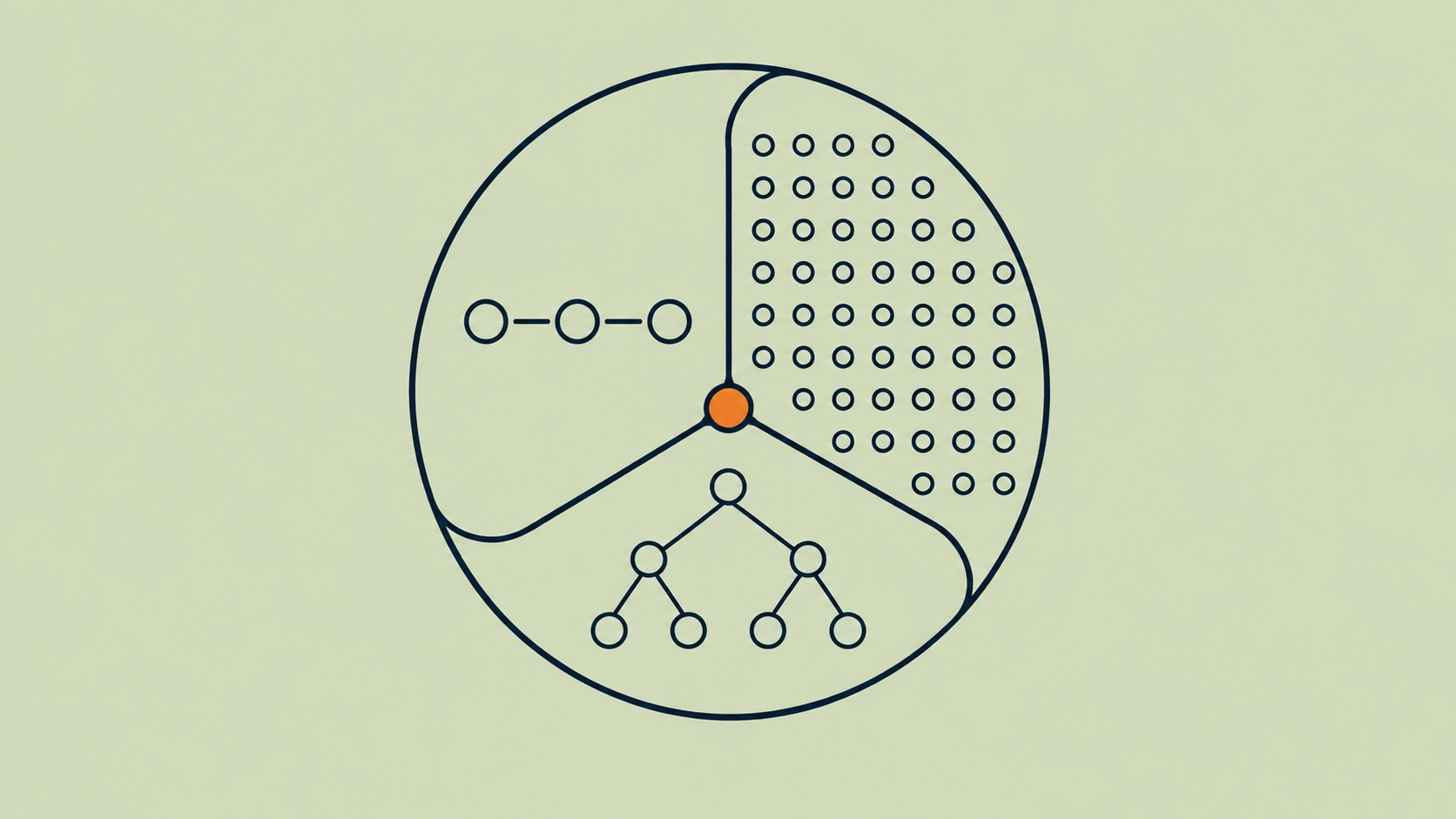
The CPU handles general-purpose logic and coordinates the system. The GPU handles large amounts of parallel work. The NPU specializes further around neural-network operations, often with power-efficient local AI as a major goal.
Intel describes the same division in current AI PCs: CPU for responsive general work, GPU for high-throughput workloads, and NPU for sustained AI at lower power. AMD's current Ryzen AI software goes further by allowing LLM workloads to run on the CPU, GPU, NPU, or a hybrid combination of the NPU and integrated GPU. (Intel, AMD)
That makes the useful question less dramatic:
Which processor should handle each part of your workload?
For a web server, the answer may be almost entirely CPU. For model training, most heavy computation may move to GPUs. For a laptop running background AI effects all day, an NPU may be the most efficient place for the model. An LLM application can involve all three before a single answer reaches the user.
CPU vs GPU vs NPU at a glance
| Factor | CPU | GPU | NPU |
|---|---|---|---|
| Main design goal | General-purpose computing | High-throughput parallel computing | Neural-network acceleration |
| Typical strength | Logic, control flow, sequential and mixed tasks | Large parallel workloads | Efficient supported AI workloads |
| AI inference | Good for small or light workloads | Strong across many model types | Strong when model and runtime are supported |
| AI training | Possible but usually slower for large neural networks | Major use case | Client NPUs usually focus on inference; server NPUs vary |
| General software | Excellent support | Requires accelerator-aware software for GPU compute | Requires NPU-aware runtime or execution path |
| Parallel throughput | Limited relative to GPU | High | High within supported AI operations |
| Single-thread / branch-heavy work | Strong | Poorer fit | Poor fit |
| Power-efficient local AI | Possible | Depends heavily on GPU | Major client-NPU use case |
| Large model flexibility | Limited by performance | Strong when memory is sufficient | Highly hardware-dependent |
| Rendering | CPU possible | Strong | Usually not the purpose |
| Databases and web servers | Strong | Usually unnecessary | Usually unnecessary |
| AI experimentation | Useful around the model | Strong | More constrained |
| Availability in ordinary computers | Universal | Integrated or discrete on many systems | Increasingly common, but not universal |
These are architectural starting points rather than benchmark results. A modern CPU can contain AI-specific instructions, a GPU can contain dedicated matrix hardware, and an NPU can differ enormously from one vendor or deployment class to another.
For the broader accelerator taxonomy, including TPUs, FPGAs, and ASICs, see our practical guide to AI accelerators.
What a CPU actually does
The central processing unit is the generalist.
It starts your operating system, runs application logic, handles branches and decisions, manages processes, talks to devices, moves data, runs databases and web servers, and coordinates work sent elsewhere.
A CPU is designed to perform a relatively small number of complex instruction streams quickly.
That makes it well suited to workloads with:
- complicated control flow;
- branching;
- sequential dependencies;
- unpredictable operations;
- operating-system work;
- web and application servers;
- database operations;
- scripting;
- compilation;
- orchestration;
- preprocessing and postprocessing.
None of this means CPUs are incapable of parallelism. Modern CPUs have multiple cores, multiple hardware threads, vector instructions, caches, and increasingly sophisticated matrix and AI acceleration features.
The difference is one of emphasis.
NVIDIA's current CUDA documentation describes CPUs as being optimized for fast execution of relatively few threads, while GPUs trade some single-thread performance for the ability to execute thousands of threads concurrently. (NVIDIA CUDA Programming Guide)
That trade-off explains a great deal about modern computing.
What a GPU actually does
A graphics processing unit is designed around throughput.
Instead of concentrating most of the chip on making one or a few instruction streams as fast as possible, a GPU contains large amounts of hardware for performing many calculations at the same time.
Graphics created the original demand for that architecture. Rendering an image involves doing similar mathematical work for huge numbers of pixels, vertices, textures, and other graphical elements.
Machine learning turned out to have a similar appetite for parallel arithmetic.
Training a neural network involves huge numbers of matrix and tensor operations. So does inference. GPUs could execute those calculations much more efficiently than asking a general-purpose CPU to perform them one after another.
NVIDIA introduced CUDA in 2006 to expose GPU parallelism to computational workloads outside graphics APIs. Today CUDA supports applications across deep learning, scientific computing, simulation, analytics, and other high-throughput workloads. (NVIDIA CUDA)
That history is why the name “graphics processing unit” now feels rather narrow. We explore that shift in why GPUs aren't really graphics cards anymore.
What an NPU actually does
An NPU, or neural processing unit, specializes further.
It is designed around mathematical operations common in neural networks. That can include matrix multiplication, multiply-accumulate operations, convolutions, attention-related operations, and lower-precision AI arithmetic.
On current AI PCs, one major goal is power-efficient local inference.
Intel positions the NPU in its AI-PC architecture as the processor for sustained AI work at lower power. AMD similarly describes the NPU as specialized AI hardware alongside a GPU for broad parallel computation and a CPU for general-purpose work. (Intel, AMD Ryzen AI Software)
That can make an NPU well suited to work such as:
- background segmentation;
- audio processing;
- speech recognition;
- transcription;
- computer vision;
- image enhancement;
- supported local LLM inference;
- other sustained neural-network tasks.
The category is broader than laptop NPUs, however. Server and edge hardware can also use NPU architectures.
Our article on what an NPU is and what it is good at covers those distinctions in detail.
CPU, GPU, and NPU are different points on a specialization spectrum
It helps to stop thinking about the three processors as generations.
An NPU is not the successor to the GPU.
A GPU did not make the CPU obsolete.
They occupy different points between flexibility and specialization.
A CPU is expected to handle an enormous variety of software.
A GPU gives up some of that generality in exchange for much greater parallel throughput.
An NPU specializes further around neural-network execution.
As specialization increases, a processor can devote more hardware to the operations it expects to perform. That can improve performance or energy efficiency for a matching workload.
It can also make the processor less useful when the workload falls outside those assumptions.
This is the same trade-off we saw in our broader AI accelerator guide.
Why are GPUs used for AI instead of CPUs?
A CPU can run an AI model.
That does not mean it is always the sensible processor for one.
Neural networks repeatedly perform mathematical operations across large collections of values. When thousands of similar calculations can be executed simultaneously, the GPU's parallel architecture becomes extremely useful.
The distinction is throughput.
Imagine processing one complicated request that contains many decisions and dependencies. A strong CPU core may be ideal.
Now imagine multiplying millions or billions of values using the same small collection of operations.
The GPU can divide that work across far more parallel execution resources.
NVIDIA describes this difference directly: GPUs devote more hardware to data processing and high-throughput parallel execution, while CPUs devote more resources to caching and flow control. (NVIDIA CUDA)
Machine learning happens to contain enormous amounts of the first kind of work.
But there is an important qualification.
The entire AI application is rarely one giant matrix multiplication.
Something still has to receive a request, parse it, tokenize text, read files, query a database, execute application logic, schedule work, move data, and return the result.
That work often belongs on the CPU.
AI applications still need CPUs
GPU marketing can make it sound as if the CPU becomes irrelevant once AI enters the picture.
Real systems do not work that way.
CUDA itself assumes a heterogeneous CPU-and-GPU system. NVIDIA's programming model states that applications begin execution on the CPU, which can move data, launch GPU work, wait for results, and execute simultaneously with the GPU. NVIDIA notes that high performance often comes from making good use of both processors. (CUDA heterogeneous systems)
Consider a typical LLM service.
The CPU might:
- accept the HTTP request;
- authenticate the user;
- parse JSON;
- retrieve conversation state;
- tokenize the input;
- prepare tensors;
- send work to the GPU;
- process generated tokens;
- perform application logic;
- stream the response back to the user.
The GPU performs the enormously expensive model computation in the middle.
Calling that a “GPU workload” is reasonable when discussing the main computational bottleneck. Calling the CPU unnecessary would be wrong.
Sometimes the CPU is all you need
Adding a GPU because an application contains “AI” can waste money.
Small models, low request volumes, lightweight embedding jobs, classical machine-learning algorithms, preprocessing, business logic, and development tools may perform perfectly well on CPUs.
The same applies outside AI.
Web servers, databases, CI/CD jobs, background workers, APIs, package builds, data preparation, and ordinary application hosting rarely become better simply because a GPU is attached.
That matters in the cloud, where unused acceleration still costs money.
Hivenet's existing guide to vCPU virtual machines and when you don't need a GPU makes the practical version of this argument: preprocessing, packaging, orchestration, APIs, and other surrounding work are often CPU jobs.
A good starting rule is:
Use the simplest hardware that meets the actual performance requirement.
Then accelerate the bottleneck.
NPU vs CPU
The NPU and CPU overlap most clearly in local inference.
Both can run neural-network operations. The question is whether the workload benefits from dedicated AI hardware.
A CPU may be the better choice when:
- the model is small;
- request volume is low;
- latency requirements are modest;
- the model uses operations the NPU does not support;
- software compatibility matters more than power efficiency;
- the AI work is only a small part of a larger application.
An NPU becomes more attractive when:
- the model is supported;
- AI runs continuously;
- power use matters;
- the task should remain local;
- the CPU needs to remain responsive for other work.
Intel gives background blur and image segmentation as examples of sustained AI work suited to NPU execution on AI PCs. (Intel developer guidance)
The CPU is still present. The NPU simply takes work that it can perform more efficiently.
NPU vs GPU
NPU vs GPU involves a different trade-off.
Both processors accelerate parallel neural-network operations, but GPUs usually expose a broader programmable environment.
That makes GPUs useful for:
- model development;
- training;
- fine-tuning;
- changing model architectures;
- high-performance inference;
- custom kernels;
- rendering and simulation;
- workloads beyond AI.
Client NPUs tend to focus on supported inference tasks where efficiency matters.
The difference becomes especially visible when software changes.
A GPU application built around CUDA or another mature accelerator stack has access to a broad collection of libraries, frameworks, kernels, and debugging tools. An NPU application depends much more heavily on whether that NPU's runtime supports the particular model and operators being used.
For the detailed comparison, see NPU vs GPU for AI workloads.
Modern systems can use the NPU and GPU together
The choice does not always end with one accelerator.
If you are adding dedicated hardware to an existing host, the AI accelerator card guide covers PCIe, M.2, GPU, NPU, FPGA, and ASIC options.
AMD's current Ryzen AI software supports several LLM execution modes: CPU, GPU, NPU-only, and a hybrid mode that uses the NPU and integrated GPU together. In AMD's hybrid implementation, work can be divided according to the computational characteristics of different stages of LLM inference. (AMD Ryzen AI documentation)
AMD has documented one specific implementation where the NPU handles the compute-intensive prefill phase of LLM inference while the integrated GPU handles the more memory-bound decoding phase. (AMD)
That is a useful example because it breaks the assumption that one processor must own the whole model.
Different phases of the same model can have different bottlenecks.
The hardware can follow the bottleneck.
CPU vs GPU vs NPU for LLM inference
Large language models make these differences particularly visible.
CPU inference
CPU inference can be practical when:
- the model is small;
- it is heavily quantized;
- throughput requirements are low;
- the system has plenty of RAM;
- simplicity matters;
- a GPU is unavailable.
The advantage is accessibility. Almost every normal server already has a CPU.
The disadvantage is throughput. Large transformer models contain enormous amounts of parallel arithmetic, where GPUs usually have a substantial architectural advantage.
GPU inference
GPUs are a common choice for serious LLM serving because they combine parallel compute with dedicated high-bandwidth memory and mature serving software.
They also offer flexibility across model families.
A team can move between Llama, Qwen, Mistral, DeepSeek, vision-language models, embedding models, diffusion models, and custom PyTorch code without replacing the fundamental hardware model every time.
That is valuable when the application is still changing.
NPU inference
NPUs can be attractive for supported local models.
AMD's current Ryzen AI documentation, for example, supports NPU-only and NPU/iGPU hybrid modes for compatible local LLM workloads, while also retaining CPU and GPU execution paths.
The constraints are more device-specific.
The model needs to fit in available memory. The runtime needs to support it. Quantization and operator support matter. A server-class NPU presents a very different performance envelope from an integrated laptop NPU.
There is no meaningful answer to “Which one runs LLMs best?” until the model, hardware, runtime, precision, context length, and throughput target are specified.
CPU vs GPU vs NPU for AI training
For most developers, the comparison becomes easier when the task is substantial model training.
A client NPU is generally not designed to replace the GPU training environment.
GPUs combine large-scale parallel compute with mature training support, including framework integrations, mixed-precision arithmetic, distributed execution, profiling, debugging, and custom kernels.
CPUs still participate by preparing data, running application logic, coordinating processes, and feeding the accelerator.
Specialized server-class NPUs and other AI accelerators can also support training, but they involve their own hardware and software environments.
That is why training deserves a separate hardware decision from inference. Our guide to training vs inference hardware goes deeper into memory, optimizer state, precision, interconnects, latency, batching, and throughput.
CPU vs GPU vs NPU for machine learning beyond LLMs
“AI” covers far more than transformer inference.
Different machine-learning tasks place different pressure on hardware.
Classical machine learning
Algorithms such as linear regression, decision trees, gradient boosting, and many data-science workflows may run efficiently on CPUs, especially when datasets are moderate.
GPU implementations exist for many of these algorithms, but the GPU only helps if the workload is large and parallel enough to repay the cost of moving data and coordinating accelerator work.
Computer vision
Deep computer-vision models often map well to GPUs and NPUs because convolution and tensor operations are highly parallel.
On a server processing large image batches, a GPU may make sense.
On a camera processing one continuous video stream under a strict power budget, an NPU or another edge accelerator may be the stronger fit.
We explore that deployment difference in our edge AI hardware guide.
Rendering and simulation
These are GPU territory when the underlying computation is highly parallel.
The same architecture that made GPUs useful for graphics also suits scientific simulation, physical modeling, numerical analysis, video processing, and other throughput-heavy workloads.
NPUs normally have no reason to enter the picture because neural-network execution is not the main task.
Data pipelines
Loading files, parsing data, joining datasets, querying databases, preprocessing input, running web services, and coordinating jobs can remain heavily CPU-bound even when a GPU performs one expensive stage of the pipeline.
This is one reason buying “the fastest GPU” does not guarantee the fastest system.
The bottleneck may be elsewhere.
Memory changes the comparison
Processors do not work in isolation from memory.
A CPU usually works with large pools of ordinary system RAM.
A discrete GPU typically has dedicated VRAM connected through a high-bandwidth memory subsystem.
An integrated GPU or NPU may share system memory with the CPU.
Those differences affect what the hardware can run.
For an LLM, the processor needs access to model weights plus runtime memory. Long contexts add KV-cache requirements. Training adds activations, gradients, optimizer states, and other temporary data.
A GPU may therefore have tremendous arithmetic capability but still fail to run a model that does not fit in VRAM.
A CPU may have access to far more RAM but generate tokens too slowly for the application.
An NPU may offer excellent power efficiency but depend on a shared-memory architecture and a restricted set of supported models.
This is why memory capacity and bandwidth belong beside processor specifications.
Power efficiency needs context
The phrase “NPU uses less power than GPU” is usually directionally reasonable for integrated client hardware and still incomplete.
An NPU in an AI PC is deliberately designed for sustained AI work under a tight power envelope. Intel and AMD both position their client NPUs around efficient local AI execution.
A discrete GPU can consume much more power while also performing far more work.
Which device is more energy-efficient therefore depends on what you measure.
Useful metrics include:
- energy per inference;
- tokens per joule;
- images processed per watt-hour;
- requests completed per unit of energy;
- total energy to train a model.
A processor drawing 300 watts for one second can use less energy than a processor drawing 20 watts for a minute.
The workload has to remain constant before power comparisons mean much.
The same problem appears with performance specifications such as TOPS and FLOPS. We deal with those directly in TOPS vs FLOPS and the AI performance metrics that matter.
Software support can matter more than the processor
Hardware only accelerates software that knows how to use it.
A CPU has the broadest compatibility because ordinary application code is already written for it.
A GPU requires a GPU execution path. In NVIDIA's case, this can come from CUDA directly or from frameworks and libraries built on top of it.
An NPU requires its own supported runtime, compiler, driver, or execution provider.
AMD's Ryzen AI software, for example, provides separate paths for CPU, GPU, NPU, and hybrid LLM execution. Its current software can deploy supported models through ONNX Runtime GenAI or llama.cpp depending on the execution mode.
That means “the NPU supports AI” is not enough information.
You need to know whether your application supports that NPU.
The same applies to GPUs. CUDA software does not automatically execute on every GPU architecture from every vendor.
Software portability is a hardware consideration.
Cost depends on utilization
Suppose a GPU completes a job ten times faster than a CPU.
That does not automatically make the GPU cheaper.
Perhaps the GPU costs twenty times more per hour.
Perhaps it costs five times more.
Perhaps the CPU machine is already running for another reason and has spare capacity.
Now suppose an NPU is built into a laptop the user already owns. The marginal hardware cost of running a supported local model may be effectively zero.
Cost depends on:
- hardware price or rental rate;
- execution time;
- utilization;
- power;
- memory requirements;
- software engineering;
- model conversion;
- maintenance;
- idle capacity.
Cloud computing makes the calculation more visible because CPU and GPU resources can be rented separately.
If a preprocessing stage spends twenty minutes on a CPU and two minutes on a GPU, paying GPU rates for all 22 minutes simply because the application eventually uses CUDA is poor resource allocation.
Move work to the expensive processor when the expensive processor is useful.
Choosing CPU, GPU, or NPU by workload
The final answer should come from profiling and benchmarking rather than the category label.
| Workload | Best starting point | Why |
|---|---|---|
| Web server | CPU | General-purpose logic and networking |
| Database | CPU | Branch-heavy general computation and memory access |
| API backend | CPU | Application logic and request handling |
| CI/CD | CPU | Builds, scripts, tests, orchestration |
| Data preprocessing | CPU | Often irregular and logic-heavy |
| Small ML model | CPU | Accelerator overhead may not be worthwhile |
| AI research | GPU | Flexible high-throughput compute |
| Neural-network training | GPU | Parallelism and mature training ecosystem |
| Fine-tuning an LLM | GPU | Compute, memory, framework support |
| Production LLM inference | GPU or specialized accelerator | Throughput, memory, mature serving software |
| Small local LLM | CPU, GPU, NPU, or hybrid | Depends on model, memory, and runtime |
| Background AI on a laptop | NPU | Efficient sustained local inference |
| Video-call AI effects | NPU | Continuous supported neural-network work |
| Large image generation | GPU | High parallel compute and memory requirements |
| 3D rendering | GPU | Highly parallel graphics workload |
| Scientific simulation | CPU and/or GPU | Depends on algorithm and parallelism |
| Fixed edge vision model | NPU, GPU, or other accelerator | Power, latency, and support determine the choice |
| Application combining AI and business logic | CPU + accelerator | Different stages have different requirements |
When to use a CPU instance instead of a GPU in the cloud
The cloud version of the decision is refreshingly practical.
Use CPU infrastructure when your workload is primarily:
- APIs;
- databases;
- development services;
- orchestration;
- preprocessing;
- background jobs;
- scripting;
- ordinary Linux applications;
- CPU-bound analytics.
Use GPU infrastructure when the expensive part of the workload can benefit from parallel acceleration:
- LLM inference;
- fine-tuning;
- deep learning;
- rendering;
- computer vision;
- simulation;
- CUDA applications;
- other parallel numerical workloads.
Compute with Hivenet currently offers both GPU and CPU instances, so these workloads do not need to be forced onto the same hardware. Hivenet's own Compute guidance recommends GPUs for parallel workloads such as model serving and fine-tuning, while vCPU instances cover APIs, scripts, preprocessing, and general services.
That separation is useful precisely because GPU acceleration is valuable when there is something worth accelerating.
When you do not want to choose the processor at all
There is another option.
Sometimes the actual requirement is:
Send a model a request and get an answer.
In that case, operating CPU or GPU infrastructure yourself may be unnecessary.
Compute with Hivenet gives you an instance you control, including the operating system, runtime, libraries, and serving stack. The Hivenet Inference API instead provides managed OpenAI-compatible model endpoints. Hivenet's current product pages explicitly distinguish those two paths.
That is another useful level of the hardware decision.
You can choose:
- the processor;
- the infrastructure running the processor;
- or a managed service that abstracts the processor away.
The right level depends on how much control the application actually needs.
A practical decision process
Do not begin with CPU, GPU, or NPU.
Begin with the workload.
1. Find the bottleneck
Profile the application.
Is it waiting on:
- sequential logic?
- database access?
- memory?
- parallel computation?
- model inference?
- data movement?
- network requests?
Do not accelerate a stage that is already fast enough.
2. Decide whether the work is parallel
A large amount of independent numerical computation points toward a GPU or another accelerator.
Branch-heavy application logic usually points toward a CPU.
3. If it is AI, check whether the NPU supports it
For local AI, determine whether the model, operators, precision, and runtime can execute on the available NPU.
If they cannot, the specification sheet does not matter.
4. Check memory
Make sure the complete workload fits.
For AI, include model weights, context, cache, runtime buffers, and concurrency.
5. Set a performance target
Specify what “fast enough” means.
Latency?
Throughput?
Frames per second?
Tokens per second?
Job completion time?
6. Include power where it matters
Power can dominate mobile and edge decisions.
It matters differently in a server, where throughput per watt may be more relevant than absolute device consumption.
7. Calculate total cost
Include hardware or rental cost, engineering work, idle time, and maintenance.
8. Test the workload
Benchmark the actual application.
If the CPU already meets the requirement, stop.
If the GPU changes the economics, use it.
If an NPU executes the workload efficiently and reliably, use that.
Hardware exists to serve the application, not the other way around.
FAQ about CPU vs GPU vs NPU
What is the difference between CPU, GPU, and NPU?
A CPU is a general-purpose processor optimized for flexible computation and control flow. A GPU is a highly parallel processor designed for high throughput. An NPU specializes in neural-network operations and is often designed for efficient AI inference. Modern systems may use all three together.
Which is faster, CPU, GPU, or NPU?
There is no universal ranking. CPUs can be faster for sequential and branch-heavy work. GPUs can be much faster for sufficiently parallel workloads. NPUs can be efficient or fast for supported neural-network operations. Performance should be compared using the same workload.
Which is best for AI, CPU, GPU, or NPU?
GPUs are the most flexible starting point for demanding AI development, training, and high-performance inference. NPUs can be better suited to supported local AI under tight power limits. CPUs remain useful for small models and the application work surrounding AI.
Can a CPU run AI?
Yes. CPUs can train and run machine-learning models. Whether a CPU is fast enough depends on the model, workload, latency requirement, and request volume.
Why is a GPU faster than a CPU for AI?
Many neural-network operations contain large amounts of parallel arithmetic. GPUs are designed to execute far more operations concurrently than CPUs, which can produce much greater throughput when the workload maps well to the GPU architecture.
Is an NPU faster than a CPU?
For supported neural-network operations, an NPU can outperform a CPU or execute the workload with greater power efficiency. It does not replace the CPU for ordinary application logic.
Is an NPU better than a GPU?
An NPU can be a better fit for supported, sustained, power-sensitive AI workloads. A GPU is generally more flexible across models, frameworks, training, inference, rendering, and other parallel workloads. See our complete NPU vs GPU comparison.
Does an NPU replace the CPU?
No. The CPU still runs the operating system and general application code. An NPU accelerates particular AI operations.
Does an NPU replace the GPU?
Usually no. The processors have overlapping AI capabilities but different strengths. Current AMD systems can even use an NPU and GPU together for LLM inference.
Can CPU, GPU, and NPU work together?
Yes. Modern heterogeneous systems distribute work among different processors. Current AI PCs contain all three, and software can assign workloads according to performance, efficiency, and compatibility requirements.
Do I need a GPU for machine learning?
Not always. Small models, classical ML, preprocessing, experimentation with modest datasets, and low-volume inference can run on CPUs. GPUs become useful when the workload contains enough parallel computation to justify acceleration.
Do I need an NPU for AI?
No. An NPU is useful when software can exploit it and local power-efficient inference matters. CPUs and GPUs already run AI workloads without an NPU.
The future is heterogeneous
The interesting development is not that one processor is winning.
It is that computers increasingly have several kinds of compute available at once.
AMD's 2026 Ryzen AI Embedded X100 platform, for example, combines CPU cores, an integrated GPU, an NPU, and unified memory in one edge processor. The aim is to let general compute, graphics, and AI execution coexist within the same system rather than forcing every workload through one type of core. (AMD)
AI PCs follow the same pattern.
So do servers containing CPUs and several GPUs.
The architecture is becoming heterogeneous because the workloads already are.
A modern application may contain a database query, a Python service, image preprocessing, an LLM, a vector search, video encoding, and a web API. There is little reason to expect one processor architecture to be ideal for all of them.
The useful skill is learning where each piece of work belongs.
Use the CPU for the general work it does well.
Use a GPU when parallel throughput changes the result.
Use an NPU when supported AI can benefit from its specialization and efficiency.
And when several processors make sense, let them work together.
Continue with NPU vs GPU for AI workloads, what an NPU is, the practical guide to AI accelerators, AI accelerators vs GPUs for inference, edge AI hardware, TOPS vs FLOPS, and training vs inference hardware.
Your next workload belongs on Hivenet.
Pick one AI, compute, or storage workload and see the difference for yourself. Spin it up in minutes, or let our team map your fastest path to production.

