

Sign in to Hivenet
Access your files and manage your storage account.
Store
Access your files and manage your storage account.
Compute
Launch instances and manage your compute resources.
Store and Compute still use separate accounts today. We’re working on a unified sign-in.
Just need to send a file?
Use Send directlyNew to Hivenet? Get Started
Get started with Hivenet
Choose what you want to use first.
Store
Back up photos and files across your devices.
Compute
Launch self-serve GPU compute for demanding work.
Store and Compute still use separate accounts today. We’re working on a unified account experience.
Need Hivenet for business?
Talk to salesNeed to send a file?
Open SendAlready have an account? Sign in
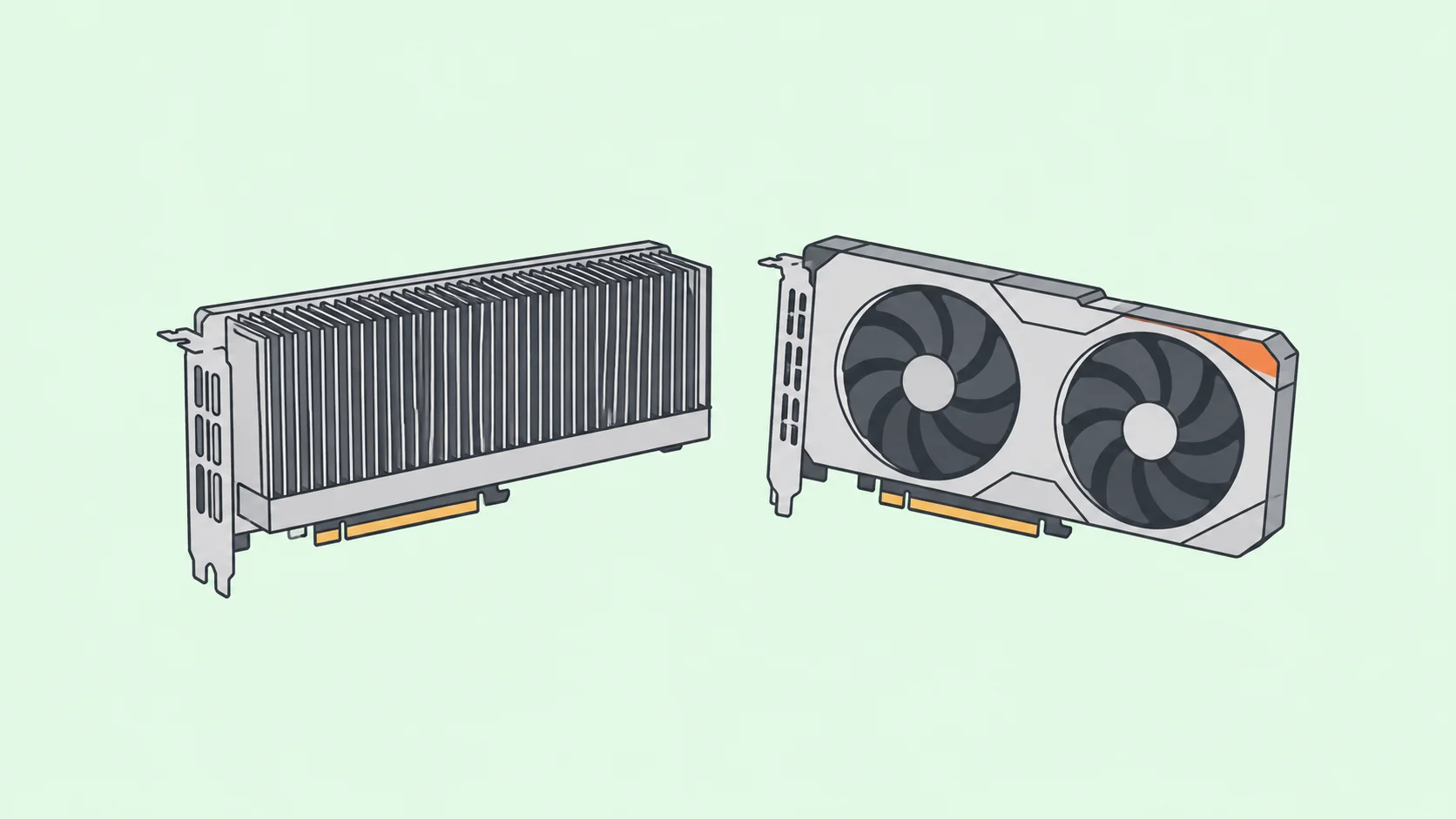
NVIDIA A40 vs RTX 3090: memory, performance, and deployment
The NVIDIA A40 and GeForce RTX 3090 are Ampere GPUs with different deployment requirements. The A40 offers 48 GB of GDDR6 with ECC and passive cooling for suitable servers. The RTX 3090 has 24 GB of GDDR6X and higher nominal memory bandwidth, with active cooling on desktop cards. Choose according to the workload that must fit, the software you need, and the system that will run it.
This comparison focuses on AI, rendering, and professional computing. It separates manufacturer specifications from application performance: the figures below are reference limits, not results from a matched A40-versus-3090 benchmark.
NVIDIA A40 vs RTX 3090: specifications at a glance
| Specification | NVIDIA A40 | GeForce RTX 3090 |
|---|---|---|
| Architecture | Ampere, GA102 | Ampere, GA102 |
| GPU memory | 48 GB GDDR6 with ECC | 24 GB GDDR6X |
| Memory bandwidth | 696 GB/s | 936 GB/s |
| CUDA cores | 10,752 | 10,496 |
| Peak FP32, non-Tensor | 37.4 TFLOPS | 35.6 TFLOPS |
| Peak dense TF32 Tensor | 74.8 TFLOPS | 35.6 TFLOPS |
| Reference board power | 300 W | 350 W |
| Cooling | Passive; requires system airflow | Active; design varies by manufacturer |
| Host interface | PCIe 4.0 x16 | PCIe 4.0 |
| NVLink | Two-GPU connection supported | Supported with a compatible bridge |
Sources: NVIDIA's A40 data sheet, RTX 3090 reference specifications, and GA102 architecture white paper, checked October 19, 2026. The RTX 3090 figures refer to NVIDIA's reference design; partner cards can differ. Do not substitute the RTX 3090 Ti's specifications.
Start with memory capacity and usable headroom
The A40 has twice the nominal VRAM. That matters when the complete working set exceeds a 3090's available memory, but it does not establish a twofold speed advantage. Memory capacity determines what can stay on the GPU; bandwidth describes how quickly data can move through its memory subsystem.
For training, count weights, gradients, optimizer state, activations, and temporary buffers. For inference, include weights, runtime allocations, and the KV cache needed for context and concurrent requests. A model file's size alone is not a deployment estimate.
NVIDIA's A40 product brief states that nominal memory includes driver allocations and ECC redundancy when enabled. Leave headroom and measure the actual available memory. A workload estimated at just under 48 GB is not guaranteed to fit.
What to do when 24 GB is insufficient
First identify which allocation causes the problem. A smaller microbatch can reduce activation memory; gradient accumulation can preserve a larger effective batch across several steps. It does not, by itself, shrink model weights or optimizer state. Quantization, activation checkpointing, offloading, and sharding address different parts of the memory budget and have their own compatibility and performance costs.
If the supported application fits comfortably on one A40, that can simplify deployment compared with splitting it across smaller GPUs. If it already fits on a 3090, extra unused VRAM may offer little benefit. Test the largest intended input and realistic concurrency, rather than stopping after a successful model load.
Which GPU delivers better performance?
There is no defensible universal winner from these specifications. A workload can be limited by memory traffic, arithmetic throughput, CPU preprocessing, storage, or communication. A faster component helps only when it addresses the limiting part of that workload.
Bandwidth and Tensor Core throughput are different advantages
The 3090's higher nominal bandwidth can help memory-intensive work that fits within its VRAM. The A40 has higher published throughput in some Tensor Core modes. For example, NVIDIA lists dense TF32 peaks of 74.8 TFLOPS for A40 and 35.6 for RTX 3090. These describe a particular numerical mode, not measured training speed.
When reading GPU benchmarks, record precision, accumulation mode, and whether structured sparsity is enabled. Dense and sparse throughput figures are not interchangeable. Similar CUDA core counts also do not establish equivalent mixed-precision behavior. Confirm that the application uses the relevant kernels and that its numerical results remain acceptable.
A useful benchmark compares the same job
- Use the same model or scene, data, quality target, and software versions. Record the GPU model, driver, CUDA runtime, power settings, and cooling conditions.
- Measure peak VRAM and sustained performance after warm-up. Separate loading and compilation from steady-state execution, while retaining end-to-end time for the cost calculation.
- For training, report samples or tokens per second alongside effective batch size and validation quality. For serving, report latency and throughput at the intended context length and concurrency.
- Repeat the run and investigate variation. A short burst before thermal throttling is not a reliable estimate for a long job.
- Compare cost per completed job or usable output. A lower hourly price can lose its advantage if the same job takes longer or requires more GPUs.
This article does not claim a fixed percentage advantage for LLM training, computer vision, inference, or rendering. Those claims require a reproducible matched test. A benchmark from a different model or precision can help form a hypothesis, but cannot settle your workload choice.
Cooling, power, and physical compatibility
The A40's passive heat sink depends on airflow supplied by a compatible chassis. It is not a silent desktop card that can run without cooling. Check the server's supported GPU configuration, airflow direction, power delivery, and management tools before buying one for a workstation conversion.
NVIDIA specifies a CPU-style 8-pin auxiliary power connector for A40. The RTX 3090 Founders Edition uses a different power arrangement. Follow the exact board and system documentation; connector shape alone does not establish electrical compatibility.
The 3090 Founders Edition occupies three slots, while the A40 is a dual-slot board. Partner 3090 cards have their own dimensions and cooling designs. Check clearance, spacing between cards, and the ability to exhaust heat under sustained load.
A 300 W board rating versus 350 W does not prove an energy-efficiency percentage. Measure the whole system's energy for the same completed task. CPU power, fans, utilization, runtime, and facility cooling all affect the result. A power-supply recommendation is likewise a system-sizing figure, not the electricity the GPU always consumes.
ECC, virtualization, and multi-GPU deployment
ECC is an A40 feature worth considering when memory-error handling matters. It does not guarantee correct software, fault-free computation, or application uptime. Check the error-monitoring and recovery arrangements of the complete system.
The A40 supports NVIDIA vGPU in compatible deployments. Review the current validated platforms and the software license required for your profile and use case. Buying the board alone does not include every virtualization capability. A40 does not support Multi-Instance GPU (MIG), so vGPU support must not be described as MIG hardware partitioning.
Does NVLink combine the memory automatically?
Both products support an NVLink connection, but adding a bridge does not make every application treat two cards as one larger GPU. The software must distribute the workload and manage access to separate device memories. Confirm bridge compatibility, physical spacing, the framework's communication path, and any virtualization restrictions.
Ordinary data parallel training keeps a model replica on each GPU. PyTorch's DistributedDataParallel tutorial distinguishes that arrangement from model parallelism. To fit a larger model, use a supported sharding strategy, such as tensor parallelism for inference, rather than simply adding the VRAM totals.
Compare purchase and rental costs with current quotes
These are older GPU generations. Used, refurbished, and hosted offers vary by region, condition, warranty, and availability. A launch price or an undated marketplace listing is not a current buying recommendation. Obtain a quote for the exact card or instance and check newer alternatives against the same requirements.
For ownership, include a compatible host, power supply, cooling, electricity, repairs, and administration. An inexpensive passive card can be a poor purchase if making the system suitable costs more than expected. For rental, include CPU, RAM, storage, data transfer, idle billing, and the availability of the requested hardware.
When considering Compute with Hivenet, check the current GPU catalog and configuration. This comparison does not establish that A40 or RTX 3090 instances are offered. Hivenet's billing documentation describes prepaid organization credit and per-second billing for eligible usage; confirm the current rate and resource lifecycle before a trial.
How to choose
Shortlist A40 when your application needs more usable VRAM than a 3090 provides, or when a validated deployment needs its ECC and supported virtualization features. Confirm the server environment and software requirements first.
Shortlist RTX 3090 when the workload fits with headroom, the exact desktop card suits your system, and a current quote plus measured runtime makes it economical. For professional graphics, check the application's supported GPU and driver combinations instead of assuming that either card is certified for every tool.
If both meet the requirements, run the same representative job on each. Choose the configuration that meets your quality, latency, and recovery needs at a defensible total cost.
Your next workload belongs on Hivenet.
Pick one AI, compute, or storage workload and see the difference for yourself. Spin it up in minutes, or let our team map your fastest path to production.

