Connectez-vous à Hivenet
Accédez à vos fichiers et gérez votre compte de stockage.
Boutique
Accédez à vos fichiers et gérez votre compte de stockage.
Calculer
Lancez des instances et gérez vos ressources de calcul.
Store et Compute utilisent toujours des comptes distincts aujourd'hui. Nous travaillons sur une connexion unifiée.
Vous avez juste besoin d'envoyer un fichier ?
Utilisez Envoyer directementVous êtes nouveau sur Hivenet ? Commencez
Commencez avec Hivenet
Choisissez ce que vous voulez utiliser en premier.
Boutique
Sauvegardez des photos et des fichiers sur tous vos appareils.
Calculer
Lancez le calcul GPU en libre-service pour les tâches exigeantes.
Store et Compute utilisent toujours des comptes distincts aujourd'hui. Nous travaillons sur une expérience de compte unifiée.
Vous avez besoin de Hivenet pour votre entreprise ?
Parlez au service des ventesVous avez besoin d'envoyer un fichier ?
Ouvrir EnvoyerVous avez déjà un compte ? Connectez-vous
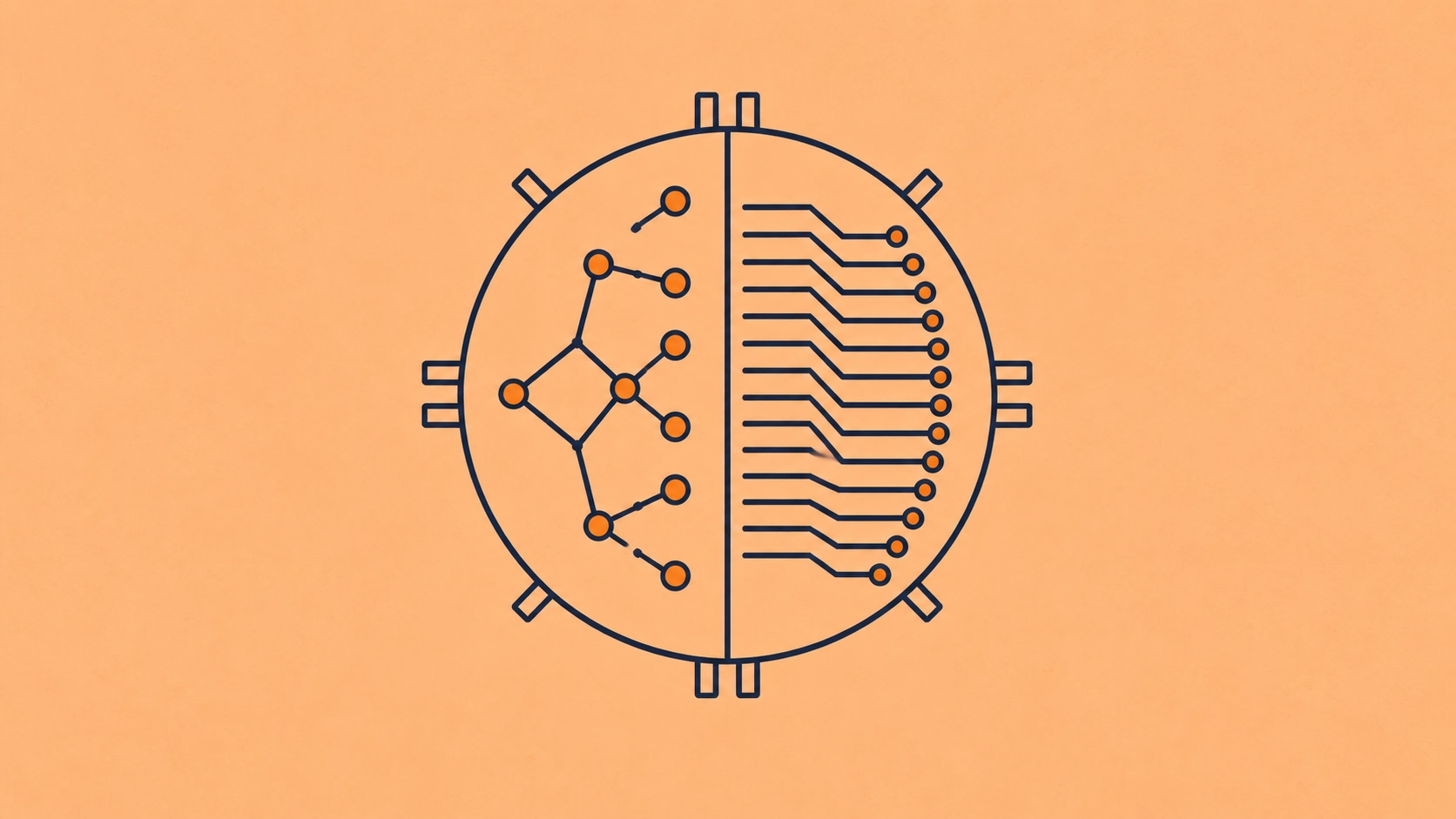
NPU vs GPU pour les charges de travail IA
NPU vs GPU sounds like a simple hardware choice until you ask which NPU.
The NPU inside an Intel Core Ultra or AMD Ryzen AI laptop is designed around efficient, local AI processing. Huawei also uses the NPU name for its Ascend hardware, but the Ascend product family includes both training and inference systems intended for servers, edge infrastructure, and data-center deployments. Those are profoundly different environments.
That is why a decision table that simply says “choose an NPU for inference and a GPU for training” can send you in the wrong direction.
For most teams developing AI models, experimenting with different architectures, fine-tuning models, or running workloads that change regularly, a GPU remains the safer general-purpose choice. A client or edge NPU becomes compelling when the workload is supported, relatively stable, and benefits from low-power local execution. Data-center NPUs and other specialized AI accelerators can compete for much larger training and inference jobs, but then the software environment, model compatibility, and migration work become part of the decision.
The useful question is therefore not “Which processor is better?”
It is which processor is better for this model, on this software stack, under this workload.
NPU vs GPU at a glance
The split between client and data-center NPUs matters. Intel describes its integrated NPU as a deep-learning accelerator for power- and performance-sensitive PCs and tablets, while Huawei's Ascend software supports PyTorch and other frameworks for training and inference on server-class hardware. Treating the two as one hardware category hides more than it explains.
For a deeper look at the hardware itself, see our guide to what an NPU is and how neural processing units work.
What actually separates an NPU from a GPU?
Both GPUs and NPUs accelerate mathematical operations used by neural networks. The difference is largely about how much specialization the hardware accepts in exchange for efficiency.
Modern GPUs contain large numbers of parallel execution resources and high-bandwidth memory systems. NVIDIA's CUDA programming model, for example, lets developers execute many threads concurrently and use GPUs for workloads ranging from machine learning and scientific computing to simulation and general numerical work. Libraries and AI frameworks then hide much of that low-level complexity.
An NPU is designed more narrowly around neural-network operations.
Intel's Core Ultra NPU, for example, contains Neural Compute Engine tiles with purpose-built multiply-accumulate engines and supports low-precision neural-network operations such as INT8 and FP16. AMD describes its Ryzen AI NPU as a dedicated AI engine designed for efficient local processing.
That specialization is useful. Matrix multiplication, convolution, attention-related operations, and other recurring neural-network calculations can be implemented efficiently without carrying all the general-purpose machinery expected of a GPU.
There is a trade-off, though. The closer hardware and software are tuned to a specific family of operations, the more important it becomes that your model actually uses those supported operations.
The broader landscape gets even more interesting once TPUs, ASICs, FPGAs, and other accelerators enter the picture. We cover those separately in our practical guide to AI accelerators.
The NPU name covers several different kinds of hardware
A large part of the confusion around NPU vs GPU comes from terminology.
Client NPUs
The NPU now appearing inside many laptops and desktop processors is usually designed to offload sustained AI work from the CPU and GPU while using relatively little power.
Intel explicitly presents the three processors in an AI PC as complementary: the CPU handles general-purpose and responsive work, the GPU handles high-throughput workloads, and the NPU handles sustained AI workloads more efficiently. AMD follows a similar CPU, GPU, and NPU model in Ryzen AI systems.
That makes client NPUs useful for things such as speech processing, camera effects, transcription, image enhancement, supported local generative AI, and background AI features that may run for hours.
Edge NPUs and AI accelerators
Edge systems expand the idea beyond the laptop.
A manufacturer may deploy specialized inference hardware inside an industrial device, camera system, vehicle, gateway, or compact server. Low power, predictable latency, offline operation, and limited cooling can matter more there than maximum programmability.
We examine those trade-offs separately in our guide to edge AI hardware.
Data-center NPUs
At the other end of the scale are systems such as Huawei Ascend.
Ascend products include hardware designed for inference and hardware that supports training as well. Huawei's CANN software stack supports frameworks including PyTorch, TensorFlow, and MindSpore, and its PyTorch integration uses an Ascend-specific torch_npu layer.
So the statement “NPUs cannot train models” is false when applied to the category as a whole.
A better statement is that the NPUs built into ordinary client devices are generally optimized around inference and AI offload, while some data-center NPU platforms support both training and inference.
That distinction will keep appearing throughout this comparison.
NPU vs GPU performance depends on the workload
Processor marketing encourages us to compare one large number with another.
For AI hardware, that number is often TOPS.
AMD currently lists up to 50 NPU TOPS for several Ryzen AI processors. NVIDIA lists 3,352 AI TOPS for the GeForce RTX 5090. Looking at those numbers, it is tempting to conclude that one device is roughly 67 times faster than the other.
That conclusion would be meaningless.
The figures can represent different precisions, operation definitions, utilization assumptions, architectures, and hardware roles. An integrated laptop NPU and a high-end discrete GPU also operate under completely different power and memory budgets.
Real AI performance depends on the model, numerical precision, operator support, memory bandwidth, memory capacity, batch size, prompt length, runtime, compiler, data movement, and how completely the workload stays on the accelerator.
This is why organizations such as MLCommons benchmark complete AI workloads rather than simply ranking chips by advertised TOPS. Its current client benchmark can test LLM workloads across GPU, NPU, and hybrid acceleration paths using defined models, prompts, and quality requirements.
We go much further into this problem in TOPS vs FLOPS and the AI performance metrics that actually matter.
For LLM inference in particular, you should care about measurements such as time to first token, tokens per second, throughput under concurrency, memory use, and cost per useful output. Our guide to LLM inference metrics explains how those numbers interact.
NPU vs GPU for AI training
If your main job is model development or training, GPUs remain the easier default for most teams.
The reason extends beyond raw compute.
Modern training workflows depend on a mature stack around the processor: PyTorch and other frameworks, optimized kernels, distributed training libraries, mixed precision, profiling, debugging, custom operations, communication libraries, and years of accumulated developer knowledge.
CUDA remains a large part of NVIDIA's advantage here. NVIDIA's current programming documentation covers general GPU compute, multi-GPU systems, asynchronous execution, memory management, CUDA graphs, libraries, and other capabilities far beyond neural-network inference alone. PyTorch exposes CUDA devices directly through its standard GPU APIs.
That does not make GPUs the only training hardware.
Huawei's Ascend stack demonstrates that specialized NPU platforms can support PyTorch training, and Google's TPUs provide another major alternative to GPUs. What changes is the environment you are committing to.
If your model architecture is stable, your organization controls the deployment stack, and the economics justify optimizing for a particular accelerator, specialization can be worthwhile.
If you are researching architectures, testing unfamiliar models, developing custom kernels, fine-tuning different model families, or regularly changing the stack, broader hardware and software flexibility has substantial value.
We treat that as a separate problem in training vs inference hardware, because training and serving impose quite different requirements on memory, precision, throughput, latency, and scaling.
NPU vs GPU for AI inference
Inference is where the NPU argument becomes much stronger.
Once a model has been trained, the computational graph is often more predictable. Production systems may repeatedly run the same model using the same numerical precision and similar inputs.
Specialized hardware can exploit that regularity.
Client NPUs are especially attractive when inference must happen locally under a tight power budget. A video-conferencing application that continuously performs background segmentation or audio processing has little reason to wake a large discrete GPU if the integrated NPU already executes the model efficiently.
A fixed industrial vision model running on an edge appliance presents a similar case.
At data-center scale, specialized accelerators can also become attractive when a large amount of traffic repeatedly runs a supported model. But cost efficiency cannot be assumed from the hardware label. You still need to benchmark the actual model, compiler, batch behavior, latency target, utilization, and software overhead.
GPUs retain an advantage when inference is less predictable: multiple model families, frequent model upgrades, custom operators, changing precisions, experimentation, or mixed AI and non-AI compute.
Our deeper comparison of specialized AI accelerators vs GPUs for inference focuses specifically on that production decision.
An NPU and GPU can work together
The hardware decision does not always end with choosing one processor.
AMD provides a useful current example. Its Ryzen AI implementation for local LLMs can split inference across the NPU and integrated GPU. In one documented pipeline, the NPU processes the compute-intensive prefill phase while the iGPU handles memory-bound token decoding.
That division makes architectural sense because LLM inference itself contains different kinds of work.
During prefill, the system processes the input prompt in parallel and creates the initial KV cache. During decoding, it generates tokens incrementally while repeatedly reading model weights and cached state. We explain the memory behavior in our guide to continuous batching and GPU efficiency.
A CPU, GPU, and NPU can therefore be complementary parts of the same system.
That is also why comparing them purely as competing chips misses an important part of modern computer architecture. If you are deciding how the three fit together, see CPU vs GPU vs NPU for AI and general compute.
Can an NPU run an LLM?
Yes, but “an LLM” covers an enormous range of models.
AMD's current Ryzen AI software supports local LLM workloads, and MLPerf Client includes LLM tests for systems using NPU, GPU, and hybrid acceleration. Supported models include classes such as Llama 3.1 8B and Phi-family models, subject to the memory and accelerator configuration being tested.
That does not mean any NPU can run any LLM.
Model architecture matters. Quantization matters. Context length matters. System memory matters. The runtime must support the operators used by the model, and the model may need conversion or accelerator-specific optimization.
This is one reason quantization is so important for local AI. Moving from FP16 weights to INT8 or INT4 can greatly reduce the memory required to hold a model, although actual speed gains still depend on whether the hardware and runtime execute that lower precision efficiently.
For bigger models, higher concurrency, long contexts, or production serving, memory and bandwidth quickly become limiting factors.
Memory matters as much as compute
A processor can have an impressive arithmetic peak and still be the wrong place to run your model.
LLMs need somewhere to store their weights. During inference they also consume memory for the KV cache, runtime buffers, active sequences, and batching. During training, activations, gradients, optimizer states, and other working data add substantially more pressure.
That is why dedicated GPU memory remains valuable.
As one concrete example, NVIDIA specifies the RTX 5090 with 32 GB of GDDR7 memory and 1,792 GB/s of memory bandwidth. Those specifications matter for AI because the GPU can keep a substantial working set close to its compute resources and move data quickly during memory-intensive operations.
Hivenet's own RTX 5090 inference benchmarks test an actual Llama 3.1 8B workload using vLLM rather than inferring real-world performance from peak hardware figures alone.
Client NPUs often live inside processors with shared system memory rather than large pools of dedicated high-bandwidth VRAM. That can be perfectly adequate for the models they are intended to run, but it changes the performance envelope.
Data-center NPUs vary significantly, so their memory architecture has to be evaluated product by product.
A useful rule follows from this: before comparing processor speed, check whether your entire workload fits comfortably in the available memory architecture.
Software support can decide the winner before hardware does
This is one of the least glamorous parts of an AI hardware decision, and one of the most important.
A model needs more than matrix-multiplication hardware. It needs a runtime that understands its graph, implementations for the operators it uses, a supported precision, memory management, compiler optimizations, drivers, and integration with the application around it.
ONNX Runtime illustrates the problem clearly. Its Execution Provider system supports many hardware backends including CUDA, TensorRT, OpenVINO, Qualcomm QNN, and Huawei CANN. It divides the model graph according to which operations a particular provider can execute.
If an accelerator cannot execute part of the graph, those operations may fall back to another provider such as the CPU.
That fallback can turn an apparently supported model into a poor deployment. ONNX Runtime explicitly notes that splitting a model into several partitions because of unsupported operators can reduce performance. Its CANN provider can similarly move unsupported nodes back to the CPU.
This is why “supports ONNX” or “supports PyTorch” does not settle the question.
NVIDIA has CUDA and inference-specific tools such as TensorRT. Huawei has CANN and torch_npu. AMD Ryzen AI uses ONNX Runtime and its own accelerator software. Each route has different model coverage, conversion requirements, optimization paths, and debugging tools.
For teams that change models frequently, this software flexibility is often worth paying for.
For teams deploying one fixed model millions of times, the additional work required to optimize for a specialized accelerator may pay for itself.
NPU vs GPU power efficiency
An integrated NPU usually consumes much less absolute power than a high-performance discrete GPU.
That comparison is useful if your application must run inside a laptop, mobile device, embedded system, or another environment with strict thermal and battery constraints. Intel and AMD both explicitly position their client NPUs around efficient sustained AI execution.
Absolute power draw does not tell you which device is cheaper or more energy-efficient for a completed workload.
A more powerful GPU may consume more watts while finishing the work much faster. An NPU may use less power but lack support for part of the model, causing CPU fallback. A specialized data-center accelerator may be extremely efficient at one model while requiring expensive engineering work to port another.
The useful measures are closer to:
energy per inference, cost per million requests, tokens per joule, cost per generated token, or jobs completed per unit of energy.
Even those numbers only make sense under a defined latency and quality target.
A low-power system that cannot meet your required throughput is not efficient for your workload. It is simply underpowered.
NPU vs GPU cost
Hardware purchase price is another poor shortcut.
The cost of running AI includes the processor, memory, host system, networking, power, cooling, utilization, software engineering, model conversion, maintenance, capacity planning, and the cost of hardware sitting idle.
For an AI feature that runs continuously on millions of devices, using an NPU already integrated into those devices may be hard to beat.
For a large, stable inference workload running around the clock, specialized server hardware may justify the engineering required to optimize it.
For a research team that needs a GPU for three days, buying dedicated hardware may make little economic sense.
And for a company whose model changes every few months, saving money on accelerator hardware can be overwhelmed by repeated porting and optimization work.
Cloud access changes this calculation because hardware becomes an operating expense that can grow or shrink with the workload.
NPU or GPU by use case
A useful decision starts with the job rather than the processor name.
These are starting points, not universal winners. The final selection should follow a benchmark using your own model, precision, inputs, concurrency, latency target, and software stack.
When a cloud GPU makes more sense than an NPU
There are plenty of cases where an NPU is the right answer. Hivenet does not sell NPUs, so pretending otherwise would make this guide less useful.
A supported on-device AI workload with strict battery requirements probably belongs on the local NPU.
A small industrial model that must work without network access may belong on an edge accelerator.
But a different pattern appears when the workload is still moving.
You may be comparing several open models. You may need PyTorch today and vLLM tomorrow. You may want to fine-tune one model, serve another, benchmark a third, and abandon all three next month. Or your application may need far more memory and throughput than local hardware can supply.
That is where GPU infrastructure earns its flexibility.
With GPU and CPU rental on Compute with Hivenet, you can use infrastructure you control without buying the underlying hardware. The GPU path is suited to teams that want to choose their model server, framework, dependencies, and optimization stack themselves.
If you do not want to operate the serving stack at all, the Hivenet Inference API takes the other route: a managed, OpenAI-compatible endpoint rather than a raw GPU instance.
That distinction matters. Choosing a GPU does not necessarily mean choosing to manage GPUs.
NPU vs GPU is increasingly a system-design question
Modern AI systems are becoming heterogeneous.
The CPU handles orchestration and general-purpose logic. An integrated NPU may run persistent local AI. A GPU may take heavier parallel workloads. A server accelerator may serve thousands of production requests. Cloud capacity can absorb workloads that do not fit locally.
The best architecture can use several of them.
That makes the old “which chip wins?” framing less useful every year.
The better process is straightforward: identify the workload, determine its memory and latency constraints, confirm that the software stack supports it, benchmark the realistic deployment, and then compare the economics.
Only then does the hardware label become useful.
FAQ about NPU vs GPU
Is an NPU better than a GPU for AI?
An NPU can be better for supported AI workloads where low power and local execution matter. A GPU is usually more flexible across model development, training, fine-tuning, high-performance inference, and mixed compute. Data-center NPUs complicate the comparison because some support both large-scale training and inference.
Is a GPU faster than an NPU?
There is no universal answer. High-end discrete GPUs usually offer far more absolute compute and memory bandwidth than client NPUs, but they also operate in a different power envelope. A specialized NPU may outperform a GPU on a particular supported workload. Compare the same model, precision, runtime, latency target, and batch conditions rather than advertised TOPS.
Will NPUs replace GPUs?
Unlikely. Their roles overlap, but they solve different constraints. Integrated NPUs are increasingly useful for efficient local AI, while GPUs remain valuable for flexible parallel compute, training, large models, and workloads that need mature software support. Some systems already use CPU, GPU, and NPU acceleration together.
Do I need an NPU if I already have a GPU?
Not necessarily. A GPU can run many of the same AI workloads. An NPU becomes useful when you want supported AI tasks to run locally with lower power consumption or without occupying GPU resources needed by other applications.
Can NPUs and GPUs work together?
Yes. Hybrid execution is already possible. AMD, for example, documents an LLM implementation that uses the NPU for prefill and the integrated GPU for decoding. Different processors can take the parts of an AI workload that suit their architecture best.
Is an NPU good for LLM inference?
It can be. Current client NPU platforms support some local LLM workloads, usually with specific model architectures, precisions, runtimes, and memory requirements. Larger models, long contexts, high concurrency, or unsupported operators may favor a GPU or hybrid setup.
Is an NPU only for inference?
Client NPUs are largely designed around inference and AI acceleration. The broader NPU category is not inference-only. Huawei Ascend, for example, includes products and software intended for AI training as well as inference.
NPU ou GPU : lequel est le plus adapté à l'entraînement en IA ?
Pour la plupart des développeurs et des équipes de recherche, les GPU constituent un point de départ plus simple grâce à la prise en charge étendue des frameworks, à des outils matures et à leur flexibilité face aux différentes architectures de modèles. Certaines plateformes NPU pour centres de données et accélérateurs spécialisés permettent d'entraîner efficacement de grands modèles ; à une échelle suffisante, le choix doit donc être évalué en fonction de l'ensemble du système matériel et logiciel.
Définissez la charge de travail avant de choisir le matériel
Il n'existe pas de vainqueur universel dans le duel entre NPU et GPU.
Optez pour un NPU lorsque le modèle est pris en charge, que la charge de travail est prévisible et qu'une exécution locale ou spécialisée efficace est primordiale.
Optez pour un GPU si vous avez besoin de flexibilité, de capacités mémoire plus importantes, d'une large compatibilité avec les modèles, de possibilités d'entraînement et d'expérimentation, de charges de travail mixtes ou d'une pile logicielle de production mature.
Et lorsqu'une charge de travail est suffisamment stable pour qu'un matériel spécialisé puisse surpasser le GPU en termes de coût ou de consommation énergétique, effectuez des tests comparatifs. C'est à ce stade qu'un NPU, un ASIC, un TPU ou tout autre accélérateur justifie sa spécialisation, plutôt que de simplement paraître efficace sur une fiche technique.
Poursuivez avec ce qu'est un NPU, le guide complet des accélérateurs d'IA, CPU vs GPU vs NPU, accélérateurs d'IA vs GPU pour l'inférence, matériel pour l'IA en périphérie, TOPS vs FLOPS, et matériel d'entraînement vs matériel d'inférence.
Your next workload belongs on Hivenet.
Pick one AI, compute, or storage workload and see the difference for yourself. Spin it up in minutes, or let our team map your fastest path to production.