Connectez-vous à Hivenet
Accédez à vos fichiers et gérez votre compte de stockage.
Store
Accédez à vos fichiers et gérez votre compte de stockage.
Compute
Lancez des instances et gérez vos ressources de calcul.
Store et Compute utilisent toujours des comptes distincts aujourd'hui. Nous travaillons sur une connexion unifiée.
Vous avez juste besoin d'envoyer un fichier ?
Utilisez Send directementVous êtes nouveau sur Hivenet ? Commencez
Commencez avec Hivenet
Choisissez ce que vous voulez utiliser en premier.
Store
Sauvegardez des photos et des fichiers sur tous vos appareils.
Compute
Lancez le calcul GPU en libre-service pour les tâches exigeantes.
Store et Compute utilisent toujours des comptes distincts aujourd'hui. Nous travaillons sur une expérience de compte unifiée.
Vous avez besoin de Hivenet pour votre entreprise ?
Parlez au service des ventesVous avez besoin d'envoyer un fichier ?
Ouvrir SendVous avez déjà un compte ? Connectez-vous
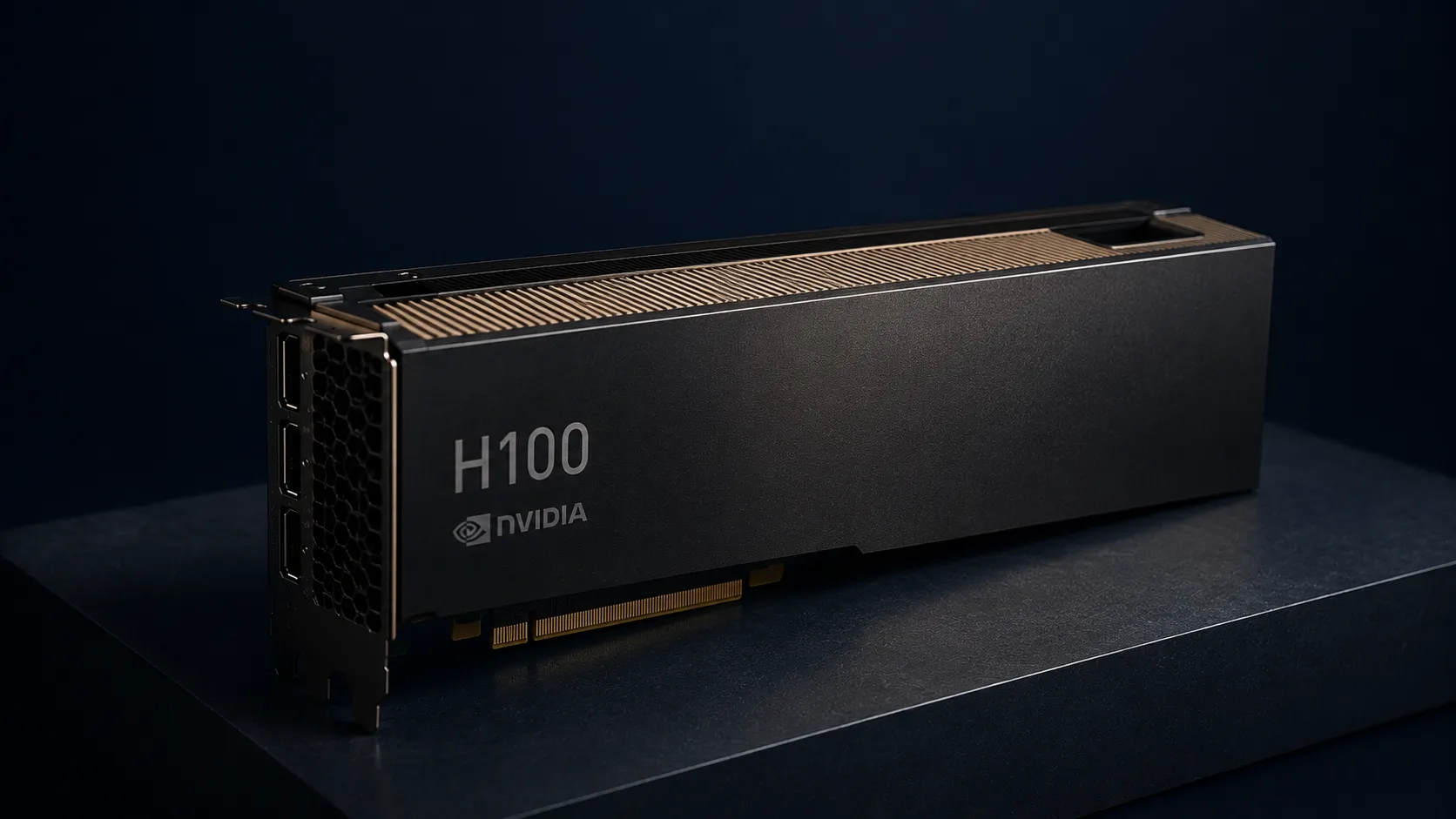
H100 AWS : guide du calcul cloud GPU NVIDIA H100
H100 AWS refers to NVIDIA H100 Tensor Core GPUs available through Amazon EC2 P5 instances, representing the current pinnacle of cloud-based GPU computing power for high performance computing, large language models, and generative AI workloads. These instances deliver up to 16,000 FP8 TFLOPS per server—a 6.4x improvement over previous A100-based infrastructure.
This guide covers AWS H100 access methods, pricing realities, technical capabilities, and practical alternatives for different use cases and budgets. The scope includes EC2 P5 instance specifications, real-world performance data, and honest cost analysis. What falls outside: basic cloud computing concepts and general AWS setup tutorials. The target audience includes AI researchers, ML engineers, startups, and enterprises evaluating GPU compute options for training and running inference on foundation AI models.
Direct answer: AWS H100 GPUs are accessible via EC2 P5 instances starting around $32/hour for p5.48xlarge configurations with 8 GPUs, though actual costs vary significantly by region and include additional charges for storage and data transfer. Access typically requires quota approval and comes with substantial price considerations that may not suit all workloads.
What you’ll learn from this guide:
- Technical specifications and capabilities of NVIDIA H100 GPUs on AWS
- Real cost analysis including hidden charges and billing complexity
- Access requirements, quota processes, and regional availability
- Common challenges with hyperscaler GPU access and practical solutions
- Cost effective alternatives like RTX 4090 (€0.20/hr) and RTX 5090 (€0.40/hr) for most AI workloads
Understanding H100 on AWS
NVIDIA H100 Tensor Core GPUs represent the flagship enterprise AI accelerators, specifically engineered for the massive scale required by increasingly complex LLMs, computer vision models, and high performance computing HPC workloads. On the AWS cloud, these GPUs power the EC2 P5 instance family, enabling customers to access enterprise-grade computing power without owning physical infrastructure.
EC2 P5 instance family
Amazon EC2 P5 instances deliver NVIDIA H100 GPUs through several configurations designed for different scale requirements. The primary p5.48xlarge instance includes 8 H100 GPUs with 640 GB total HBM3 memory, 192 vCPUs from 3rd Gen AMD EPYC processors, 2 TB system memory, and 30 TB local NVMe storage. Network bandwidth reaches 3200 Gbps through second-generation Elastic Fabric Adapter technology.
AWS has expanded this family with P5e and P5en variants featuring NVIDIA H200 GPUs, escalating to 1128 GB HBM3e memory per instance for next generation LLMs requiring superior memory bandwidth. A smaller p5.4xlarge variant offers a single H100 GPU with 16 vCPUs, 256 GiB memory, and 100 Gbps EFA networking for lighter workloads.
These instances integrate into AWS UltraClusters supporting over 20,000 GPUs with aggregate computing power reaching 20 exaflops, enabling training of new foundation AI models that previously required weeks to complete in hours.
NVIDIA H100 GPUs capabilities and performance
The H100 architecture introduces fourth-generation Tensor Cores and the Transformer Engine, specifically optimized for FP8 precision in transformer-based foundation AI models. Each GPU provides 80 GB HBM3 memory with 3 TB/sec bandwidth—double the capacity and bandwidth of previous A100 generations.
Intra-instance GPU communication operates at 900 GB/s via NVSwitch, enabling single-hop data transfer between all 8 GPUs. This 3.6 TB/s bisectional bandwidth supports tightly coupled deep learning workloads and distributed training across the full instance.
Performance benchmarks show up to 6x faster training for complex models compared to P4d instances, with particular gains in language AI applications like question answering, code generation, and speech recognition. The Transformer Engine enables efficient scaling for generative AI applications including video and image generation, while DPX instruction sets accelerate dynamic programming tasks in genome sequencing and financial modeling.
Understanding these capabilities matters for the following section because AWS charges premium rates for this performance—meaning the decision to use H100 depends heavily on whether your workload actually requires this scale of resources.
AWS H100 applications and use cases
With the technical foundation established, the practical question becomes: which workloads genuinely benefit from H100-class computing power combined with AWS infrastructure?
Deep learning and large language model training
Training frontier-scale large language models represents the primary use case where H100 capabilities justify their cost. The 640 GB aggregate GPU memory across a p5.48xlarge instance enables training models that simply cannot fit on previous-generation hardware, and H100 instances are optimized for training large language models. This matters for organizations building next generation LLMs with hundreds of billions of parameters, with P5 instances reducing training time by up to 6 times compared to previous generations while lowering machine learning training costs by up to 40%.
Distributed training across UltraClusters leverages NVIDIA Collective Communications Library and GPUDirect RDMA for CPU-bypassing low-latency transfers between nodes. AWS Deep Learning AMIs and containers on ECS/EKS provide pre-configured environments, while Amazon SageMaker offers managed scaling to thousands of GPUs without manual cluster orchestration so large models can be deployed in these scalable environments after training.
The significant benefits here apply to teams training from scratch or conducting extensive fine-tuning on massive scale—not to most applied ML work.
AI inference workloads
Production inference for generative AI capabilities—chatbots, code generation systems, video and image generation backends—can leverage H100’s computing power for lower latency and higher throughput. Real-time applications requiring rapid response times across steerable AI systems benefit from the raw performance available.
However, this use case deserves scrutiny. Most inference workloads don’t require the full capacity of even a single H100. The connection to training applications is clear: if you trained on H100, you might deploy systems on similar hardware for consistency. But many teams find that inference runs efficiently on substantially less expensive infrastructure.
High performance computing
Beyond AI, H100 GPUs serve high performance computing applications including pharmaceutical discovery, seismic analysis, weather forecasting, and financial modeling. These HPC workloads benefit from the same memory bandwidth and compute density that powers deep learning.
Integration with AWS ecosystem tools—including FSx for Lustre with petabytes-per-second throughput—supports data environment requirements for scientific computing. Reinforcement learning applications in robotics and simulation also leverage these capabilities.
The key application summary: H100 on AWS excels at frontier-scale work. For teams mainly looking to rent GPUs for AI with cost-efficient cloud solutions, alternatives to hyperscaler H100s often provide better cost-to-result tradeoffs. The following section examines whether the cost structure makes sense for your specific requirements.
Cost analysis and implementation
AWS pricing for H100 access involves multiple components that create billing complexity many teams underestimate. Understanding the true cost requires looking beyond the headline hourly rate.
How to access H100 on AWS
Accessing P5 instances requires meeting enterprise requirements that create friction for smaller teams:
- Request quota increases for P5 instances through AWS Service Quotas—default allocations are typically zero, and approval may take days to weeks depending on your account history and AWS capacity
- Select supported regions carefully, as P5 availability remains limited primarily to US West (Oregon), US East, and select international zones with varying capacity constraints
- Configure VPC networking with placement groups to ensure GPU-to-GPU communication works efficiently across your cluster
- Launch instances with appropriate AMIs—AWS Deep Learning AMIs or custom images with NVIDIA drivers and frameworks pre-installed
- Provision storage including EBS volumes and instance store configuration for your data requirements
The process reflects hyperscaler friction: capacity gating, regional constraints, and dependency on AWS-native services that increase platform lock-in over time.
Cost comparison analysis
AWS offers more than just P5 if you need lower-cost options within its own GPU lineup. G5 instances feature NVIDIA A10G GPUs for cost-effective workloads. G6e instances use NVIDIA L40S Tensor Core GPUs with up to 48GB GPU memory per GPU. A broader guide to the best AI GPUs of 2026 can help you contextualize these options against modern consumer and data center cards.
The table reveals substantial price performance benefits for workloads that don’t require 80 GB per-GPU memory. An 8-hour training run on AWS costs $256-360 before storage and data transfer. The same hours on RTX 4090 cost €1.60. Renting an NVIDIA H100 costs approximately $48,741.60 per year, while buying one costs around $30,000 upfront, though of course renting avoids the initial capital expense. Annual colocation costs are approximately $3,600, putting breakeven versus renting at about 8.5 months.
Practical cost effective alternatives
For the majority of AI work—fine-tuning, inference, evaluation, rendering, applied machine learning, computer vision—RTX 4090 and RTX 5090 GPUs deliver serious performance at a fraction of H100 costs, and recent benchmarks show that consumer GPUs like the RTX 4090 and 5090 can outperform A100 for many AI workloads.
Compute with Hivenet offers these GPUs in a natural and intuitive manner, building on a secure, distributed GPU cloud for AI and HPC:
- RTX 4090 cloud GPUs at €0.20/hr with full 24 GB dedicated VRAM
- RTX 5090 cloud GPUs at €0.40/hr with 32 GB dedicated VRAM
- On-demand or persistent instances (not spot/interruptible)
- Public pricing with no bidding games or hidden fees, backed by clear FAQs on billing and instance rental
- SSH access with preloaded ML frameworks
The performance-per-dollar analysis favors these options for 80%+ of real-world use cases. Training frontier-scale models from scratch requires H100, but many developers increasingly choose RTX 4090 over A100 for practical AI workloads. Everything else deserves cost-to-result analysis.
Common challenges and solutions
Real-world friction with AWS H100 access affects teams across the market. These solutions address the most common obstacles.
High costs and unpredictable billing
AWS billing layers compute hourly rates with EBS storage costs, data transfer out charges, and networking fees. A workflow that looks like $32/hour can easily reach $50/hour with realistic storage and egress patterns. Enterprise customers negotiate discounts; smaller teams pay list rates.
Solution: Consider RTX 4090 at €0.20/hr or RTX 5090 at €0.40/hr for most AI workloads with transparent per-second billing and no hidden charges. The cost savings compound over weeks and months of development.
Capacity constraints and regional availability
Beyond AWS, staying informed through a dedicated AI and cloud GPU computing blog can help you anticipate market-wide capacity shifts and new access models.
H100 scarcity behavior persists across cloud platforms. Quota requests face delays, regions run out of capacity, and spot instances face interruptions during high-demand periods. This creates unpredictable access patterns that disrupt development workflows.
Solution: Use distributed GPU services like Hivenet with on-demand availability and no quota restrictions. Book-now pricing eliminates waiting for approval or capacity.
Platform lock-in and infrastructure complexity
As newer hardware like the NVIDIA RTX 5090 for fast AI and LLM inference becomes available on more flexible platforms, the trade-offs of deep lock-in to a single cloud provider become even more pronounced.
Deep integration with AWS-native services—SageMaker, EKS, S3 data pipelines—creates switching costs that accumulate over time, especially for teams that need infrastructure enterprise harness and governance requirements can support without deep lock-in to one provider. What starts as convenient becomes constraining when you need flexibility across multiple cloud platforms or want to optimize costs elsewhere.
Solution: Adopt cloud-agnostic GPU compute with simple SSH access and preloaded ML frameworks. Maintain portability while accessing the computing power your workloads actually require.
Conclusion and next steps
AWS H100 via EC2 P5 instances, powered by NVIDIA H100 Tensor Core GPUs, serves enterprise-scale frontier AI development where the massive scale required justifies premium costs and hyperscaler friction. The technology delivers genuine performance leadership for building next generation LLMs, running large-scale HPC workloads, and training models that cannot fit on consumer hardware.
For most teams, the winning strategy prioritizes cost-to-result over peak specifications, though some advanced AI teams, including leaders such as Tom Brown, have highlighted the value of this class of infrastructure for reliable and steerable AI systems. Consistent, affordable GPU access enables more experimentation, faster iteration, and better outcomes than sporadic access to top-tier hardware at premium rates.
Immediate next steps:
- Évaluez vos besoins réels en mémoire GPU — la plupart des charges de travail nécessitent 24-32 Go, et non 80 Go par GPU.
- Calculez les coûts AWS totaux, y compris le stockage et le transfert de données, et non seulement les heures de calcul.
- Testez les performances des RTX 4090/5090 pour vos charges de travail spécifiques grâce à la tarification transparente de Hivenet.
- Comparez le temps d'entraînement et le coût par résultat entre les différentes options avant de vous engager dans une infrastructure.
Sujets connexes à explorer : techniques d'optimisation GPU pour l'efficacité de la mémoire, stratégies d'entraînement distribué fonctionnant sur différents types d'instances, et approches de gestion des coûts cloud qui maintiennent la flexibilité.
Votre prochaine charge de travail sur Hivenet.
Choisissez une charge de travail d’IA, de calcul ou de stockage à tester sur Hivenet, ou échangez avec notre équipe sur sa mise en production.