

Sign in to Hivenet
Access your files and manage your storage account.
Store
Access your files and manage your storage account.
Compute
Launch instances and manage your compute resources.
Store and Compute still use separate accounts today. We’re working on a unified sign-in.
Just need to send a file?
Use Send directlyNew to Hivenet? Get Started
Get started with Hivenet
Choose what you want to use first.
Store
Back up photos and files across your devices.
Compute
Launch self-serve GPU compute for demanding work.
Store and Compute still use separate accounts today. We’re working on a unified account experience.
Need Hivenet for business?
Talk to salesNeed to send a file?
Open SendAlready have an account? Sign in
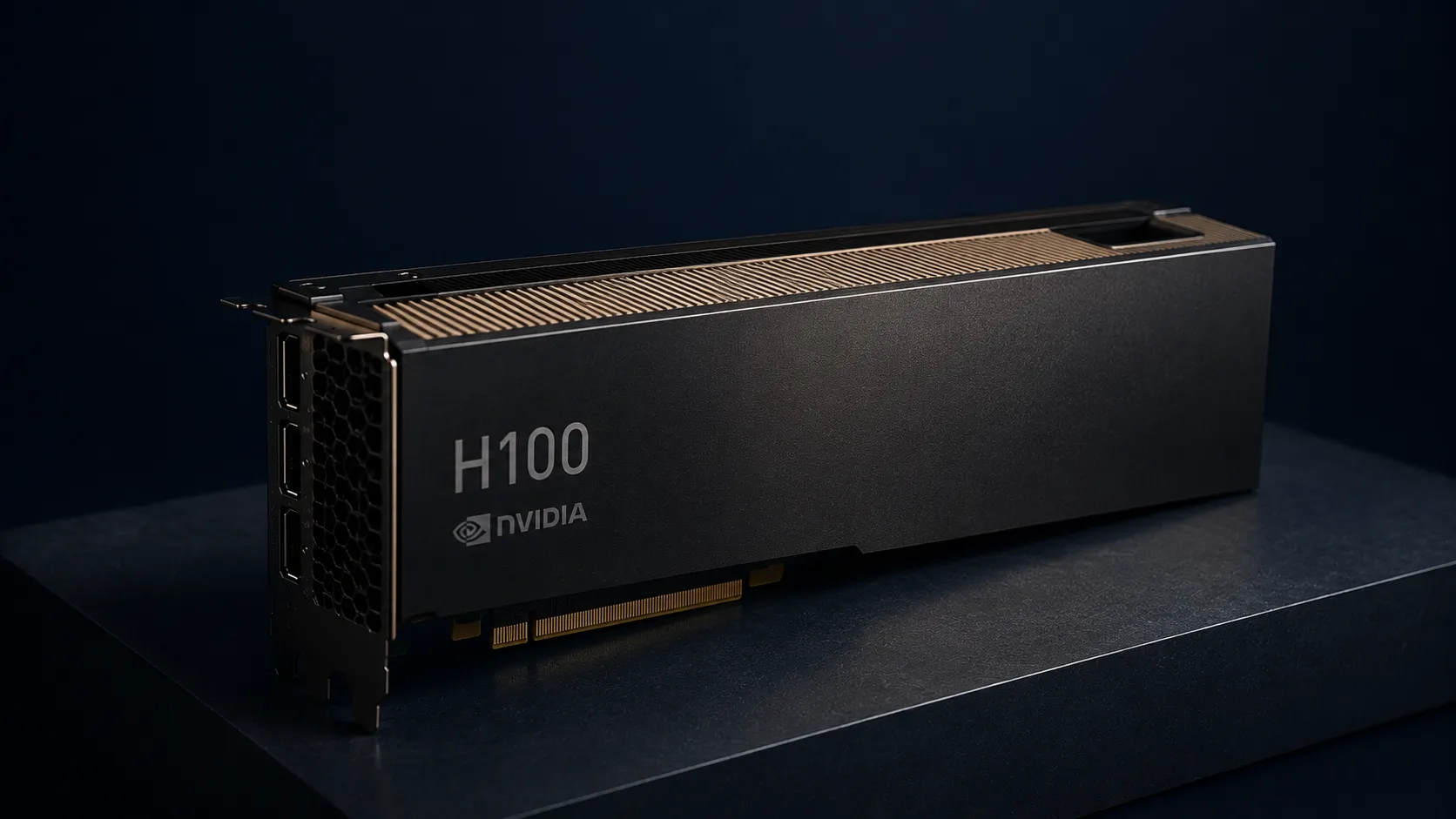
H100 AWS: guide to NVIDIA H100 GPU cloud computing
H100 AWS refers to NVIDIA H100 Tensor Core GPUs available through Amazon EC2 P5 instances for high-performance computing, large language models, and generative AI workloads. Choose a configuration using its memory, interconnect, software support, and measured workload performance rather than treating a theoretical peak as an application benchmark.
This guide covers AWS H100 access methods, pricing realities, technical capabilities, and practical alternatives for different use cases and budgets. The scope includes EC2 P5 instance specifications, real-world performance data, and honest cost analysis. What falls outside: basic cloud computing concepts and general AWS setup tutorials. The target audience includes AI researchers, ML engineers, startups, and enterprises evaluating GPU compute options for training and running inference on foundation AI models.
Direct answer: AWS offers H100 GPUs through EC2 P5, including single-GPU and eight-GPU configurations. Check current AWS pricing for the exact instance, region, operating system, and purchase option, then add applicable storage and data-transfer charges. Account quotas and available capacity also affect access.
What you’ll learn from this guide:
- Technical specifications and capabilities of NVIDIA H100 GPUs on AWS
- Real cost analysis including hidden charges and billing complexity
- Access requirements, quota processes, and regional availability
- Common challenges with hyperscaler GPU access and practical solutions
- How to compare current RTX 5090 rental options with H100 for workloads that fit their memory and feature limits
Understanding H100 on AWS
NVIDIA H100 Tensor Core GPUs are enterprise AI accelerators, specifically engineered for the massive scale required by increasingly complex LLMs, computer vision models, and high performance computing HPC workloads. On the AWS cloud, these GPUs power the EC2 P5 instance family, enabling customers to access enterprise-grade computing power without owning physical infrastructure.
EC2 P5 instance family
The AWS P5 specification table lists p5.48xlarge with eight H100 GPUs, 640 GB of aggregate GPU memory, 192 vCPUs, 2 TiB of system memory, eight 3.84 TB local NVMe SSDs, and up to 3,200 Gbps networking. These are instance-level resources; memory is distributed across eight GPUs.
AWS has expanded this family with P5e and P5en variants featuring NVIDIA H200 GPUs, escalating to 1128 GB HBM3e memory per instance for next generation LLMs requiring superior memory bandwidth. A smaller p5.4xlarge variant offers a single H100 GPU with 16 vCPUs, 256 GiB memory, and 100 Gbps EFA networking for lighter workloads.
EC2 UltraClusters connect large numbers of GPUs for distributed workloads. A shorter training time depends on the model, software, parallelization, data pipeline, and available cluster capacity; cluster-scale specifications do not establish a weeks-to-hours result for a particular job.
NVIDIA H100 GPUs capabilities and performance
H100 introduces fourth-generation Tensor Cores and the Transformer Engine for mixed-precision transformer workloads. The H100 configurations listed for P5 provide 80 GB of GPU memory per GPU. Compare the exact A100 or H100 variant before drawing memory-capacity or bandwidth conclusions.
Intra-instance GPU communication operates at 900 GB/s via NVSwitch, enabling single-hop data transfer between all 8 GPUs. This 3.6 TB/s bisectional bandwidth supports tightly coupled deep learning workloads and distributed training across the full instance.
The Transformer Engine can help mixed-precision AI workloads, while DPX instructions target dynamic-programming operations. Actual gains over P4d depend on the model, precision, software, scale, and measurement method. Use a reproducible workload comparison instead of treating a product-level speedup as a guarantee.
Understanding these capabilities matters for the following section because AWS charges premium rates for this performance—meaning the decision to use H100 depends heavily on whether your workload actually requires this scale of resources.
AWS H100 applications and use cases
With the technical foundation established, the practical question becomes: which workloads genuinely benefit from H100-class computing power combined with AWS infrastructure?
Deep learning and large language model training
Large distributed training jobs can benefit from the memory and interconnect available in P5 systems. A p5.48xlarge provides 640 GB across eight H100 GPUs, but the software must partition the workload across those devices. Training fit also depends on weights, gradients, optimizer states, activations, sequence length, and batch size; aggregate VRAM alone does not establish a model-size ceiling or a cost saving.
Distributed training across UltraClusters leverages NVIDIA Collective Communications Library and GPUDirect RDMA for CPU-bypassing low-latency transfers between nodes. AWS Deep Learning AMIs and containers on ECS/EKS provide pre-configured environments, while Amazon SageMaker offers managed scaling to thousands of GPUs without manual cluster orchestration so large models can be deployed in these scalable environments after training.
The significant benefits here apply to teams training from scratch or conducting extensive fine-tuning on massive scale—not to most applied ML work.
AI inference workloads
Production inference for generative AI capabilities—chatbots, code generation systems, video and image generation backends—can leverage H100’s computing power for lower latency and higher throughput. Real-time applications requiring rapid response times across steerable AI systems benefit from the raw performance available.
However, this use case deserves scrutiny. Most inference workloads don’t require the full capacity of even a single H100. The connection to training applications is clear: if you trained on H100, you might deploy systems on similar hardware for consistency. But many teams find that inference runs efficiently on substantially less expensive infrastructure.
High performance computing
Beyond AI, H100 GPUs serve high performance computing applications including pharmaceutical discovery, seismic analysis, weather forecasting, and financial modeling. These HPC workloads benefit from the same memory bandwidth and compute density that powers deep learning.
AWS services such as FSx for Lustre can support data pipelines for scientific computing. Size the file system and network for the workload and verify the throughput available to the selected configuration. Reinforcement-learning applications in robotics and simulation may also use this infrastructure.
The key application summary: H100 on AWS excels at frontier-scale work. For teams mainly looking to rent GPUs for AI with cost-efficient cloud solutions, alternatives to hyperscaler H100s often provide better cost-to-result tradeoffs. The following section examines whether the cost structure makes sense for your specific requirements.
Cost analysis and implementation
AWS pricing for H100 access involves multiple components that create billing complexity many teams underestimate. Understanding the true cost requires looking beyond the headline hourly rate.
How to access H100 on AWS
Check account, regional, and configuration requirements before launching P5 instances:
- Review quotas for the relevant P instance family in AWS Service Quotas and request an increase if needed. Quota approval does not reserve hardware.
- Check regional offerings and capacity for the exact instance size and purchase option.
- Configure VPC networking and any placement-group or EFA requirements for the intended distributed workload.
- Select a compatible image with the drivers and frameworks your workload requires.
- Plan storage for datasets, checkpoints, and outputs, including the lifecycle of instance-store data.
The process reflects hyperscaler friction: capacity gating, regional constraints, and dependency on AWS-native services that increase platform lock-in over time.
Cost comparison analysis
| Factor | AWS p5.48xlarge (8× H100) | RTX 4090 (retired Hivenet fleet) | RTX 5090 (Hivenet) |
|---|---|---|---|
| Hourly rate | Check exact region and purchase option | Not available for new workloads | From €0.75/hr advertised Sep 8, 2026; check active preset |
| GPU memory | 640 GB across 8 GPUs | 24 GB per GPU (historical hardware) | 32 GB per GPU |
| Billing model | Check OS, purchase option, storage and data charges | Not applicable to new workloads | Eligible Running usage billed per second |
| Availability | Account quota and regional capacity | Retired | Current console capacity |
| Access model | Check supported purchase options | No new instances | On-demand instance; confirm lifecycle terms |
| Support | Check selected support plan | Not applicable to new workloads | Check current support scope |
AWS offers more than just P5 if you need lower-cost options within its own GPU lineup. G5 instances feature NVIDIA A10G GPUs for cost-effective workloads. G6e instances use NVIDIA L40S Tensor Core GPUs with up to 48GB GPU memory per GPU. A broader guide to the best AI GPUs of 2026 can help you contextualize these options against modern consumer and data center cards.
The table compares different resource bundles, not equivalent training results. Compare the same completed workload, include all applicable charges, and convert currencies on a stated date if needed. Calculate each job's compute cost from its measured running duration and active rate. An eight-GPU H100 instance and a single RTX GPU should not be compared by equal elapsed hours alone; a buying-versus-renting break-even estimate also needs a dated hardware quote and operating-cost assumptions.
Practical cost effective alternatives
RTX 4090 and RTX 5090 GPUs can be practical for inference, evaluation, rendering, applied machine learning, and computer vision when a workload fits their memory and feature limits. Hivenet's measured Llama 3.1 8B inference comparison covers one BF16 serving setup; it is not evidence that consumer GPUs outperform A100 across other AI workloads or price points.
Compute with Hivenet provides GPU and CPU instances for your own workloads. Its current self-serve GPU reference lists RTX 5090; the RTX 4090 fleet has been retired:
- RTX 4090 hardware guidance remains relevant to existing hardware, but Hivenet no longer offers it for new Compute workloads.
- RTX 5090 GPU instances provide 32 GB of VRAM per GPU. The advertised starting rate on September 8, 2026 is €0.75/hour; check the active preset for the price you can launch.
- On-demand capacity depends on the selected location and available presets. Review restart, retention, and interruption conditions.
- Check billing and instance-rental terms. Running instances incur compute charges even when the application is idle.
- Choose a container or virtual machine and verify the image, permissions, connection methods, and software you need. You operate your application stack.
Evaluate these options on the workload you intend to run. A discussion of RTX 4090 versus A100 trade-offs can inform hardware selection, but it does not prove that one option is better for a fixed share of all AI use cases. Measure fit, output quality, throughput, and total cost before choosing capacity.
Common challenges and solutions
Real-world friction with AWS H100 access affects teams across the market. These solutions address the most common obstacles.
High costs and unpredictable billing
AWS total cost can include instance usage, storage, data transfer, and other selected services. Check the current quote for the exact configuration and estimate those additional components before launching; there is no universal hourly total for an H100 workflow.
Solution: Compare an available Hivenet RTX 5090 preset only if it meets your memory, feature, and runtime requirements. Use the active rate and expected running time, including idle running time, to estimate compute charges. Hivenet's RTX 4090 fleet is retired.
Capacity constraints and regional availability
Beyond AWS, staying informed through a dedicated AI and cloud GPU computing blog can help you anticipate market-wide capacity shifts and new access models.
H100 scarcity behavior persists across cloud platforms. Quota requests face delays, regions run out of capacity, and spot instances face interruptions during high-demand periods. This creates unpredictable access patterns that disrupt development workflows.
Solution: Check available presets and regions in each provider's console before scheduling the job. Hivenet's on-demand model does not guarantee unlimited capacity or an immediate launch. Plan checkpoints and a fallback for time-sensitive work.
Platform lock-in and infrastructure complexity
As newer hardware like the NVIDIA RTX 5090 for fast AI and LLM inference becomes available on more flexible platforms, the trade-offs of deep lock-in to a single cloud provider become even more pronounced.
Deep integration with AWS-native services—SageMaker, EKS, S3 data pipelines—creates switching costs that accumulate over time, especially for teams that need infrastructure enterprise harness and governance requirements can support without deep lock-in to one provider. What starts as convenient becomes constraining when you need flexibility across multiple cloud platforms or want to optimize costs elsewhere.
Solution: Keep application code, model files, and deployment instructions portable where practical. Verify the chosen image and permissions rather than assuming every framework is preinstalled. SSH access does not remove your responsibility for dependencies, application security, monitoring, and backups.
Conclusion and next steps
AWS H100 via EC2 P5 instances, powered by NVIDIA H100 Tensor Core GPUs, serves enterprise-scale frontier AI development where the massive scale required justifies premium costs and hyperscaler friction. The technology delivers genuine performance leadership for building next generation LLMs, running large-scale HPC workloads, and training models that cannot fit on consumer hardware.
Choose infrastructure using cost per completed result and the workload's memory, interconnect, software, and reliability requirements. A provider testimonial about one organization or configuration is not evidence of the outcome your project will achieve.
Immediate next steps:
- Measure GPU memory needs, including runtime overhead, rather than assuming every workload fits 24–32 GB.
- Estimate AWS costs for the selected configuration, including storage and data transfer.
- Test an available Hivenet RTX 5090 preset if it fits the workload; do not plan a new Hivenet job around the retired RTX 4090 fleet.
- Compare time-to-result, output quality, and total cost before committing.
Related topics to explore: GPU optimization techniques for memory efficiency, distributed training strategies that work across instance types, and cloud cost management approaches that maintain flexibility.
Your next workload belongs on Hivenet.
Pick one AI, compute, or storage workload and see the difference for yourself. Spin it up in minutes, or let our team map your fastest path to production.

