

Sign in to Hivenet
Access your files and manage your storage account.
Store
Access your files and manage your storage account.
Compute
Launch instances and manage your compute resources.
Store and Compute still use separate accounts today. We’re working on a unified sign-in.
Just need to send a file?
Use Send directlyNew to Hivenet? Get Started
Get started with Hivenet
Choose what you want to use first.
Store
Back up photos and files across your devices.
Compute
Launch self-serve GPU compute for demanding work.
Store and Compute still use separate accounts today. We’re working on a unified account experience.
Need Hivenet for business?
Talk to salesNeed to send a file?
Open SendAlready have an account? Sign in
What does HPC stand for? (High Performance Computing explained)
HPC stands for high performance computing. It means using more computing power than a normal laptop, desktop, or single server can provide, often through supercomputers, computer clusters, GPUs, or cloud resources.
What does HPC stand for?
High performance computing (HPC) is the practice of aggregating computing resources to achieve performance greater than that of a single workstation or server, often involving custom-built supercomputers or clusters of individual computers. In plain terms, hpc generally refers to using powerful computers together to finish hard computing tasks in a timely manner.
HPC systems can perform quadrillions of calculations per second, far beyond standard desktop computers, which typically operate at around 3 billion calculations per second. That difference matters when you need to process data, run simulations, or train models at serious scale.
- HPC: high performance computing for large amounts of data and complex algorithms.
- High performance: faster processing speed, more memory, more parallel work, and optimal performance across the system.
- Computing: CPUs, GPUs, data storage, network storage, and tools working together.
- Everyday computing: browsing, documents, and spreadsheets. HPC: weather forecasting, drug discovery, engineering applications, and AI.
What HPC means in plain English
HPC means lots of computers working together so your job finishes in hours instead of weeks. It may be a high performance computer, a single powerful server, an hpc cluster with many compute nodes, or cloud hpc rented on demand.
Examples include:
- Computing millions of possible drug molecules for healthcare research.
- Simulating airflow over a car or aircraft wing.
- Processing terabytes of telescope input data.
- Running data analytics for fraud detection, risk, or business intelligence.
Most hpc work uses parallel computing: many tasks run at the same time across multiple cores, GPUs, or multiple computers.

Why is HPC important today?
HPC is essential for processing massive datasets and performing complex calculations quickly, which is crucial for applications in fields such as scientific research, simulation, and business intelligence. The phrase hpc important keeps showing up because modern work produces more data than ordinary computers can handle.
Since around 2010, IoT devices, 3D imaging, genomics, and AI models have created massive amounts of data. Demand is also driven by real-time insights and AI-driven workloads; IBM reports that the market for scalable computing infrastructure for HPC and AI reached USD 85.7 billion in 2023.
Key reasons include:
- Faster storm tracking, stock analysis, live video, fraud detection, and systems that stream live events.
- Shorter R&D cycles for chip design, automotive crash simulations, pandemic modeling from 2020–2022, and energy research.
- New insights from large models, including large language models and generative AI.
- high performance computing hpc has become central to modern AI workloads, not just national labs.
How does HPC work? (From nodes to HPC clusters)
HPC work typically runs on HPC clusters, which are groups of networked computers acting like one big machine. An HPC cluster consists of multiple high-speed computer servers, known as nodes, that are networked together to manage parallel computing workloads.
The main components look like this:
- Computer clusters / HPC clusters: many servers called nodes.
- Compute nodes: the machines that run calculations.
- Login nodes: where users connect, edit files, and submit jobs.
- High-speed network: moves data between nodes with low delay.
- Shared storage: lets all nodes read and write files.
- job scheduler: software such as Slurm or PBS that queues work and assigns resources.
The performance of an HPC cluster relies on the speed and efficiency of its components, including compute nodes, storage systems, and networking capabilities, which must all operate in harmony. Think of compute network storage as one connected stack.
Inside an HPC cluster: nodes and roles
Not all nodes in a cluster are identical. HPC clusters can be designed as homogeneous, where all nodes have similar performance, or heterogeneous, where nodes have different characteristics and capabilities.
Each node in an HPC cluster can be a compute node, login node, or storage node, with compute nodes executing the computations and login nodes serving as the user interface.
- Login nodes support interactive access.
- Compute nodes run batch jobs.
- Large memory nodes support memory-heavy workloads.
- GPU nodes handle accelerated hpc workloads.
- Storage and controller nodes manage data storage, scheduling, and system health.
Login nodes
Login nodes are the entry point to an hpc cluster, usually through SSH.
- Use them to browse directories, edit scripts, compile code, and submit jobs.
- Don’t run heavy computation there; it can slow access for other users.
- Some modules may differ from compute nodes.
- Treat login nodes as a control area, not the place where hpc work runs.
Compute nodes
Compute nodes are the workhorses of high performance computing. Users usually don’t SSH directly into them; the scheduler launches jobs there.
- They mount shared filesystems so code and data are available from any node.
- Large hpc systems may have hundreds or thousands of compute nodes.
- Each node may have many CPU cores, so total core count can reach tens of thousands.
- These nodes supply the main computing resources for cluster computing.
Large memory nodes
Large memory nodes are specialized compute nodes with far more RAM, often 1–4 TB.
They are useful for:
- Genomics assembly.
- In-memory analytics.
- Large graph algorithms.
- Finite element models with huge meshes.
Schedulers often route high-memory jobs to these nodes. They can also support shared-memory models such as OpenMP.
GPU nodes
GPU nodes are compute nodes equipped with powerful processors for parallel computation, not just graphics.
Common uses include:
- AI training and inference.
- Rendering and visual effects.
- Scientific simulations using CUDA or OpenCL.
- Computer vision and benchmarking.
Modern high performance computing HPC increasingly depends on GPU nodes because many workloads run better on GPUs than CPUs.
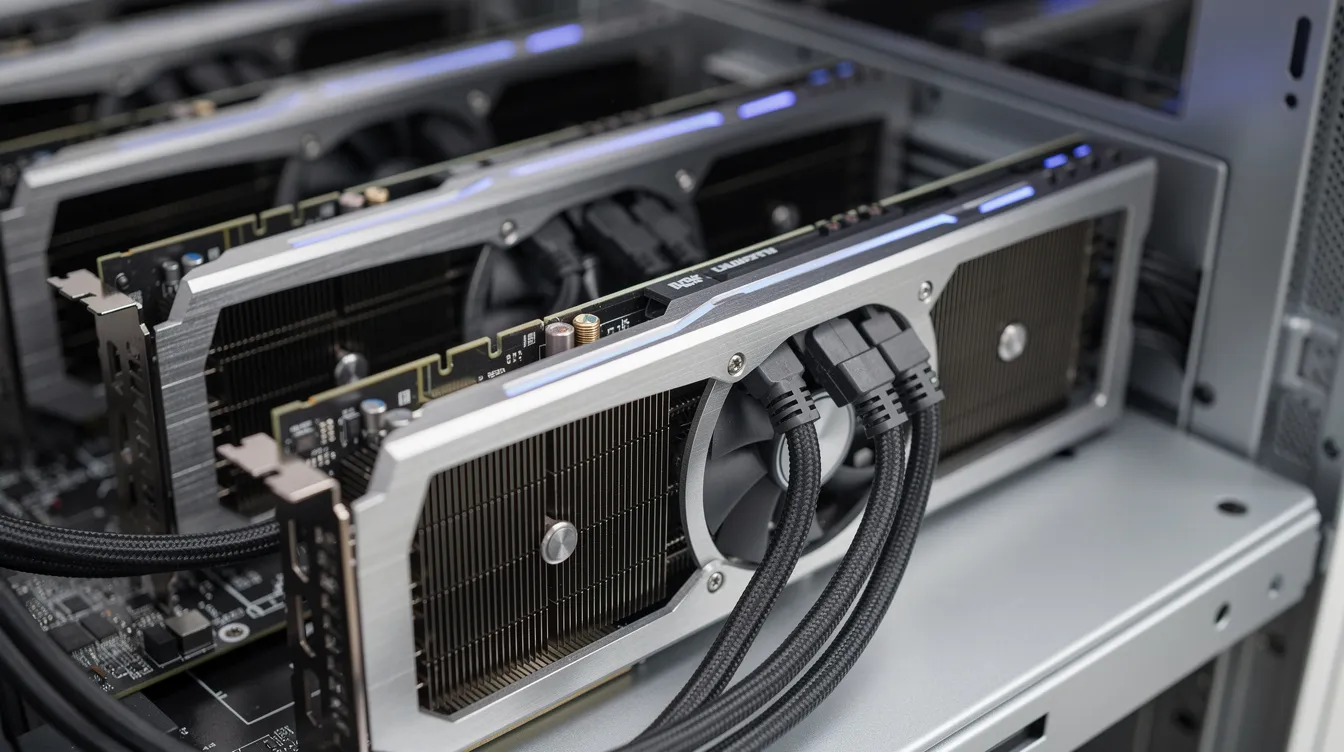
Classic HPC vs modern GPU-driven HPC
Classic HPC grew around CPU-based supercomputers, message passing interface software, and tightly linked simulations. Modern GPU-driven HPC now includes AI, deep learning, rendering, and data science.
- Classic HPC: physics, climate, CFD, structural analysis, national supercomputers, and Top500-style systems.
- Modern GPU HPC: growth since about 2012 with CUDA and deep learning.
- Hybrid systems: CPUs, GPUs, high-bandwidth memory, and fast network links.
- Why GPUs help: thousands of cores, strong parallel performance, and good performance per watt.
HPC vs cloud computing vs GPU compute
HPC is about the workload pattern: large-scale, parallel, high performance computing. Cloud is one way to access the infrastructure.
- On premises HPC: institutions own and run computer clusters.
- Cloud HPC: providers such as google cloud rent high performance instances or clusters.
- GPU compute: renting or owning GPU machines for parallel workloads, often via GPU rental services tailored for AI and deep learning projects.
HPC in the cloud, also known as HPC as a service (HPCaaS), provides a faster, more scalable, and more affordable way for organizations to use high-performance computing resources without on-premises infrastructure, closely mirroring modern AI compute rental models for cloud-based GPUs and TPUs. Cloud-based HPC allows organizations to scale their computing resources up or down based on demand, enabling cost savings and flexibility in managing workloads. HPC in the cloud can reduce the time required to process large datasets, with tasks that might take weeks on traditional systems being completed in hours.
How HPC jobs are structured (tightly vs loosely coupled)
Not all hpc applications need the same infrastructure. Job structure affects cost, performance, security, and scalability.
- Tightly coupled jobs: tasks depend on each other and need fast, low-latency networks. Examples include MPI-based weather models, CFD, and large climate simulations.
- Loosely coupled jobs: many independent tasks share storage but run separately. Examples include rendering frames, Ray or Dask jobs, job arrays, Monte Carlo simulations, and hyperparameter tests.
Tightly coupled jobs often fit classic supercomputers. Loosely coupled or single-node GPU workloads can run well on flexible cloud or GPU platforms.
Common use cases for high performance computing
HPC now supports national labs, researchers, startups, and most organizations that need serious computing.
- Scientific research: astronomy, particle physics, climate modeling, seismology, and energy research.
- Engineering and design: car crash simulations, airflow over wings, chip design, and structural models.
- Healthcare: HPC is used in healthcare for drug discovery, medical record management, and rapid cancer diagnosis, speeding processes that once took years.
- Automotive: HPC is used to simulate and optimize product designs, including computational fluid dynamics (CFD) for aerodynamics and battery performance.
- Weather: HPC plays a crucial role in weather forecasting and climate modeling by processing vast amounts of meteorological data to predict weather patterns and climate changes.
- Finance: Financial institutions use HPC for real-time data analysis, credit card fraud detection, risk analysis, and Monte Carlo simulations.
- Media: CGI rendering, animation, and visual effects for live events and film.
The real cost problem in modern HPC
Owning hardware and using hyperscaler cloud hpc both carry trade-offs.
- On premises clusters require hardware, power, cooling, staff, upgrades, and physical space.
- Cloud hpc can bring high GPU prices, storage fees, egress costs, quotas, and lock-in.
- Spot and preemptible instances are cheaper, but interruptions can waste long AI training runs or simulations.
During the 2023–2025 AI boom, GPU scarcity made access to high performance GPUs a bigger bottleneck than CPU cores, pushing many teams to compare top cloud GPU providers for AI workloads. The practical challenge is often getting the right accelerator at the right price for as long as you need it, not simply getting a supercomputer.
Where modern platforms like Compute with Hivenet fit in HPC
For GPU-heavy workloads, Compute with Hivenet is an option to evaluate against your memory, CPU, storage, and networking requirements. Choose a current preset and test the workload before committing to a configuration.
It can support:
- AI training and fine-tuning on current NVIDIA RTX 5090 instances, when an available configuration fits the workload and its software requirements.
- AI inference on NVIDIA RTX 5090 GPUs, with latency and throughput measured on your model and configuration.
- Data science and data analytics; distributed computing across multiple devices requires software and infrastructure configured for that workload.
- Rendering.
- Simulation and benchmarking.
- Research experiments and batch processing.
Check the Compute console for the current GPU preset, capacity, and active price before starting an instance. Compute uses prepaid organization credits and charges eligible usage per second, as explained in the billing documentation. Keep credits available and back up important files: workloads may stop or be terminated when the balance runs low.
When evaluating neocloud infrastructure for AI workloads, ask providers how they measure electricity use, cooling overhead, and hardware utilization. Use workload- and location-specific evidence when comparing environmental impact.

How to know if you need HPC (and what kind)
Many people first meet the term hpc when a laptop or normal VM becomes too slow.
You may need HPC if:
- Simulations or analyses take days or weeks on one machine.
- Your workload needs hundreds of GB or TBs of memory.
- You need thousands of similar tasks, such as batch rendering or parameter sweeps.
- You train or fine-tune deep learning models on modern GPUs and need guidance on choosing the best AI GPUs for 2026.
- You need near-real-time responses from heavy models or streaming analytics and are comparing hyperscalers with GPU-first neocloud platforms like Compute with Hivenet.
If you run heavily coupled MPI codes, you may need a classic cluster or specialized cloud hpc. For GPU-heavy workloads, evaluate Compute with Hivenet against the required memory, interconnect, software, and measured cost per job. A single-instance multi-GPU result does not establish performance across separate hosts.
Start small: test one GPU, measure performance, then scale. HPC is less about owning the biggest machine in the world and more about choosing the right high performance resources for your workload.
Your next workload belongs on Hivenet.
Pick one AI, compute, or storage workload and see the difference for yourself. Spin it up in minutes, or let our team map your fastest path to production.

