

Sign in to Hivenet
Access your files and manage your storage account.
Store
Access your files and manage your storage account.
Compute
Launch instances and manage your compute resources.
Store and Compute still use separate accounts today. We’re working on a unified sign-in.
Just need to send a file?
Use Send directlyNew to Hivenet? Get Started
Get started with Hivenet
Choose what you want to use first.
Store
Back up photos and files across your devices.
Compute
Launch self-serve GPU compute for demanding work.
Store and Compute still use separate accounts today. We’re working on a unified account experience.
Need Hivenet for business?
Talk to salesNeed to send a file?
Open SendAlready have an account? Sign in
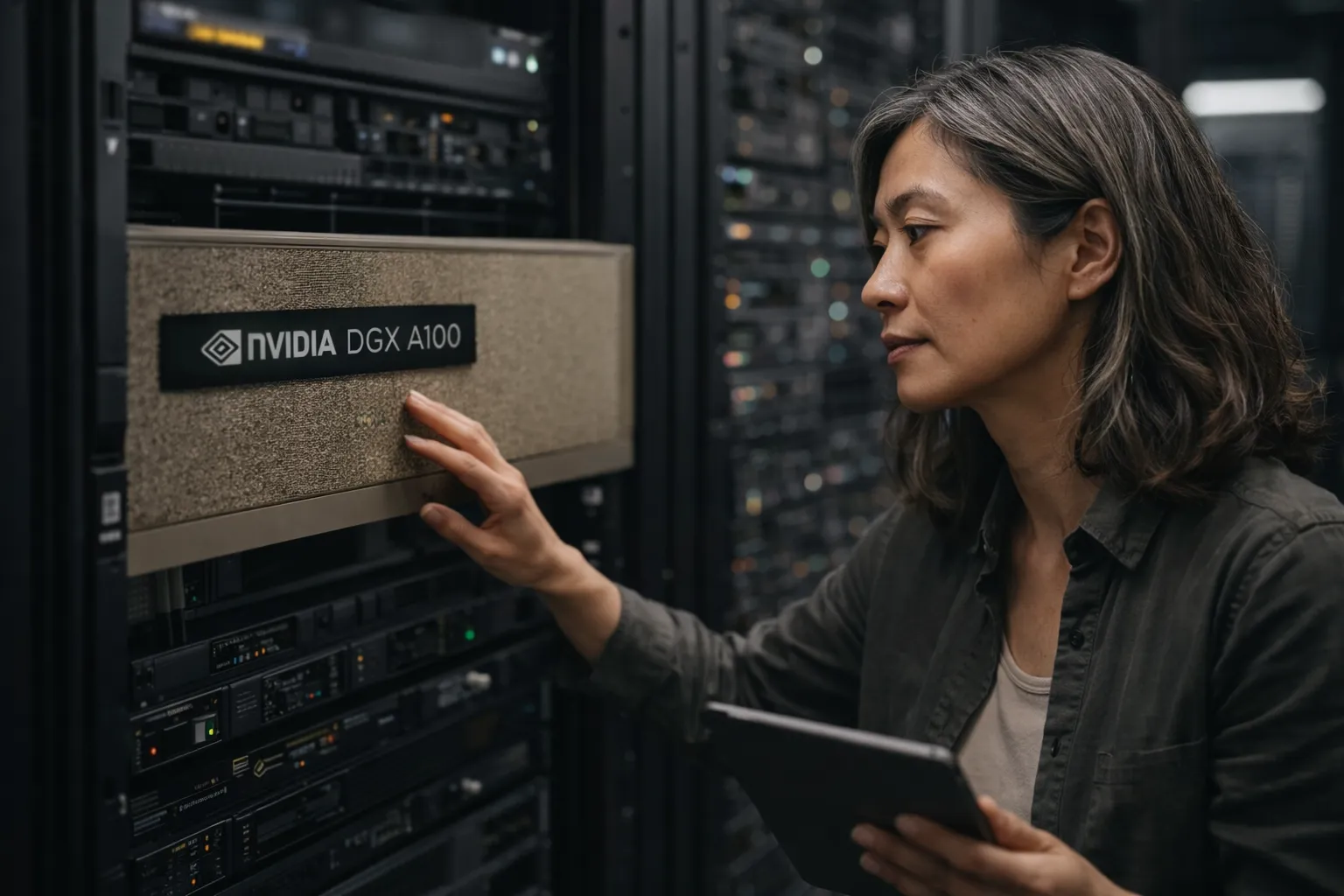
NVIDIA DGX A100: architecture, specs, and cloud alternatives
Direct answer: NVIDIA DGX A100 is a 6U enterprise AI system built around eight A100 Tensor Core GPUs, six NVSwitches, dual AMD EPYC CPUs, and NVIDIA’s integrated software stack. Its defining advantage is not simply having eight GPUs. It is the 600 GB/s GPU-to-GPU fabric that lets all eight accelerators behave as a tightly connected system for communication-heavy training, analytics, and HPC workloads.
That makes DGX A100 a strong fit for teams that can keep a large multi-GPU appliance busy and already have the power, cooling, networking, storage, and operations capability to support it. It is usually excessive for inference, independent experiments, rendering, notebooks, or models that fit on one or a few GPUs. Those workloads can often use elastic cloud GPU instances without paying for an appliance-class interconnect they do not need.
This guide focuses on the complete DGX A100 system. For the accelerator itself, see our separate NVIDIA A100 GPU guide. Keeping those two decisions separate prevents a common mistake: choosing a full DGX platform when the workload only requires access to an A100-class GPU, or comparing a DGX system with a single cloud GPU as though they were direct substitutes.
What is NVIDIA DGX A100?
DGX A100 is NVIDIA’s integrated, rack-mounted system based on the Ampere-generation A100 GPU. NVIDIA offered 320 GB and 640 GB configurations, each with eight SXM A100 GPUs. The 320 GB model uses eight 40 GB GPUs, while the 640 GB model uses eight 80 GB GPUs.
The system combines the GPUs with NVLink and NVSwitch, host CPUs, system memory, local NVMe storage, high-speed network adapters, DGX OS, management tools, and NVIDIA support. That integration is the product. A server containing several PCIe A100 cards may offer strong aggregate compute, but it does not automatically reproduce the DGX A100 topology, bandwidth, validation, or operating model.
DGX A100 remains documented by NVIDIA, but it is no longer the newest DGX generation. NVIDIA’s current portfolio also includes newer Hopper- and Blackwell-based systems. A buyer evaluating a new deployment should therefore compare DGX A100 with current DGX and NVIDIA-Certified system options rather than treating it as NVIDIA’s present flagship.
DGX A100 specifications that affect real deployments
The specifications below come from NVIDIA’s current DGX A100 user documentation. Factory configurations and optional upgrades differ between the 320 GB and 640 GB models, so procurement teams should confirm the exact bill of materials for any system they are considering.
| Component | DGX A100 320 GB | DGX A100 640 GB |
|---|---|---|
| GPUs | 8 × NVIDIA A100 40 GB | 8 × NVIDIA A100 80 GB |
| Total GPU memory | 320 GB | 640 GB |
| GPU fabric | 6 × second-generation NVSwitch; 600 GB/s GPU-to-GPU bandwidth | |
| CPUs | 2 × AMD EPYC 7742, 128 CPU cores total | |
| System memory | 1 TB factory configuration; 2 TB maximum | 2 TB factory configuration |
| Operating-system storage | Two 1.92 TB NVMe M.2 SSDs in RAID 1 | |
| Data-cache storage | 15 TB factory configuration; upgrade options available | 30 TB factory configuration; upgrade options available |
| Networking | Up to 9 ConnectX-6 or ConnectX-7 adapters in the documented factory configuration | Up to 10 ConnectX-6 or ConnectX-7 adapters in the documented factory configuration |
| Form factor | 6U rackmount; up to 271.5 lb (123.16 kg) | |
| Maximum system power | 6.5 kW at 200–240 V AC | |
The factory data-cache array uses RAID 0, which provides no drive redundancy. Plan separate durable storage and backups for datasets and checkpoints. Check the exact network adapter too: NVIDIA documents single-port ConnectX-7 cards in this system as InfiniBand-only.
The rack and power figures deserve as much attention as the GPU count. A 6.5 kW server can produce up to 22,179 BTU per hour according to NVIDIA’s environmental specifications. The system also uses six qualified power cords and needs an appropriate power distribution design. A purchase decision therefore involves facilities, network, storage, security, and platform teams, not only machine-learning engineers.
Why NVLink and NVSwitch are the central advantage
Third-generation NVLink connects each A100 GPU to the system’s six second-generation NVSwitches. NVIDIA specifies 600 GB/s of GPU-to-GPU bandwidth for an individual GPU and 4.8 TB/s of aggregate bidirectional bandwidth when the GPUs communicate across the fabric.
This matters when a job must exchange gradients, activations, or model partitions frequently. Large model-parallel training, tightly synchronized data-parallel training, and some scientific simulations can spend enough time communicating that ordinary PCIe or network paths limit scaling. A faster fabric reduces that bottleneck and can make eight GPUs useful on one coordinated job instead of behaving like eight mostly independent workers.
The same fabric has little value when jobs do not need to communicate. Batch inference replicas, hyperparameter searches, independent fine-tuning runs, rendering tasks, and isolated notebooks often scale by assigning separate work to separate GPUs. For those workloads, utilization, available VRAM, job stability, and cost per completed task matter more than all-to-all bandwidth.
Software, sharing, and operations
DGX OS is NVIDIA’s customized Ubuntu-based operating system for DGX systems. It includes system-specific drivers, configurations, diagnostics, and monitoring support. NVIDIA’s software resources also cover the NGC container catalog, Data Center GPU Manager, NVIDIA System Management, and cluster-management options.
Each A100 can use Multi-Instance GPU technology to create as many as seven isolated GPU instances, with dedicated memory, cache, and compute resources. MIG can improve utilization when several smaller workloads share the system. It does not remove the need for scheduling, storage design, identity controls, observability, patching, backups, or capacity planning.
Operational readiness is often the deciding factor. A team buying DGX A100 should know who owns firmware and driver updates, how container images are approved, where training data resides, how high-speed storage reaches the node, how jobs are scheduled, and what happens when the system is unavailable. The appliance reduces integration risk, but it does not operate itself.
When DGX A100 is the right choice
DGX A100 is a credible choice when most of the following conditions are true:
- Your primary workload needs several GPUs on one tightly connected fabric.
- Profiling shows that GPU communication or memory capacity limits useful scaling.
- The organization expects sustained utilization rather than occasional projects.
- A 6U, 6.5 kW system fits the data center’s rack, electrical, cooling, and network design.
- Platform staff can manage the software stack, job scheduling, data pipelines, security, and support relationship.
- Data residency, latency, or governance requirements favor infrastructure under direct organizational control.
Before purchasing, run the intended model and communication pattern on representative infrastructure. Peak tensor performance alone cannot predict training time. Measure end-to-end throughput, scaling efficiency, checkpoint behavior, data-loader performance, failure recovery, and expected utilization.
When cloud GPU access is a better fit
Cloud GPU access is usually the better starting point when demand changes by project, the team needs capacity immediately, or most workloads fit within one GPU or scale through independent jobs. It also lets a team validate its software, memory requirements, and utilization before committing to an appliance.
Cloud services vary widely. Some offer multi-GPU A100, H100, or newer instances with high-speed fabrics; others provide individual GPUs connected through ordinary host networking. Check the topology, dedicated VRAM, interruption policy, storage and egress charges, regional capacity, and support terms. An instance described as “eight GPU” does not necessarily provide DGX-equivalent communication.
Compute with Hivenet currently offers RTX 5090 instances with 32 GB of VRAM per GPU, including configurations of up to eight GPUs when capacity is available. The RTX 4090 fleet is retired and is no longer available for new workloads. Check the current GPU types and instance sizes and the Compute console for available presets, locations, and active prices before budgeting. Eligible Compute usage is billed per second, without an hourly minimum.
That is useful for inference, fine-tuning that fits the available VRAM, computer vision, rendering, notebooks, and parallel experiments. It is not a drop-in replacement for the A100’s HBM capacity, ECC and MIG features, or the DGX A100 NVSwitch fabric. Teams comparing individual accelerator options can use our historical RTX 4090 versus A100 workload comparison; teams selecting among accelerator categories should start with the AI accelerators guide.
A practical decision sequence
- Define the job. Record model size, precision, batch shape, checkpoint cadence, dataset path, latency target, and expected run frequency.
- Measure one GPU. Establish memory use, compute utilization, and data-loading behavior before projecting multi-GPU performance.
- Test scaling. Compare one, two, four, and eight GPUs. Track useful throughput and time spent communicating.
- Choose the topology. If tightly coupled scaling is decisive, test a system with an appropriate NVLink, NVSwitch, or high-speed cluster fabric.
- Model total cost. Include acquisition or rental, power, cooling, rack space, storage, networking, support, staffing, idle time, and migration work.
- Plan the exit. Decide how workloads, data, and containers move if hardware ages, capacity becomes unavailable, or the project changes direction.
DGX A100 alternatives to compare in 2026
A current evaluation should include several categories rather than a single “DGX versus cloud” comparison:
- Newer NVIDIA DGX systems: Hopper- and Blackwell-generation DGX platforms offer newer GPUs, more memory, and newer networking. They are the closest integrated successors for new enterprise deployments.
- NVIDIA-Certified systems and HGX platforms: These can provide enterprise multi-GPU designs from NVIDIA partners with more configuration choices.
- High-speed cloud clusters: Suitable when the workload needs tightly coupled GPUs but the organization prefers rental and managed facilities.
- Elastic single-host or independent GPU instances: Better for inference, experimentation, and parallel jobs that do not rely on appliance-class interconnect.
- Managed inference: Better when the actual requirement is an API endpoint and the team does not want to operate drivers, schedulers, or serving software.
The right alternative is the one that preserves the workload’s real constraint. Replacing DGX A100 with inexpensive GPUs can fail when HBM capacity or communication dominates. Buying another appliance can waste money when the constraint is merely occasional access to a capable GPU.
Frequently asked questions
How many GPUs are in DGX A100?
Every DGX A100 system contains eight SXM A100 GPUs. The 320 GB model uses 40 GB GPUs, while the 640 GB model uses 80 GB GPUs.
Is DGX A100 the same as an A100 GPU?
No. A100 is the accelerator. DGX A100 is an integrated server containing eight A100 GPUs plus NVSwitch, CPUs, memory, storage, networking, software, and support.
Does an eight-GPU cloud instance equal DGX A100?
Only if its GPU model, memory, interconnect topology, host resources, networking, and software meet the workload’s requirements. GPU count alone is insufficient.
Can DGX A100 serve several users?
Yes. Workload scheduling can allocate whole GPUs, and A100 MIG can partition each GPU into as many as seven isolated instances. Administrators still need policies and tooling for fair allocation and data isolation.
How much power does DGX A100 require?
NVIDIA specifies a maximum system power of 6.5 kW at 200–240 V AC. Facilities teams should also plan for cooling, power distribution, rack weight, and redundancy.
Is DGX A100 still worth considering?
It can be, especially when an existing system meets a well-profiled Ampere workload and the organization can operate it efficiently. For a new purchase, compare the complete cost and performance with current DGX, certified systems, high-speed cloud clusters, and elastic GPU instances.
Official technical references
Your next workload belongs on Hivenet.
Pick one AI, compute, or storage workload and see the difference for yourself. Spin it up in minutes, or let our team map your fastest path to production.

