

Sign in to Hivenet
Access your files and manage your storage account.
Store
Access your files and manage your storage account.
Compute
Launch instances and manage your compute resources.
Store and Compute still use separate accounts today. We’re working on a unified sign-in.
Just need to send a file?
Use Send directlyNew to Hivenet? Get Started
Get started with Hivenet
Choose what you want to use first.
Store
Back up photos and files across your devices.
Compute
Launch self-serve GPU compute for demanding work.
Store and Compute still use separate accounts today. We’re working on a unified account experience.
Need Hivenet for business?
Talk to salesNeed to send a file?
Open SendAlready have an account? Sign in
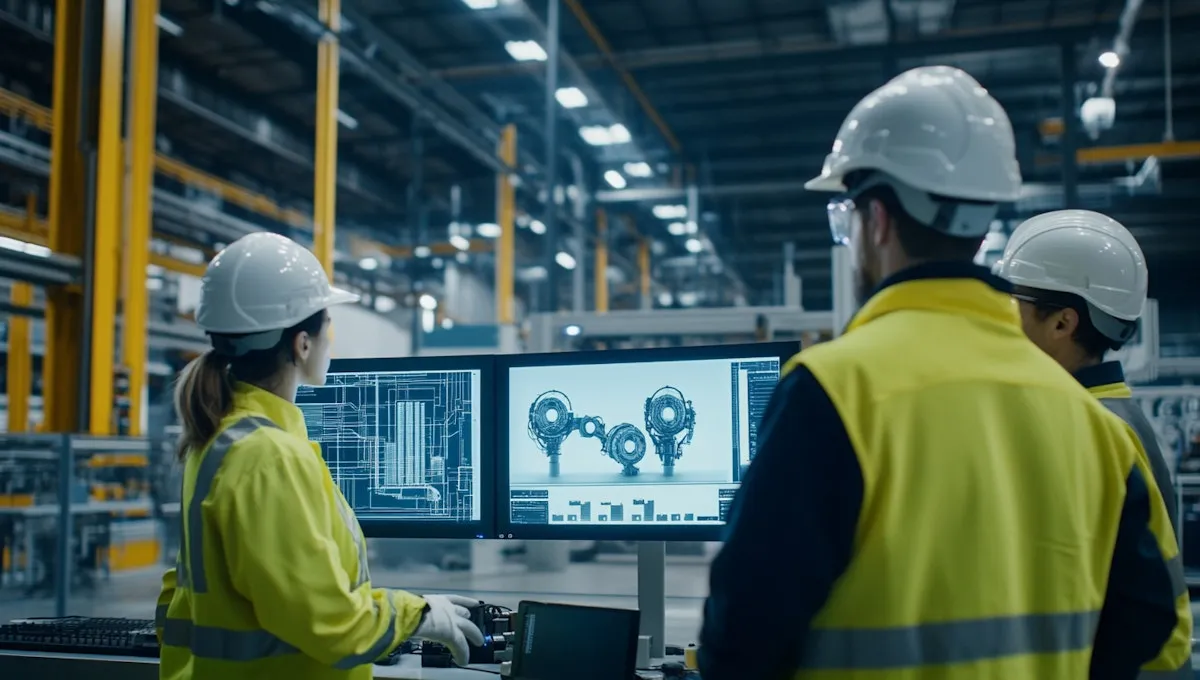
High-Performance Simulation Compute for Engineering Solutions
Simulation compute is the hardware capacity used to run models and analyze their results. For engineering, research, or game development, the right setup depends on the solver, numerical requirements, data, and workflow. This guide explains how to assess Hivenet Compute as infrastructure for compatible software; it is not a bundled simulation or visualization platform.
Introduction to Simulation
Simulation is a powerful tool used to replicate real-world scenarios in a controlled environment, allowing for the analysis and understanding of complex systems and phenomena. By creating virtual models that can be manipulated and tested, simulation provides valuable insights into the behavior of systems and the impact of different variables.
In various fields such as engineering, science, and gaming, simulation has become a game-changer in problem-solving and decision-making. Organizations leverage simulation to reduce development time, improve performance, and increase efficiency, ultimately leading to cost savings and improved outcomes. The ability to visualize complex data through simulation allows for a deeper understanding of the relationships between different variables, helping to identify patterns and trends.
In today’s fast-paced, data-driven world, the ability to analyze and interpret large amounts of data is crucial for making informed decisions. Simulation provides a safe and controlled environment for testing and experimentation, reducing the risk of errors and improving the overall quality of outcomes. With advancements in technology, simulation has become more accessible and affordable, making it a vital tool for organizations of all sizes and industries.
Key Takeaways
- Hivenet Compute provides GPU and CPU resources for compatible workloads. Measure a representative simulation before claiming a speedup, and validate numerical accuracy separately.
- Visualization requires suitable software and configuration. Jupyter is a documented access option when available, but renting Compute does not include every visualization application or guarantee real-time interaction.
- Estimate runtime and application costs, confirm current capacity and pricing, and plan how results will be stored and exported. Usage-based billing alone does not establish a lower total cost.
Planning simulations on Hivenet Compute

Hivenet’s scientific-modeling page describes an infrastructure workflow: launch a suitable environment, bring your data, run your solver, and export results. The solver, model setup, and validation remain part of your application workflow.
A GPU can help when the solver supports it and the job fits the available memory. Review Compute’s developer workflow, then compare elapsed time and cost on a representative case.
Big ideas need bigger compute
Choose a Compute configuration for your workload, review the active price, and confirm capacity before launching.

Researchers
Researchers can evaluate Compute for a compatible solver or analysis pipeline. Select an image, install or supply the required tools, move the input data, and record the configuration. Notebook access and repeatable container templates can help with exploration, but they do not validate a scientific model.
If a workflow uses an AI surrogate or predictive model, validate it against suitable reference results and document its limits. Compute provides execution resources; the choice and validation of a scientific method remain the research team’s responsibility.
Engineers
For structural analysis or computational fluid dynamics (CFD), confirm the solver’s supported operating system, hardware, numerical precision, and license terms. Check whether the relevant part of the job actually uses GPU acceleration before choosing a GPU configuration.
Benchmark a defined problem and compare results with an accepted reference before expanding the run. Faster execution does not, by itself, establish a design’s reliability or safety.
Game Developers
Game developers can assess Compute for compatible rendering, asset processing, or simulation jobs. Confirm the engine and toolchain requirements and test the workload; this article does not establish a particular game studio’s deployment or measured time saving.
Interactive game development also needs a suitable display and input path. Running a batch job remotely is different from receiving a complete cloud gaming or desktop service.
Enhancing Data Visualization Capabilities

Visualization can help researchers inspect simulation outputs, but it requires an application suited to the data and graphics environment. Hivenet documents notebook-based work and compatible compute workloads. Choose and configure the plotting or visualization software separately, then test dataset size and responsiveness.
Real-Time Data Interaction
Interactive analysis depends on the dataset, visualization application, memory, and connection. Urban or energy models are possible simulation subjects, not built-in Compute features. Define the model and software requirements before treating the infrastructure as suitable.
Test the actual visualization workflow before promising real-time use. Compute does not establish a latency or instant-data-manipulation guarantee for every application.
Visualizing Complex Scenarios
Innovative models assess ecological impacts and optimize resource use for sustainability. By maintaining context in relation to spatial awareness for entities within different simulated grids, urban developers can simulate various aspects of urban environments to gain realistic insights. Simulation technologies play a critical role in assessing the ecological impact of various projects, enabling better decision-making for sustainability initiatives.
Simulation methods optimize natural resource use and reduce environmental footprints. Analyzing the effectiveness of different energy-saving measures before implementation helps companies achieve sustainability goals more efficiently.
Interactive Displays
Interactive displays improve engagement and understanding of complex visual data. The Vislab at The University of Texas at Austin focuses on human-computer interaction and large-scale visual analysis to support world-class research. Creative artists leverage scientific data to create realistic visuals, enhancing comprehension and communication of complex concepts. Artists make scientific data easy to see and understand, helping both researchers and everyday people grasp what's behind the science. Scientific pictures are useful in many places - labs with researchers, studios with creative artists, and offices where engineers solve tough problems.
TACC describes Lasso as an AMD Eyefinity-driven display with 32-point multi-touch support. Its Stallion page describes a 6×3 array of 65-inch Samsung 8K displays with an aggregate resolution of 597 megapixels. These are TACC systems, not equipment or services included with Hivenet Compute.
A visualization facility combines display hardware, rendering software, data access, and user controls. Its capabilities should not be inferred from the specification of a rented compute instance.
Simulation Infrastructure
A simulation infrastructure refers to the underlying systems and tools that support the creation, deployment, and management of simulations. A well-designed simulation infrastructure is critical for ensuring the scalability, flexibility, and performance of simulations, providing a seamless user experience.
Simulation infrastructure typically includes a combination of hardware and software components, such as high-performance computing (HPC) systems, cloud-based platforms, and specialized software tools. The choice of simulation infrastructure depends on the specific needs and requirements of the organization, including the type and complexity of simulations, the number of users, and the desired level of performance.
For example, a cloud-based simulation infrastructure can provide a flexible and scalable solution for organizations that need to run large-scale simulations or collaborate with remote teams. Additionally, simulation infrastructure includes data management and analytics capabilities, enabling organizations to collect, process, and visualize large amounts of data generated by simulations.
By investing in a robust simulation infrastructure, organizations can reduce the complexity and cost of simulations, improve the overall efficiency and effectiveness of their simulation-based workflows, and unlock the full potential of simulation. This leads to significant benefits in terms of improved productivity, reduced costs, and enhanced decision-making.
Scaling Simulation Workloads Efficiently

Efficient execution starts with a solver and configuration that fit the problem. Test CPU and GPU requirements, memory use, and expected output size before scaling a simulation.
Compute supplies the execution environment. Model construction, solver configuration, workflow coordination, and result validation require compatible software and team decisions.
Parallel Processing
Current Compute documentation lists RTX 5090 GPUs with 32 GB of VRAM per GPU; the RTX 4090 fleet has been retired. Multi-GPU presets depend on capacity, and a solver must explicitly support parallel execution. GPU memory is not automatically pooled, and multi-instance execution requires its own software and network design.
Keep the solver version, input case, hardware, precision, and timing method in the benchmark record. A measured result from that configuration is more useful than an unsupported claim of an engineering breakthrough.
Resource Management
Plan resource allocation and job scheduling in your own workflow. The documented public Compute API manages existing instances; it does not create new instances. Do not describe an application-aware simulation autoscaler as an included platform feature.
Cloud Integration
Cloud deployment still requires application setup, data transfer, and access configuration. Capacity can be unavailable in a selected location, so plan how the job should wait, retry, or use another suitable configuration.
HPCaaS and Full-Stack Platform
High-performance computing as a service gives teams remote access to computing capacity. Some separate simulation products also bundle solvers, workflow tools, or visualization. The included software varies by service; a full-stack simulation platform should not be inferred from an infrastructure offering.
When comparing services, list the components each one supplies: runtime, licensed solver, scheduler, data handling, visualization, and support. Check which components your team must install or operate.
By leveraging HPCaaS and full-stack platforms, organizations can reduce the complexity and cost of simulations, improve the overall efficiency and effectiveness of their simulation-based workflows, and accelerate innovation. These platforms also provide the ability to scale up or down to meet changing demands and access a wide range of specialized software tools and expertise.
The use of HPCaaS and full-stack platforms helps organizations to achieve significant benefits in terms of reduced costs, improved outcomes, and enhanced productivity. By providing a comprehensive and integrated suite of tools and services, these platforms enable organizations to unlock the full potential of simulation and achieve their goals in a faster and more efficient manner.
Configuring Hivenet Compute for simulation

Start with the requirements of the application you intend to run. Compute can supply compatible resources, but an industry use case does not establish that a solver, safety analysis, or domain-specific tool is included.
High-Performance Hardware
Review GPU memory, CPU resources, system RAM, storage, and software compatibility as separate constraints. Check numerical precision and parallel-solver support instead of assuming more GPUs will improve every simulation.
Prepare a reproducible environment and define how results will be exported. If you use custom templates, record the image and dependencies; those settings do not replace input data, independent backups, or model validation.
Managing instances and simulation jobs
Use the console to create a suitable instance. The public API can inspect existing instances and manage their lifecycle. Your simulation software must handle job scheduling and any spatial partitioning the model requires.
Monitor runtime, capacity, and credits, and save important outputs outside the instance. Stopped instances are temporary and are automatically terminated after more than 10 days; restarting also depends on available capacity. These lifecycle controls are separate from any simulation scheduler you install.
Applications Across Various Industries

The following are possible applications of simulation software. They are not documented Hivenet customer case studies or evidence that a particular solver, industry certification, or workflow is included.
Aerospace
An aerospace team might evaluate a compatible CFD workflow for an airfoil study. The team would need to choose and validate the solver, mesh, boundary conditions, numerical precision, and hardware configuration.
Simulation results need appropriate engineering validation before they inform a safety-critical design. A compute rental does not certify the design.
Automotive
Automotive simulation may involve thermal, structural, or other models. Treat these as application requirements to evaluate, not evidence that Hivenet provides a validated vehicle-development system or guarantees compliance with safety requirements.
Life Sciences
Life-sciences teams can evaluate compatible molecular or analytical workloads against their software, data, and validation requirements. Compute capacity alone does not establish clinical suitability or improved medical outcomes.
For a separate discussion of medical AI, see the article on AI tools and FDA review. That topic does not establish regulatory approval or clinical effectiveness for a simulation run on Compute.
Simulation Security
Simulation security refers to the practices and protocols used to protect simulations and related data from unauthorized access, use, or disclosure. Ensuring the integrity and confidentiality of simulations is critical for preventing potential security breaches or cyberattacks.
Organizations must implement robust security measures to protect their simulations and data, including encryption, access controls, and authentication protocols. Simulation security also involves ensuring the security of the underlying infrastructure, including the hardware and software components that support the simulation.
Review the security controls for the selected runtime, software, and data flow. A cloud deployment does not automatically add the controls your simulation requires, and responsibilities for application configuration and updates need to be clear.
Document the controls, recovery plan, and responsibilities for the simulation and its data. Review and test them as the system changes; choosing cloud infrastructure does not by itself ensure confidentiality or integrity.
Supporting Scientific Research and Education
Compute can provide infrastructure for compatible research and teaching workloads. Any claim about a scientific breakthrough needs its own study and evidence; access to computing capacity is not proof of a medical or educational outcome.
University Collaborations
For a university project, define the software, data, supervision, and access requirements before selecting infrastructure. External university facilities and training activities should be attributed to their own institutions.
The earlier Joint Development Partner announcement names Elevatus and Innit. It is not evidence of the university simulation collaborations described in the original version of this article.
Training Programs
Simulation-based teaching requires an appropriate application, learning design, and assessment. A team may evaluate compatible software on Compute, but this article does not establish a Hivenet-operated training program or surgical simulation service.
Research Projects
For a research project, preserve the input data, software versions, configuration, and analysis method alongside the outputs. Use compatible tools and document the conditions under which a result can be reproduced.
Hivenet Compute provides infrastructure to evaluate against those requirements. This GPU overview provides background, not validation of a scientific application.
The Role of Big Tech and the Solution Behind Distributed Tech
When comparing providers, examine the billing units, data-transfer terms, regions, software responsibilities, and expected runtime for the same job. A provider’s size does not establish whether its offer will be more expensive or harder to operate for that workload.
This complexity and cost can stifle innovation and hinder research progress, creating limitations for organizations looking to leverage advanced technologies.
Hivenet’s scientific-modeling page currently describes per-second billing with compute, storage, and data transfer included and no separate egress charge. Confirm the active configuration and price before launching, and budget separately for software or external services. Hivenet’s FAQ is a starting point for product questions, not a guarantee that every API or service is free.
You can evaluate custom software stacks that fit the chosen runtime. Batch or streaming behavior, data pipelines, and orchestration belong to that software and its configuration; they are not evidence of a bundled simulation system.
Possible future workload evaluations
Future simulation projects should be evaluated against current resources and documented software support. A possible environmental or urban-modeling use case is not a shipped product feature or a committed roadmap item.
Sustainability Projects
An environmental-modeling project might compare resource-use scenarios or process climate data. Check model assumptions and data quality, and distinguish the modeled outcome from the energy and resource use of running the computation. No specific Hivenet project result is established here.
Smart Cities
An urban-modeling project may need geospatial data, a suitable solver, and visualization tools. Assess those requirements before selecting infrastructure. This is an example to evaluate, not a documented Hivenet smart-city deployment.
Next-Gen Technology
Custom applications need a compatible runtime and an operating plan. The linked Llama deployment article concerns an AI workload; it does not establish support for every simulation tool.
Hivenet’s Series A announcement is company history. Funding and general research ambitions do not establish a particular future simulation capability or delivery date.
Simulation Trends
The use of simulation is becoming increasingly widespread across various industries and domains, driven by advances in technology and the growing need for data-driven decision-making. One of the key trends in simulation is the increasing use of cloud-based platforms and HPCaaS, which provide organizations with flexible and scalable solutions for running complex simulations.
Another trend is the growing importance of data analytics and visualization in simulation, as organizations seek to extract insights and meaning from large amounts of data generated by simulations. The use of artificial intelligence (AI) and machine learning (ML) in simulation is also becoming more prevalent, as organizations seek to improve the accuracy and efficiency of their simulations.
The increasing focus on sustainability and environmental sustainability is driving the use of simulation, as organizations seek to reduce their environmental impact and improve their sustainability performance. Simulation is also becoming more widespread in education and training, as institutions and organizations seek to provide students and professionals with hands-on experience and skills in simulation and related technologies.
Collaboration and teamwork in simulation are also key trends, as organizations bring together diverse stakeholders and experts to work on complex simulation projects. Finally, the increasing use of simulation in emerging technologies such as virtual and augmented reality is creating immersive and interactive experiences that simulate real-world environments and scenarios.
By staying abreast of these trends, organizations can leverage simulation to drive innovation, improve decision-making, and achieve significant benefits in terms of performance, efficiency, and sustainability.
Example workloads to evaluate
These examples outline questions to test before selecting infrastructure. They do not report measured Hivenet deployments. A publishable case study would need an identified workload, configuration, results, and an attributable source.
Environmental Modeling
For environmental modeling, check dataset size, numerical precision, solver support, and the cost of repeated runs. A representative test can show whether a configuration fits the project.
Model validation and the interpretation of environmental outcomes remain separate from hardware performance. Document both before claiming a project benefit.
Medical Research
For a life-sciences research workload, assess software compatibility, access controls, and the validation method before moving data or running a larger study. Do not treat the compute configuration as evidence of clinical effectiveness.
Keep exploratory modeling distinct from a validated medical or regulatory conclusion. The article does not establish a measured healthcare outcome from Hivenet Compute.
Engineering evaluation
For a structural or fluid-dynamics case, compare elapsed time, memory use, numerical results, and cost against a known baseline. Repeat the comparison with the same input and solver settings before drawing conclusions.
If the application uses multiple GPUs or instances, test how well it scales and account for communication overhead. The result belongs to that application and configuration, not to all engineering workloads.
Final Thoughts
Choose simulation infrastructure from the software requirements outward: confirm solver support, size the resources, configure access, and test a representative case. Hivenet Compute supplies execution resources for compatible workloads. Software licensing, scheduling, visualization, data protection, and validation must be addressed in the deployment rather than assumed to come with the hardware.
Frequently Asked Questions
How does Hivenet's Compute enhance simulation efficiency?
GPU or CPU resources on Compute can support a compatible simulation. Whether a job runs faster depends on the solver and configuration; measure a representative case rather than assuming a GPU always improves it.
What benefits do researchers gain from using Hivenet's Compute?
Researchers can rent resources for compatible analysis and simulation software and use documented access options such as Jupyter where available. The research team still supplies or configures its methods, dependencies, data handling, and validation.
How does Hivenet's Compute support real-time data interaction?
A configured application may offer interactive visualization, but performance depends on software, dataset size, hardware, and network conditions. Compute rental does not guarantee instant interaction or include every visualization tool.
What are the advantages of using Hivenet's Compute for engineering simulations?
On-demand infrastructure can be useful when a compatible solver needs resources beyond the local machine. Check memory, precision, licensing, runtime, and cost, and validate the results separately before using them for engineering decisions.
How does Hivenet's Compute contribute to sustainability projects?
A team can evaluate compatible environmental-modeling software on Compute. Any claim that the project reduces environmental impact needs evidence about the model, the decisions it informs, and the resources used; the infrastructure choice alone does not prove a benefit.
Your next workload belongs on Hivenet.
Pick one AI, compute, or storage workload and see the difference for yourself. Spin it up in minutes, or let our team map your fastest path to production.

