

Sign in to Hivenet
Access your files and manage your storage account.
Store
Access your files and manage your storage account.
Compute
Launch instances and manage your compute resources.
Store and Compute still use separate accounts today. We’re working on a unified sign-in.
Just need to send a file?
Use Send directlyNew to Hivenet? Get Started
Get started with Hivenet
Choose what you want to use first.
Store
Back up photos and files across your devices.
Compute
Launch self-serve GPU compute for demanding work.
Store and Compute still use separate accounts today. We’re working on a unified account experience.
Need Hivenet for business?
Talk to salesNeed to send a file?
Open SendAlready have an account? Sign in
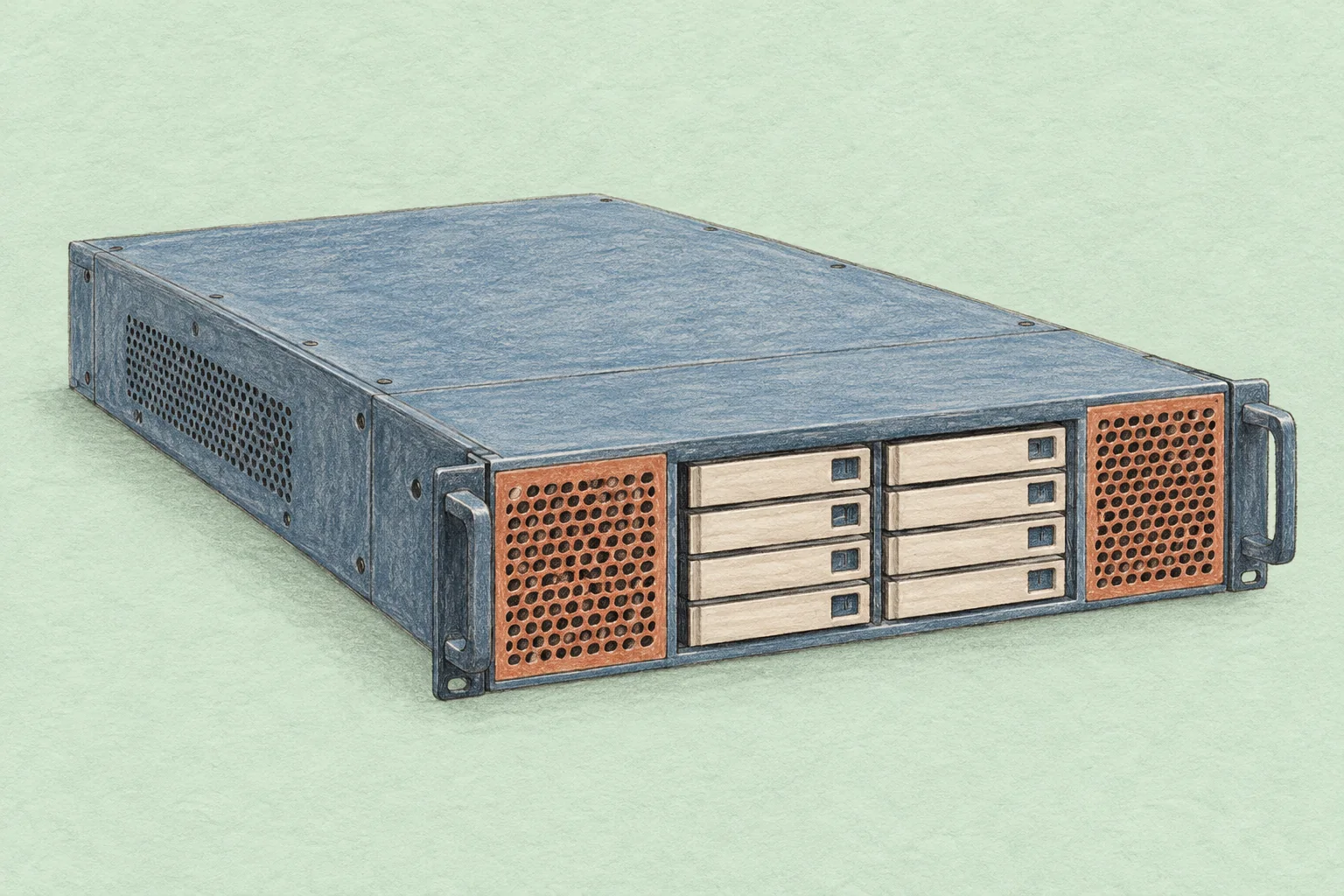
GPU server guide: hardware, workloads, and costs
A GPU server is a server that combines one or more graphics processing units with CPUs, system memory, storage, and networking. The GPUs accelerate supported parts of an application, while the rest of the system supplies data and runs the surrounding software. GPU servers can support machine learning, AI inference, scientific computing, rendering, and other parallel workloads.
Choosing one starts with the application, not the largest GPU count. You need compatible software, enough memory, a balanced data path, and a way to measure useful output. This guide is for developers, researchers, and IT teams comparing a physical GPU server with rented cloud capacity.
For the underlying processing model, see our introduction to GPU computing. Here, the focus is the complete server and the decisions that determine whether it fits your work.
How a GPU server works
The CPU runs the operating system, coordinates processes, and handles work such as data preparation. An application sends supported operations to the GPU, which can execute many similar calculations in parallel. Matrix operations used in deep learning are one example. The CPU and GPU work together; adding a GPU does not move every operation onto it automatically.
CPUs also perform parallel work. The useful distinction is how well the application maps to each processor, its memory system, and the software available. A branch-heavy task, small dataset, or unsupported solver may gain little from a GPU server.
Data movement can also limit acceleration. NVIDIA’s CUDA best-practices guide recommends minimizing transfers between host and device memory. Measure the full job, including loading data and saving results, rather than reporting only a fast GPU kernel.
GPU server, workstation, virtual machine, or cluster?
These terms describe different aspects of a deployment. A server can contain several GPUs without being a cluster. A cloud service can expose a GPU through a virtual machine or container without giving you an entire physical host.
| Option | What it describes | What to check |
|---|---|---|
| GPU workstation | A computer commonly used for local, interactive development or creative work. | Local access, noise, expansion, and whether one person or several users need it. |
| Physical GPU server | A machine configured to run GPU workloads, often accessed remotely or shared through a scheduler. | Complete hardware configuration, management, support, power, and cooling. |
| Cloud GPU instance | Rented compute with specified GPU and host resources. | VM or container, resource allocation, persistence, access, and billing rules. |
| GPU cluster | Multiple connected compute nodes coordinated to run jobs. | Application scaling, network communication, scheduling, and shared data access. |
Our GPU virtual machine guide explains the operating-system control question in more detail. Ask a cloud provider whether the quoted GPU is dedicated, partitioned, or shared, and whether CPU, RAM, and storage resources are dedicated too.
Which workloads benefit from GPU servers?
The application must support the accelerator and use it effectively. A GPU server can accelerate suitable work in healthcare research, finance, manufacturing, or media, but an industry label alone does not establish a performance benefit. HPE’s GPU server overview describes common application areas; your own workload remains the basis for sizing.
| Workload | Typical reason to evaluate GPUs | Measure before choosing |
|---|---|---|
| AI training and fine-tuning | Parallel tensor operations in supported machine-learning frameworks. | Memory use, training time to a defined quality target, and checkpoint recovery. |
| AI inference | Serving models within a latency or throughput requirement. | Response latency, concurrency, output quality, and cost per accepted request. |
| Scientific computing and analytics | GPU-enabled solvers or libraries for suitable numerical work. | Supported methods, precision, validated output, and total job time. |
| Rendering and video processing | Supported GPU rendering, image processing, or hardware encoding. | Scene fit, codec and application support, output quality, and completion time. |
For natural language processing, distinguish training a model, fine-tuning it, and running inference. Their memory and communication needs differ. Likewise, a rendering benchmark does not predict a simulation’s performance. Avoid universal acceleration multipliers or fixed GPU counts based only on the workload’s name.
GPU server specifications that matter
GPU memory and the actual accelerator
Start with the exact GPU model, variant, and memory capacity per device. System RAM and GPU memory are different resources; a large RAM figure does not establish that a model or scene fits in VRAM. Leave room for temporary allocations, working data, and application overhead as well as the main model or dataset.
GPU memory capacity is only one constraint. Check memory bandwidth, supported numeric formats, error-correction features where required, and the application’s support for the architecture. Peak compute figures measured at different precisions are not directly interchangeable. A gaming card and a data-center accelerator can suit different software and operational requirements.
CPU, RAM, storage, and networking
Intel Xeon and AMD EPYC are common server processor families, but a family name does not define a complete system. Check the exact CPU generation, available cores, memory configuration, and connectivity. Data preparation, decompression, and application services can keep the CPU busy while the GPU waits.
| Component | Specification to request | Why it matters |
|---|---|---|
| GPU | Exact model, variant, count, memory per GPU, and allocation method. | Determines application support, workload fit, and accessible resources. |
| CPU and system RAM | Allocated cores, processor model, RAM capacity, and sharing rules. | Affects data preparation, host-side work, and concurrent processes. |
| Storage | Capacity, sustained throughput, local or network attachment, and persistence. | Affects loading, checkpointing, temporary files, and recovery. |
| Interconnects | PCIe layout and supported GPU-to-GPU links; network details for multiple nodes. | Communication can limit scaling even when compute capacity increases. |
| Power and cooling | Vendor requirements for the complete configured server. | Determines whether the facility can support installation and sustained operation. |
| Management and support | Remote access, monitoring, replacement terms, and supported software versions. | Affects maintenance effort and recovery when something fails. |
Local NVMe storage can be useful for temporary working data, but local does not mean backed up. For rented instances, establish what survives a stop, restart, or deletion. Keep important datasets, results, and checkpoints in storage with an appropriate recovery plan.
Multi-GPU capacity is not automatic pooled memory
Two GPUs with 24 GB each do not automatically act like one 48 GB GPU for every application. Software must explicitly distribute work or data, and communication has a cost. In ordinary data-parallel training, model replicas process different data; fitting a larger model may instead require sharding or model parallelism.
The PyTorch distributed-training tutorial explains replica synchronization and the distinction from model parallelism. Check your framework’s implementation before purchasing more GPUs. Our multi-GPU LLM serving guide covers the related inference architecture choices.
Do not infer NVLink support from a GPU count or product family. Ask for the actual topology. Independent batch jobs may need less communication than a tightly coupled training run, so the same server can scale differently for different tasks.
Software compatibility comes before a purchase
Confirm the application version, framework, GPU architecture, driver, runtime, operating system, and any required license. A GPU appearing in a monitoring utility is not proof that the full application runs correctly.
For NVIDIA workloads, use the CUDA compatibility documentation to check driver and toolkit relationships. For AMD workloads, consult the ROCm compatibility matrix for the relevant accelerator and software stack. Do not assume software written for one GPU platform runs unchanged on another.
Container images can make an environment repeatable, but they still depend on compatible host drivers and exposed devices. Record image versions and dependencies during testing so that a successful pilot can be reproduced.
If several users share a server, decide how jobs receive resources and how access is separated. NVIDIA Multi-Instance GPU can partition supported GPUs into instances with dedicated resources, subject to hardware and software limits. It is a specific capability, not a feature of every GPU server or cloud offer.
Power and cooling depend on the configuration
Do not size a facility from GPU power figures alone. CPUs, memory, storage, networking, fans, and power conversion also contribute. Ask the system supplier for electrical, airflow, environmental, weight, and rack requirements for the actual configuration.
Liquid cooling is not universal. As one documented example, NVIDIA lists the DGX H100 at a maximum system power of 10.2 kW with air cooling in its data-center planning guide. That is a specification for that system, not a typical draw or a sizing rule for other servers. Follow the requirements of the equipment you select.
Facility work can change the economics of ownership. Include rack space, electrical capacity, cooling, noise constraints, installation, and maintenance before treating a hardware quote as the full cost.
Buying a GPU server vs renting cloud capacity
Ownership can fit sustained, predictable demand when your team can operate the equipment and the facility is suitable. Cloud rental can fit experiments, variable workloads, or a need to test several configurations. Neither is automatically cheaper or more secure.
Compare the same workload and service requirements over the same period. For ownership, include hardware, financing where relevant, power, cooling, space, maintenance, software, staffing, and idle capacity. For cloud use, include the complete instance, persistent storage, data transfers, licenses, support, and time spent running without useful work.
A useful comparison is total attributable cost divided by accepted output. Define that output: a completed training run at the required quality, a validated simulation, a rendered scene, or a number of requests meeting the latency target. A lower hourly rate can still produce a higher cost per result.
Check commitments, quotas, availability, interruption rules, and the scope of support before relying on a quote. Our GPU rental checklist covers those practical questions. Avoid treating an old accelerator resale price as a current quote for a complete supported server.
GPU server rental prices: check the billing unit
Public rates checked on October 19, 2026 illustrate why the billing unit matters. Lambda lists a single A100 PCIe 40 GB instance at $1.99 per GPU-hour and an eight-GPU H100 SXM 80 GB instance at $3.99 per GPU-hour. The latter is $31.92 per instance-hour: 100 hours costs $3,192, before applicable tax and separate charges. These are specific offers, not market-wide price ranges or interchangeable configurations.
If a quote is already for the entire instance, do not multiply it by GPU count again. Check the exact accelerator variant, allocated CPU and RAM, storage, location, billing increment, and minimum term. A reserved commitment, interruptible instance, and on-demand instance can have different recovery and availability implications even when they use the same GPU.
Build a complete cost estimate
Use the billable time for the whole job, including setup, data loading, retries, and idle periods while the resource remains chargeable. Add the charges that the provider bills separately:
- Compute: instance rate multiplied by billable hours, or GPU rate multiplied by GPU count and billable hours. Add separately priced CPU or memory only when the offer requires it.
- Storage: working disks, persistent volumes, snapshots, backups, and any separately billed operations. Check whether retained data still incurs charges after compute stops.
- Networking: outbound transfer, regional transfer, bandwidth allowances, and any chargeable addresses or network services. Do not assume uploading data always incurs a fee.
- Operations: software licenses, support, administration, security maintenance, and recovery work, plus taxes or currency conversion where applicable.
Ask for written terms instead of applying a universal percentage for “hidden costs.” For a broader comparison of purchase, dedicated rental, and cloud billing, use our server pricing guide.
A worked ownership comparison
Consider a hypothetical three-year budget of $24,000 for a complete server and $400 per month for its operating costs. That totals $38,400 over 36 months. These are calculation inputs, not a hardware quote or a typical operating budget; replace them with supplier quotes and measured costs.
If an equivalent cloud configuration costs an assumed $3 per instance-hour, 200 billable hours per month totals $21,600 over the same three years. At 600 hours per month, it totals $64,800. Those cloud totals exclude any separate charges. The comparison also assumes equal useful output per hour; benchmark both systems and include staffing, downtime, financing, and residual value where relevant before deciding.
For power estimates, use the complete system's measured draw. For example, an assumed average of 1.2 kW over 200 running hours consumes 240 kWh; at an assumed $0.15 per kWh, that is $36 for the server's electricity during those hours. It excludes idle operation outside that period and cooling. Maximum rated power is useful for facility planning but is not a measurement of the electricity a job consumes.
Where Compute with Hivenet fits
Compute with Hivenet offers GPU and CPU instances for workloads such as AI experiments, inference, rendering, and development. It is an option to evaluate when renting capacity fits the project. Verify the currently available instance, region, software environment, storage behavior, and billing terms before deployment.
A GPU rental offer does not by itself establish support for a particular multi-node training topology. Ask about the required connections and allocation model, then test. Product availability and workload results should be verified separately.
As checked on October 19, 2026, the public product page lists RTX 5090 and RTX 6000-series options. Use the console's current configuration price rather than assuming an A100, H100, or RTX 4090 offer. Hivenet's billing documentation describes prepaid organization credits in euros and eligible per-second billing while instances are Running. Idle running time is still billable.
Stopping can reduce compute charges, but it is not a backup policy. Hivenet's instance lifecycle guidance says a stopped instance is automatically terminated after 10 days without a restart, deleting its local data. Keep independent copies of data you need before stopping or terminating resources.
A practical GPU server evaluation
Use a representative pilot with written acceptance criteria:
- Define the job. Record the application, data, quality requirements, expected concurrency, deadline, and any restrictions on where data can run.
- Confirm fit. Check supported software, GPU memory, CPU and RAM allocations, storage, and access. Start with the smallest plausible configuration.
- Measure the full workflow. Include setup, data loading, compute, saving results, and transfers. Repeat runs and record variability.
- Validate reliability. Check output correctness, checkpoint recovery, resource contention, and behavior during the interruptions relevant to your deployment.
- Compare and decide. Calculate cost per accepted result and operational effort. Add resources only when the measurements identify a constraint they can address.
Keep the test script, environment versions, settings, and results. This turns a purchase or rental decision into something colleagues can inspect and repeat, rather than a comparison of advertised GPU specifications.
Frequently asked questions
How many GPUs does a server need?
One can be enough. More GPUs are useful when the application supports them and the added capacity meets a measured memory, throughput, or concurrency requirement. There is no fixed count for all AI training or inference workloads.
How much does a GPU server cost?
There is no single price. Request a dated quote for a specified configuration and support term, then add operating costs. For cloud rental, price the complete workload rather than multiplying a headline GPU rate alone.
Do I need a GPU server for a website or API?
Usually, a general-purpose CPU service is the starting point unless the application includes GPU-supported work such as model inference or rendering. Profile the workload before paying for an accelerator.
Will more GPU memory make every job faster?
No. More memory can allow a larger workload to fit or reduce the need to move data elsewhere, but a job that already fits may be limited by computation, bandwidth, software, or another component. Test the actual configuration.
Your next workload belongs on Hivenet.
Pick one AI, compute, or storage workload and see the difference for yourself. Spin it up in minutes, or let our team map your fastest path to production.

