

Sign in to Hivenet
Access your files and manage your storage account.
Store
Access your files and manage your storage account.
Compute
Launch instances and manage your compute resources.
Store and Compute still use separate accounts today. We’re working on a unified sign-in.
Just need to send a file?
Use Send directlyNew to Hivenet? Get Started
Get started with Hivenet
Choose what you want to use first.
Store
Back up photos and files across your devices.
Compute
Launch self-serve GPU compute for demanding work.
Store and Compute still use separate accounts today. We’re working on a unified account experience.
Need Hivenet for business?
Talk to salesNeed to send a file?
Open SendAlready have an account? Sign in

Best 7 GPUs for LLM inference and fine-tuning in 2026
The best GPU for LLM work is the one that fits your model in video random access memory, moves data fast enough to keep inference latency low, and gives you the best cost per useful token. For most developers, that points to high-end consumer GPUs such as the RTX 4090 or RTX 5090. For very large models, large training runs, or enterprise reliability needs, data center GPUs such as the NVIDIA H100 and A100 still matter.
Choosing the right GPU depends on model size, quantization, fine-tuning method, context length, and budget constraints. VRAM capacity sets a memory limit. Small-batch token generation is often bandwidth-bound, while prompt processing and larger batches can make compute throughput more important.
This ranking focuses on practical LLM workloads: LLM inference, local inference, evaluation, LoRA or QLoRA fine-tuning, and moderate production use. The order is an editorial shortlist by workload fit, not the result of one benchmark across all seven GPUs. It does not rank cards by gaming benchmarks or prestige.
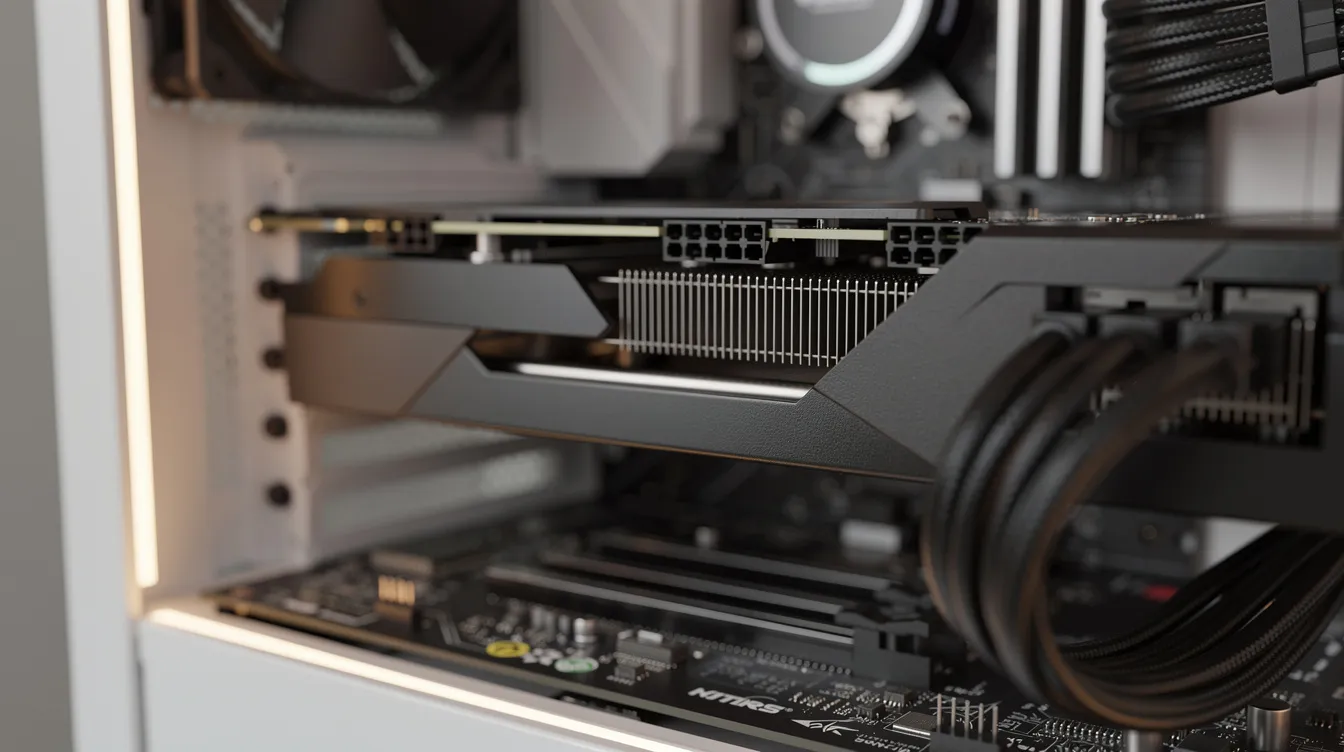
How we chose the best GPUs for LLM inference
We ranked each GPU choice by the factors that shape real GPU performance for large language models llms:
- VRAM capacity and GPU memory requirements: For LLM inference, the GPU’s memory (VRAM) sets the ceiling on model size and context length, with larger models requiring more VRAM to operate efficiently.
- Memory bandwidth: important for bandwidth-bound inference, but more bandwidth alone does not guarantee faster tokens.
- tensor cores and precision: FP16, BF16, INT8, INT4, and FP8 support affect efficient inference and training.
- CUDA support and software support: NVIDIA’s CUDA software ecosystem is heavily preferred for running large language models (LLMs) compared to competitors. That matters for framework compatibility in PyTorch, vLLM, and llama.cpp, TensorRT-LLM, Ollama, and Hugging Face workflows.
- Cost efficiency: We care about tokens per euro, not just the hourly price.
- Access quality: Dedicated vs shared GPU memory, persistent vs interruptible access, and support all affect real LLM projects.
- Availability: The right GPU is the one you can actually rent or buy.
Data-center GPUs such as H100 and A100 use HBM, while cloud-rented GeForce cards use GDDR memory. Renting a GPU does not imply a particular memory technology. Apple silicon with unified memory can be useful for quiet local testing, and AMD GPUs continue to improve, but NVIDIA GPUs still have the broadest CUDA support for demanding AI workloads and generative AI.
Start with the weight precision. FP16 or BF16 weights use 2 bytes per parameter: about 14GB for 7B, 26GB for 13B, and 140GB for 70B. These decimal-GB estimates cover weights alone. Ideal 8-bit and 4-bit storage use 1 and 0.5 bytes per parameter, before quantization metadata, unquantized tensors, caches, and runtime allocations.
Inference also needs memory for the KV cache, activations, temporary buffers, and runtime allocations. Cache use depends on the model, context, cache format, and concurrent sequences. Fine-tuning adds training state: LoRA freezes base weights and trains adapters, while QLoRA also quantizes the base. Full-parameter training needs gradients and optimizer state for the trainable weights. There is no universal 1.5x, 2x, or 4x multiplier over inference memory.
Best 7 GPUs for LLM workloads
1. NVIDIA RTX 5090
The NVIDIA RTX 5090 is a high-end consumer option for LLM workloads that fit within 32GB of VRAM. Its suitability depends on the model, precision, context length, and serving setup.
It has 32GB of GDDR7 memory and 1.792 TB/s of peak memory bandwidth. Those specifications give it more capacity and bandwidth than the RTX 4090, but they do not establish a fixed token rate or a speedup for every 8B model.
Best for: developers, startups, and teams that need strong inference speed, medium models with long context, or aggressive quantization for larger models.
Key strengths: 32GB GPU memory, high memory bandwidth, strong tensor cores, fast LLM inference, and more headroom than 24GB cards.
Possible limitations: high power consumption, higher upfront cost, and limited supply in some regions.
Compute with Hivenet offers RTX 5090 access. Its public pricing page lists a starting rate of €0.75 per hour, with eligible usage billed per second. Check the current console preset, location, resource allocation and active price before launch.
2. NVIDIA RTX 4090
The RTX 4090 is the most practical GPU for LLM development for many users. It has 24GB VRAM, strong performance, mature drivers, and wide software support.
The RTX 4090 can run 7B-class and larger models when the selected precision, cache, and runtime fit within 24GB. Models toward 34B generally require quantization; a 70B model exceeds this capacity even at an ideal 4 bits per weight. Lower-bit formats, offloading, or model splitting need separate quality and performance checks. Compare the same workload before concluding it is better value than enterprise hardware.
Best for: startups, researchers, and developers working on prompt testing, local inference, evaluation, RAG prototypes, QLoRA experiments, and smaller production services.
Key strengths: proven stability, 24GB VRAM capacity, CUDA ecosystem support, strong tensor cores, and good cost-to-output.
Possible limitations: less headroom than the RTX 5090, lower memory bandwidth, and aging architecture.
The RTX 4090 hardware guide remains relevant to people evaluating or using the card. Hivenet has retired its RTX 4090 fleet, so it is no longer available for new Compute workloads. Check the current Compute presets when evaluating a rental alternative.
3. NVIDIA H100
The NVIDIA H100 is an enterprise GPU for the hardest LLM workloads. The NVIDIA H100 is recommended for enterprises and research institutions working with the largest and most complex LLMs, when their memory, precision, interconnect, and software requirements fit the selected H100 system.
Specify the H100 variant before comparing figures. NVIDIA lists H100 SXM with 80GB of HBM3, 3.35 TB/s memory bandwidth, and 67 TFLOPS FP32. Its 1,979 TFLOPS FP16/BF16 Tensor Core figure uses sparsity. These theoretical peaks are not measured LLM throughput, and other H100 configurations have different specifications.
Best for: enterprise-scale training, very large models, multi-GPU clusters, high-concurrency serving, and research teams training from scratch.
Key strengths: 80GB HBM3 and 3.35 TB/s bandwidth on H100 SXM, FP8 support, MIG partitioning, and NVLink-based system options.
Possible limitations: high rental cost, limited availability, and frequent overkill for small or medium models.
Cloud GPU costs vary significantly by provider and configuration. Consumer GPUs can be practical when a workload fits their memory and feature limits. See the measured RTX 4090, RTX 5090, and A100 inference results for one Llama 3.1 8B BF16 serving comparison.
For frontier-scale systems, compare the exact Blackwell deployment. NVIDIA lists DGX B200 as an eight-GPU system with 1,440GB of aggregate HBM3e memory and 64 TB/s of aggregate memory bandwidth. Its advertised 15x inference comparison with DGX H100 is a projected, workload-specific system comparison, not a universal single-B200 speedup. Large deployments still require appropriate multi‑GPU LLM serving strategies and an evaluation of the trade-offs between parallelism approaches.
4. NVIDIA RTX 3090
The RTX 3090 remains a strong, older option because it offers 24 GB of VRAM at a lower price point, especially on the used market. It is slower than the RTX 4090 and RTX 5090, but the GPU memory ceiling is still useful.
Best for: budget-conscious users who need 24GB VRAM for local work, running LLMs locally, and experimenting with 30B-class quantized models.
Key strengths: 24GB VRAM, mature CUDA support, decent inference speed, and good used pricing.
Possible limitations: lower efficiency, more heat, older tensor cores, higher power draw than its performance suggests, and less future precision support.
The RTX 3090 is a sensible fallback if your budget constraints matter more than optimal performance.
5. NVIDIA A100
The NVIDIA A100 remains a popular choice for high-performance LLM inference, providing excellent performance at a lower price point than the H100, making it suitable for organizations that require strong capabilities without the premium cost.
Best for: teams that need stable data center hardware, strong memory capacity, and mature deployment paths.
Key strengths: up to 80GB HBM2e, multi-instance support, enterprise reliability, and a mature CUDA ecosystem.
Possible limitations: higher cost than consumer alternatives, no native FP8 Tensor Core support, and less attractive cost-to-output for smaller inference tasks.
A100 remains an option through providers such as Google Cloud. Use the RTX 4090 versus A100 workload comparison to weigh memory, precision, and deployment needs; neither card is a universal performance or cost winner.
6. Intel Arc B580
Intel Arc B580 has 12GB of GDDR6 memory and 456GB/s of memory bandwidth. It is an option for learning and smaller quantized models, provided the model and runtime fit and the required Intel software path is supported.
Best for: students, hobbyists, and teams testing smaller models.
Key strengths: low purchase price, quantized 7B inference when the model and runtime fit, decent bandwidth for the price, and improving software support.
Possible limitations: less mature framework compatibility than NVIDIA, less headroom for medium models, and limited performance for long context.
Intel Arc is not the safest choice for production, but it is a practical way to start selecting GPUs without spending RTX 4090 money.
7. Nvidia L40S
The NVIDIA L40S is a data-center GPU with 48GB of ECC-protected GDDR6 memory. Its capacity can suit inference workloads that exceed 24GB cards, but it requires a compatible server and cooling arrangement.
Best for: compatible servers running inference, rendering, visualization, and AI workloads that fit within 48GB.
Key strengths: 48GB VRAM, ECC memory, strong inference performance, and server-oriented AI and graphics features.
Possible limitations: 864GB/s memory bandwidth, no NVLink or MIG, and passive cooling that requires a compatible system. Compare actual workload performance and deployment cost.
If your gpu memory usage is dominated by long context, large models, or multiple models loaded at once, the L40S can make sense.
Quick comparison of the best LLM GPUs
| Rank | GPU | Best use | Main trade-off |
|---|---|---|---|
| 1 | RTX 5090 | Best for consumer performance and large context lengths | Cost and power |
| 2 | RTX 4090 | Best practical value for LLM development | 24 GB VRAM ceiling |
| 3 | H100 | Best for enterprise-scale training | Expensive for routine inference |
| 4 | RTX 3090 | Best older budget 24 GB option | Lower efficiency |
| 5 | A100 | Best reliable enterprise inference | Aging vs H100 |
| 6 | Intel Arc B580 | Best low-cost experimentation | Smaller model range |
| 7 | L40S | 48GB server AI and graphics option | Price vs consumer cards |
How to choose the right GPU for your LLM workload
Choose based on model size
Prioritize VRAM before you compare CUDA cores. The memory footprint of model weights usually sets the limit, and GPU memory usage rises again as context grows through the KV cache.
Choose a precision before assigning a GPU size. For example, 30B–34B weights need about 60GB–68GB at FP16/BF16, or an ideal 15GB–17GB at 4 bits. Real quantized models use additional memory. Add the intended context, batch, runtime, and training state before deciding whether one GPU is sufficient.
A 70B model at an ideal 4 bits per weight needs about 35GB, or 32.6GiB, for weights alone. That already exceeds a 32GB RTX 5090 before quantization metadata, caches, and runtime overhead. Running it with lower-bit compression or offloading is a different configuration and needs quality, speed, and memory validation; it does not establish equivalence to two A100s. Consider those limits alongside broader GPU choices for LLM inference in 2026.
Choose based on the use case
Small-batch decoding often stresses memory bandwidth; prompt processing and larger serving batches can stress compute throughput. Fine-tuning also depends on trainable parameters, activations, optimizer choice, and checkpointing. Full training requires substantially more resources than inference.
Selecting the right GPU for LLM workloads requires understanding memory requirements, bandwidth constraints, and workload patterns, as these factors shape the optimal configuration. Choosing the best GPU for LLMs depends on whether one is working as a consumer or deploying enterprise-scale infrastructure.
Single-user testing can run well on consumer cards. Production serving may need multi-GPU setups, redundancy, monitoring, and data center hardware.
Choose based on budget and accessibility
Buying hardware can pay off if you run it daily, but local systems need system RAM, storage, cooling, power, and maintenance. Estimate break-even from total hardware cost, expected utilization, electricity, maintenance, and the equivalent cloud workload cost. Daily token volume alone does not establish a 6–12-month payback period.
Cloud compute is better for bursty work, but check whether the instance is dedicated, shared, persistent, or interruptible. A cheap headline rate can become expensive if jobs fail or input data has to be moved repeatedly, so it helps to compare GPU rental options for AI workloads and their billing models carefully.
Which GPU is best for you?
- Choose RTX 5090 if you need 32GB VRAM and more memory headroom than a 24GB card, and your workload tests justify it.
- Choose RTX 4090 when its 24GB capacity and workload results fit your local or third-party hardware requirements. Hivenet no longer rents it for new workloads; review the Compute billing and rental model for current Hivenet options.
- Choose H100 if you train large models, serve many users, or need enterprise-grade reliability.
- Choose RTX 3090 if you need 24GB VRAM at a tighter budget.
- Choose A100 if your organization wants proven enterprise inference at a lower price than H100.
- Choose Intel Arc B580 if you are starting out with smaller models and want a low-cost path.
- Choose L40S if you need 48GB VRAM in a compatible server for inference or mixed AI and graphics workloads.
For developers and teams whose workloads fit the available presets, Compute with Hivenet provides GPU instances without buying hardware. The documented RTX 5090 family has 32GB of VRAM per GPU. Availability and attached resources depend on the selected preset and location; users remain responsible for their software and data.
Final thoughts
The best GPU for LLM work is not always the biggest enterprise card. It is the card that fits the model, keeps inference latency acceptable, and gives you a good cost-to-output ratio.
For most applied work, RTX 4090 and RTX 5090 rentals offer strong practical value. H100, A100, B200, and other enterprise options remain important for the largest training jobs and data center deployments, but many inference tasks do not need that level of hardware.
To evaluate current Hivenet GPU rentals, compare the RTX 5090 presets shown in the console with your memory, software and runtime needs. Public pricing starts at €0.75 per hour; the selected configuration and active console price determine the actual charge. RTX 4090 is no longer available for new Hivenet workloads.
Your next workload belongs on Hivenet.
Pick one AI, compute, or storage workload and see the difference for yourself. Spin it up in minutes, or let our team map your fastest path to production.

