Faça login na Hivenet
Acesse seus arquivos e gerencie sua conta de armazenamento.
Armazenar
Acesse seus arquivos e gerencie sua conta de armazenamento.
Computar
Inicie instâncias e gerencie seus recursos computacionais.
Atualmente, o Store e o Compute ainda usam contas separadas. Estamos trabalhando em um login unificado.
Só precisa enviar um arquivo?
Use Enviar diretamenteNovo na Hivenet? Comece
Comece a usar o Hivenet
Escolha o que você quer usar primeiro.
Armazenar
Faça backup de fotos e arquivos em seus dispositivos.
Computar
Inicie a computação de GPU de autoatendimento para trabalhos exigentes.
Atualmente, o Store e o Compute ainda usam contas separadas. Estamos trabalhando em uma experiência de conta unificada.
Precisa da Hivenet para negócios?
Fale com a equipe de vendasPrecisa enviar um arquivo?
Abrir EnviarJá tem uma conta? Faça login
Entre em contato com Hivenet
Escolha o caminho adequado à sua pergunta.
Contato geral
Perguntas, suporte, parcerias, imprensa ou qualquer outra coisa que não esteja vinculada a uma conversa de vendas.
Fale com a equipe de vendas
Pergunte sobre computação, armazenamento, IA privada ou uma implantação comercial maior.
Precisa de ajuda com configuração, cobrança ou solução de problemas? Comece com Suporte para obter a resposta mais rápida.
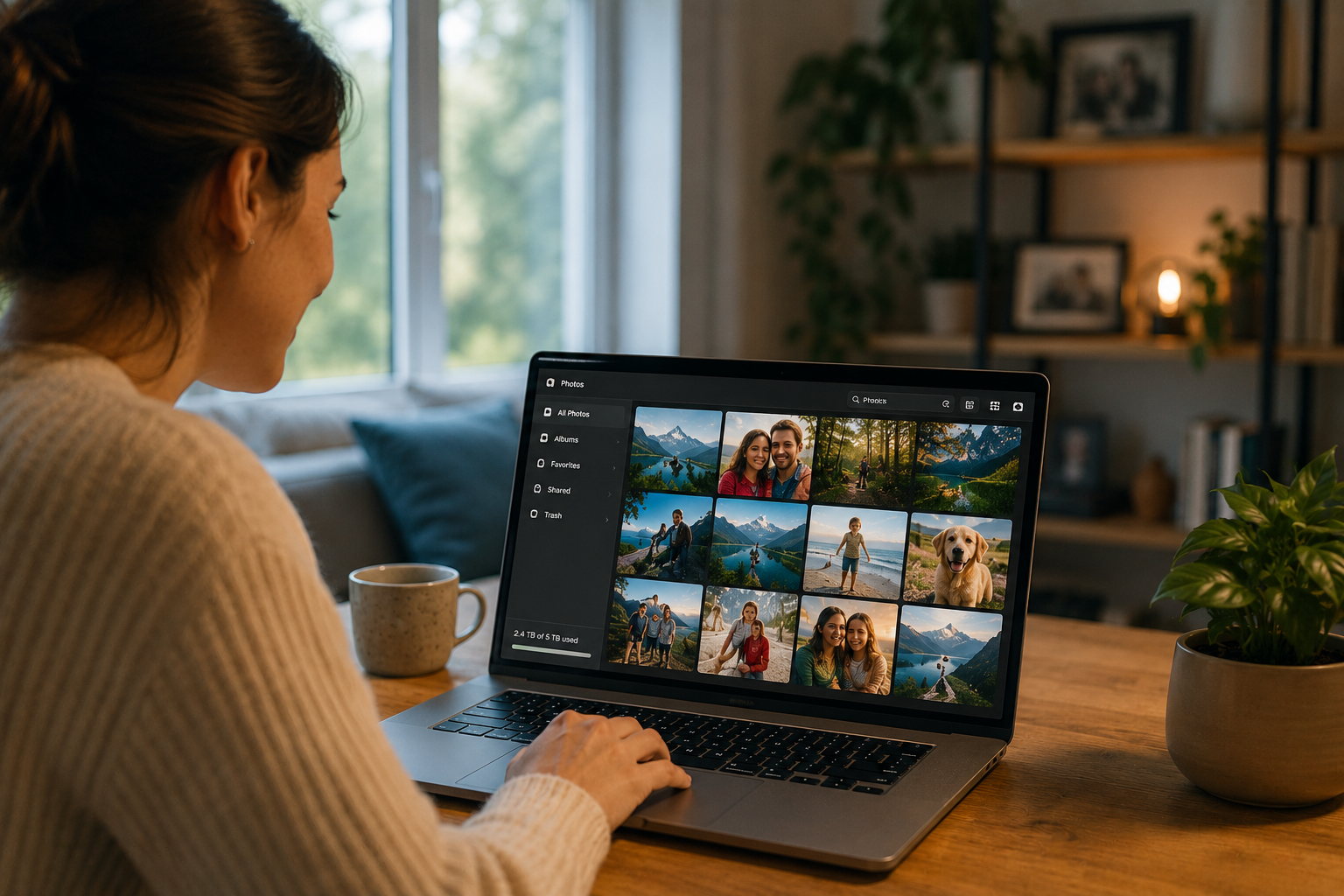
Fotos na nuvem: como manter suas memórias seguras sem abrir mão da privacidade
Storing photos on the cloud means uploading your images and videos to remote servers so they stay backed up, accessible across devices, and protected if your phone breaks or your laptop disappears. Store with Hivenet offers encrypted cloud storage that keeps your photos safe without scanning them for ads, training AI models, or building behavioral profiles. This article answers the core question directly: how to store your photo library online, save space on your phone, and still keep control of your privacy.
Most people use cloud photo storage through the ecosystem that came with their device-whether that’s an iPhone, a Windows computer, or a Mac. These services work well for convenience, but they often analyze what you upload. Hivenet takes a quieter approach: your photos are encrypted before storage and kept across distributed infrastructure, not fed into recognition systems.
What “photos on the cloud” really means today
Cloud photo storage works by uploading copies of your image files over the internet to secure, remote servers managed by a service provider. When you turn on photo backup on your mobile device, your camera roll starts copying to a data center somewhere far away. Your photos and videos become accessible from other devices-a tablet, a desktop, a browser-because they live online, not just on the phone in your pocket.
Providers duplicate your data across multiple geographic server locations to ensure redundancy and safety. If one server fails, your memories don’t vanish. Storing photos in the cloud offers instant device space optimization, universal accessibility, and automated disaster recovery. That’s the core promise.
For most users, cloud storage replaces the old habit of keeping photos on external hard drives or memory cards. The cloud can free up physical drive space by replacing local photos with tiny, high-quality placeholder previews. Your phone shows thumbnails; the full-resolution files stay online until you download them.
The catch is what happens to your photos once they’re uploaded. Many services scan your images to power features like face grouping, location mapping, and automatic albums. That analysis is often invisible to you. Whether you’re comfortable with that trade-off depends on how much you value convenience versus how much you value keeping your personal media private.
How cloud photo storage works in everyday life
Automatic syncing allows mobile or desktop apps to monitor folders and automatically upload new images to the cloud. When you take a photo on your iPhone, it can appear on your iPad and Mac within minutes. Cloud photo storage services allow users to access their photo libraries from any device, anywhere in the world, providing flexibility and mobility.
Consider someone switching phones in 2024. With cloud sync enabled, signing into a new device restores years of photos without plugging in a cable or hunting for a backup file. The same applies when a laptop fails-your images are stored remotely, so replacing the hardware doesn’t mean losing ten years of travel and family photos.
The distinction between sync and backup matters. Sync means your photo library stays identical everywhere: delete a photo on one device, and it disappears from all of them. Backup means keeping a separate, recoverable copy. Many services that advertise sync also serve as backups, but if you accidentally delete something and the deletion syncs before you notice, it’s gone unless the service has a Trash feature with a recovery window.
Many services use smart compression or keep placeholders on devices, allowing users to view photos without consuming significant local storage. You can view photos quickly, scroll through years of memories, and only download full-resolution files when you need them. That’s how cloud storage helps you save space without losing access.
iCloud Photos and other big photo clouds: convenience and trade-offs
iCloud Photos syncs the master image files across all devices that use iCloud, allowing users to access their photos seamlessly without needing to back up or move the Photos library to a new device. Turn it on, and your photos app on your phone, your Mac, and your iPad all show the same collection. You can view photos from any browser by signing into your account on the web.
These services surface memories, auto-organize albums, and let you share photos with family through shared albums. The convenience is real. Search “beach 2019” and the system finds your vacation images without you ever tagging them. Some services even edit photos automatically, adjusting light and color.
But this convenience comes from scanning your photos and videos. The system identifies faces, reads location metadata, detects objects, and infers context. That’s how it knows which images are “beach” and which are “birthday party.” Your deeply personal archive-family milestones, children growing up, quiet Sunday mornings-is being interpreted by software controlled by a company that may use aggregated insights for product development or ad targeting.
The trade-off is worth naming: feature-rich photo libraries powered by AI require access to your content. If you want the smart features, you accept the scanning. If you don’t want your memories analyzed, you need a different approach.
What online photo storage data collection can look like
Cloud services can combine photo metadata-location, time, device type-with your account activity and browsing behavior. A photo taken at a hospital, a birthday party, a protest, or a therapist’s office carries contextual information that reveals intimate details about your life.
Some providers identify people appearing together across photos, mapping your social connections. Frequent locations-home, work, gym, school pickup-become part of a profile. Life events like weddings, newborns, and moves show up as patterns in your photo library. A 2026 Kaspersky survey found that 84% of users across 15 countries store sensitive personal data digitally, including photo archives. Most people think of photos as memories, not as behavioral data.
Policies change over time. A service that promised privacy in 2018 might update its terms in 2026. The emotional stakes are high-these are your kids, your parents, your private moments.
Storing photos with Hivenet: private cloud storage for your memories
Store with Hivenet is encrypted cloud storage designed for keeping photo and video archives safe over years. Hivenet treats your images as personal memories, not content to be mined for face recognition, ad targeting, or AI training. Your files are encrypted before storage and kept across distributed infrastructure rather than a single centralized data center.
Store with Hivenet is not a photos app with smart albums or AI-powered editing. It’s a safe place to upload, organize, and restore your photo library using folders and filenames you control. You can browse your collection through standard file views-no automatic analysis of faces or locations.
For users who care about children’s photos, medical images, or sensitive personal documents, this approach offers clearer boundaries. Your photos stay yours. No surprise suggestions built from your private library.
How encryption and distributed storage protect your photos
Encryption converts your photos into unreadable data before they leave your device. What arrives at Hivenet’s servers is scrambled content that can only be reassembled with your keys. Even if someone accessed the infrastructure, they’d see encrypted files, not your family photos.
Distributed storage means your data lives across independent nodes rather than one massive data center. Think of it like splitting a photo album into sealed envelopes stored in different locations. This design reduces the risk of a single breach exposing everything and improves resilience against hardware failure.
No system offers absolute security, but Hivenet’s approach significantly limits who can see the content of your files. The provider doesn’t scan your images because it can’t read them.
Why Hivenet focuses on trust, not photo gimmicks
Store with Hivenet does not scan, rank, or auto-tag people, places, or objects in your photos. You won’t see “people you might know” suggestions built from analyzing your private collection. There’s no face grouping, no automatic memories, no icloud private relay-style features tied to photo analysis.
This means fewer smart features. But it also means clearer privacy boundaries. If your photos include children, personal documents, or images from sensitive life moments, you control what happens to them. Hivenet’s design assumes your memories are private by default.
Practical ways to use cloud storage for your photo library
Using cloud storage for automatic photo backup allows users to access their photo library from any device, providing flexibility and mobility. Users can manage their photo libraries on the go using mobile apps provided by cloud storage services, enabling access, editing, and sharing of photos anytime and anywhere.
A practical workflow: consolidate photos from your current phone, old laptops, and external hard drives into Store with Hivenet. Create folders by year or event-“2023 Italy Trip,” “Kids School 2024,” “Wedding”-and upload everything. Once it’s in the cloud, your devices can save space by keeping only what you need locally.
Organizing by date, trip, or family member using folders works well without AI-driven albums. You can easily accessible your collection from a browser, desktop app, or mobile device.
Backing up photos from phones, laptops, and old drives
Start by gathering photos from your current phone. Export images from old devices or memory cards-dig out that 2015 iPad or the SD card from a camera you haven’t used in years. Upload everything into clearly named folders in Store with Hivenet.
Typical file types include JPEG, HEIC, PNG, GIF, MOV, and MP4. If you’ve taken photos since 2010, you might have files in formats that have evolved. Store with Hivenet handles standard image and video files without requiring conversion.
Practicing the 3-2-1 backup rule involves keeping three copies of important photos: two on different local devices and one in the cloud. This ensures your digital assets survive even catastrophic hardware failure.
Using cloud storage to share photos safely
Cloud photo storage services allow users to share photos and videos privately and securely with friends and family using advanced sharing features. With Send with Hivenet, you can share a wedding gallery with family, send high-resolution video to a collaborator, or share kids’ photos privately with grandparents-without posting to a social network.
Many cloud services provide the ability to share photos and albums with strong privacy controls, ensuring that shared moments remain protected. You keep control: stop sharing, change access, or delete files at any time. Users can access their photo libraries from any device, anywhere in the world, making it easy to share cherished memories on the go.
How to view, manage, and restore photos from cloud storage
You can view photos stored in Store with Hivenet through a web browser, desktop app, or mobile app. The interface focuses on secure file views rather than a polished photos app experience-you’ll see folders, thumbnails, and download options rather than AI-curated albums.
Many cloud storage services offer features that allow users to automatically back up photos from their mobile devices as soon as they are taken. Automatically backing up photos ensures that your memories are safeguarded and secure, protecting them from data loss.
Test your restores occasionally. Download a folder from 2018 or restore an album to a new device to confirm everything works. When you replace a lost phone in 2026, you’ll want confidence that your last decade of photos is actually recoverable.
Keeping your photos safe over years, not just months
Long-term habits matter. Check that backups run. Periodically export key albums to a local drive. Keep your account recovery information current-email, password, any recovery keys.
Think of your photo library as a project spanning decades. Family archives, children growing up, milestones you’ll want to revisit in 2035 and beyond. Using a storage service that keeps files in standard formats means your options stay open. You can move your photos elsewhere if your needs change.
Privacy, sustainability, and the real cost of putting photos on the cloud
Online photo storage has costs beyond subscription fees: privacy exposure and environmental impact. Every photo stored and processed in large data centers consumes energy. Servers need power, cooling, and hardware that eventually becomes e-waste.
Hivenet’s distributed cloud platform makes more efficient use of existing infrastructure. Rather than constantly expanding single-vendor data centers, distributed storage shares load across independent resources. This can reduce waste compared to centralized models.
Keeping one well-organized, trusted archive instead of scattering duplicates across multiple services also helps. Fewer copies, less redundant storage, smaller footprint.
Choosing a cloud photo strategy you can live with
The main decision points: privacy, control, ease of viewing, how you share photos, and your comfort with automated analysis. Feature-rich photo libraries like iCloud Photos offer convenience powered by scanning. A quieter encrypted service like Store with Hivenet offers privacy powered by restraint.
Pick a primary home for your photo library and commit to it. Fragmentation-photos scattered across five services, three old phones, and a forgotten hard drive-leads to lost memories.
Start with Store with Hivenet by backing up a small album that matters to you. A trip, a birthday, a quiet Sunday. See how it feels to keep your memories safe without surveillance.
Frequently Asked Questions about Photos on the Cloud
What is cloud photo storage, and how does it work?
Cloud photo storage means saving copies of your photos and videos on remote servers managed by a service provider. Your device uploads images over the internet, making them accessible from any device with an internet connection. This helps protect your memories from device loss or failure.
How does Store with Hivenet protect my privacy?
Store with Hivenet encrypts your photos before they leave your device, so only you hold the keys to decrypt them. The data is stored across distributed infrastructure, minimizing the risk of unauthorized access. Unlike many big tech photo clouds, Hivenet does not scan or analyze your photos.
Can I automatically back up photos from my phone?
Yes. Many cloud storage services, including Store with Hivenet, offer automatic backup features that monitor your device’s photo folders and upload new images as you take them. This ensures your memories are continuously safeguarded without manual intervention.
How can I free up space on my phone using cloud photo storage?
Cloud storage services often replace full-resolution photos on your device with smaller placeholder previews. This lets you view your photos without using much local storage. You can download the original files from the cloud when needed, freeing up significant space on your phone.
What are the trade-offs between convenience and privacy in cloud photo storage?
Big tech services like iCloud offer smart features such as face recognition and automatic album creation but require scanning your photos. If you prioritize privacy and want to avoid analysis of your personal media, a service like Store with Hivenet offers encrypted storage without these features.
How do I access my photos stored in the cloud?
You can view and manage your photos through web browsers, desktop apps, or mobile apps provided by the cloud service. Store with Hivenet provides secure file views with folders and thumbnails, focusing on privacy rather than AI-curated albums.
Is it possible to share photos securely with family and friends?
Yes. Cloud storage services often include sharing features with strong privacy controls. With Send with Hivenet, you can share photos or albums privately, control access permissions, and revoke sharing at any time.
What file types does Store with Hivenet support for photos and videos?
Store with Hivenet supports common image and video file types such as JPEG, HEIC, PNG, GIF, MOV, and MP4, allowing you to upload and store your existing photo library without conversion.
How can I ensure my photos are safely backed up long-term?
Follow the 3-2-1 backup rule: keep at least three copies of your photos, store them on two different local devices, and keep one copy in the cloud. Periodically test restoring photos from your backup to confirm data integrity.
Can I use Store with Hivenet alongside other cloud services like iCloud?
Yes. You can use Store with Hivenet as a private, encrypted backup while continuing to use other services for convenience features. This approach balances privacy with ease of access depending on your needs.
How does Hivenet’s distributed infrastructure benefit sustainability?
Hivenet’s distributed cloud platform makes efficient use of existing infrastructure by sharing storage load across independent nodes. This reduces the environmental impact compared to continuously expanding centralized data centers.
O que devo fazer se quiser mais espaço para minhas fotos em serviços em nuvem como o iCloud?
Você pode ajustar as configurações do iCloud para atualizar seus planos de armazenamento, permitindo que você armazene mais fotos. Gerenciar as preferências e acessar as configurações do seu dispositivo iOS ajuda você a se conectar e otimizar seu backup de fotos sem problemas.
Como gerencio minhas preferências e configurações de fotos em dispositivos iOS?
Em um iPhone ou iPad, acesse Ajustes > [seu nome] > iCloud > Fotos. Aqui você pode ativar ou desativar as Fotos do iCloud, gerenciar as opções de armazenamento e escolher se deseja otimizar o armazenamento do dispositivo ou baixar os originais.
O armazenamento gratuito está disponível para backups de fotos na nuvem?
Muitos provedores de nuvem oferecem armazenamento gratuito níveis com capacidade limitada. Para bibliotecas de fotos maiores, os planos de armazenamento pagos oferecem mais espaço e recursos adicionais. O Store with Hivenet se concentra na privacidade e não nos limites de armazenamento gratuito.